neoprobe
TM
GDS Operation Manual
AW-000639 Page 8 of 38
Set Dynamic Pitch
audible tone.
Turn Volume [15]
counterclockwise
Turn Volume [15]
clockwise
Set Dynamic Pitch sound
on or off.
Press and release Mute
Button [16].
When sound is off, Mute symbol [17] flashes; when
sound is on, Mute symbol [17] is constant
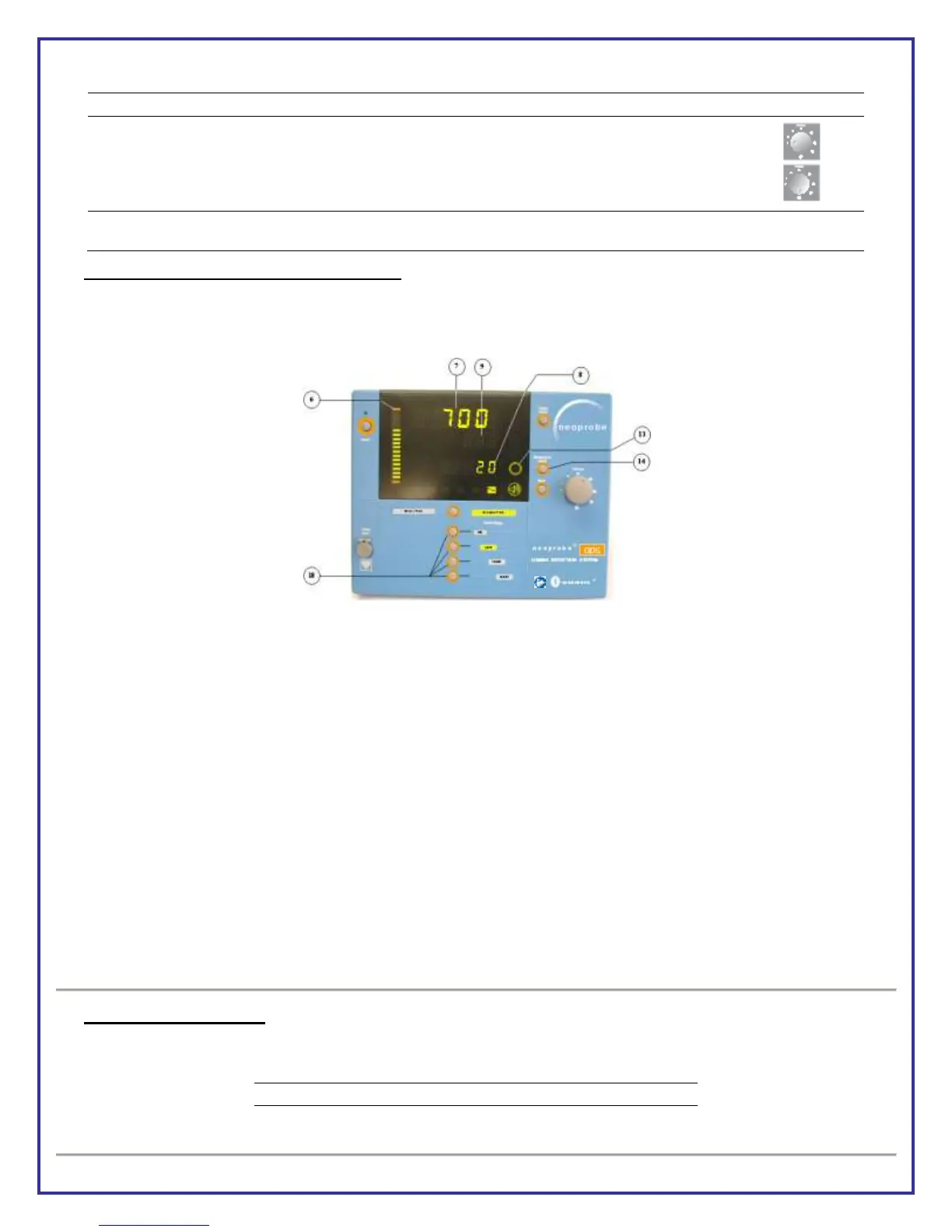
Background Count in Dynamic Pitch Mode
Background Count [8] is used as minimum value for selected range. Background Count [8] displays default value for
Dynamic Pitch range; Ratio Readout [9] is off; and Target Count [7] displays count rates as probe moves over body
tissue.
BACKGROUND COUNT
How to acquire Background Count
Place probe tip on target area.
Press and release Background Count Button [14]; a single Start Beep will sound; hold probe steady 2 to 6
seconds until Count Bar [6] is full and a double Stop Beep sounds.
Console display
Background Count Symbol [13] flashes.
Background Count Readout [8] displays dashes.
Count Bar [6] fills from bottom to top as data is collected.
Target Count Readout [7] is blank and is stopped temporarily.
Background Count Value
Background Count Readout data [8] will remain until a new Background Count is performed, Count Range [18] is
changed, Dynamic/Binary Pitch button is pressed, or system is switched off.
Set Dynamic Pitch range
Physician generally sets Dynamic Pitch Range [18] based on maximum count rates expected in order to achieve
highest result for a given Dynamic Pitch Range. Default Background Count values are displayed in table below.
Artwork No: AW-000639 Revision: A Artwork Status: Released Lifecycle Name: Artwork
PCO No: N/A ECN No: ECN-000214 Release Date: 10/09/2012 Effective Date: 10/09/2012


 To Next Page