neoprobe
TM
GDS Operation Manual
AW-000639 Page 17 of 38
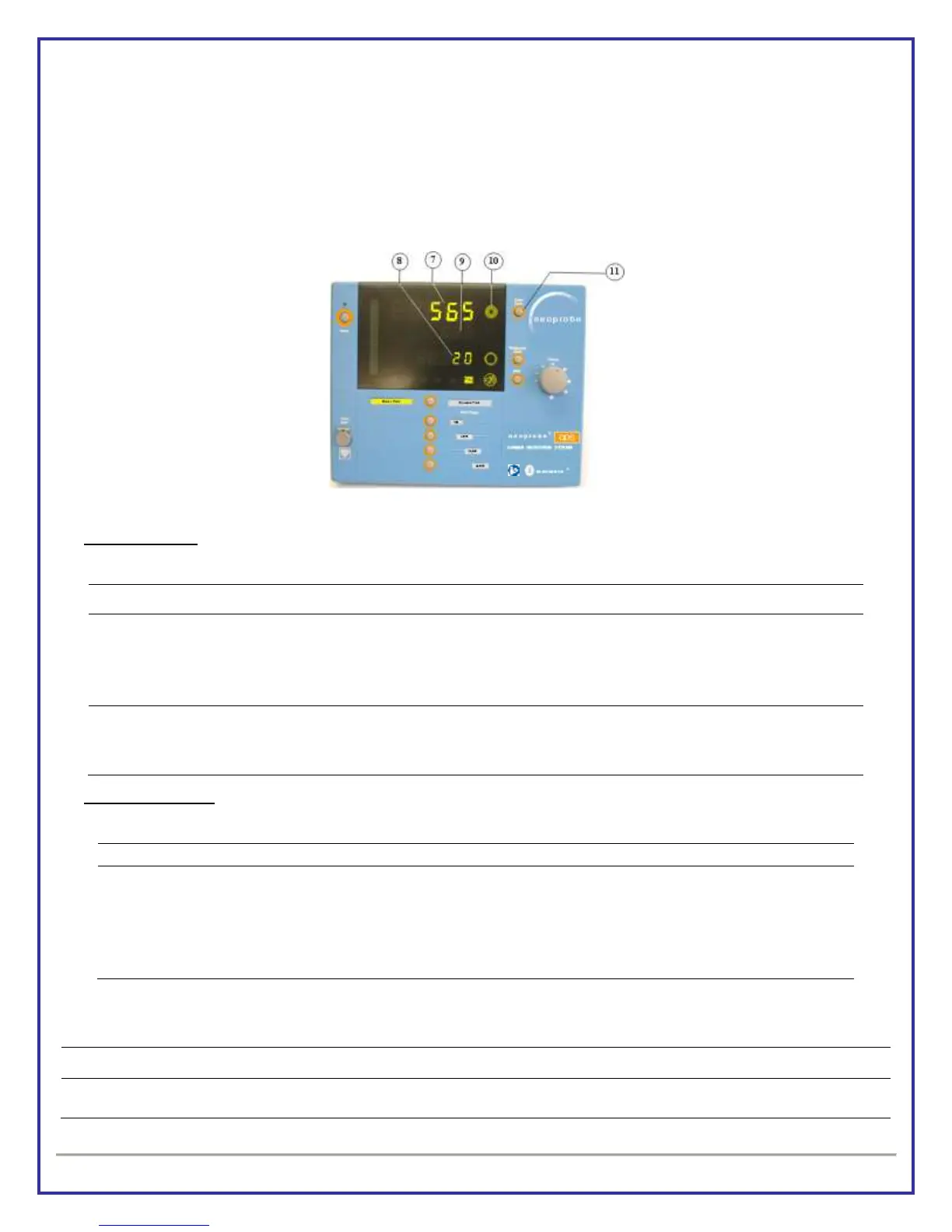
Count Bar [6] fills from bottom to top as data is collected for 2 seconds.
Target Check Display
Target Check data is displayed in Target Count Readout [7] for 5 seconds; Target Count Symbol [10] flashes
green.
After 5 seconds, system returns to Binary Pitch mode displaying last calculated Background Count data [8]
and current Count Rate data [7].
TARGET CHECK; 2-SECOND OPTION
Operation Note
Events that may occur during product use:
Target Check data is too high
Overflow Symbol “/////” is displayed in
Target Count Readout [7] and beep
sounds
Target Count Button [11] is pressed
while Target Count is displayed
Target Count Readout [7] changes to
Binary Pitch Mode and displays Target
Count data
System Shutdown
Shut down system and prepare for reuse.
System shutdown and reuse
Press and release Standby/On button [1]
Clean console and power cord; wrap power cord around posts on rear panel of console
Separate and clean external collimator and probe
Sterilize external collimator and probe if no sterile surgical drape is used
5. TERMINOLOGY AND SYMBOLS
Terms, symbols and graphics used in this manual.
A continuous rate of gamma radiation measured in counts per second and updated every one-half
second. Count Rate is displayed on same line of LED screen as Target Count data and Target
Artwork No: AW-000639 Revision: A Artwork Status: Released Lifecycle Name: Artwork
PCO No: N/A ECN No: ECN-000214 Release Date: 10/09/2012 Effective Date: 10/09/2012


 To Next Page