EN - 19SE-DV54-1
SmartFlex Menu List
The SmartFlex menu is available in all modes and is a sub-menu that allows you to control various functions of your
device. It is accessed by pressing the down button while in this Advanced Menu.
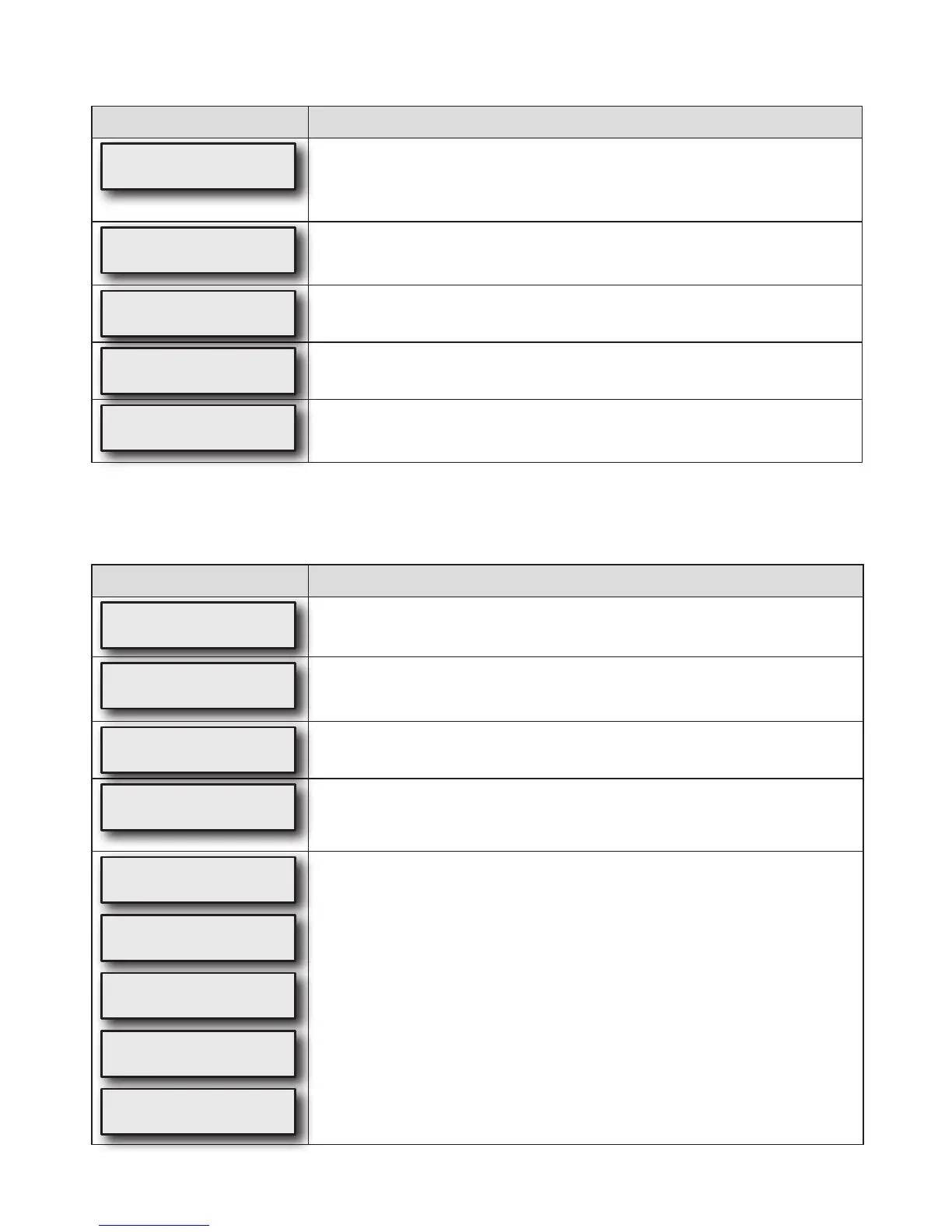
DisplayExample Description
SmartFlex
3
This setting controls the amount of pressure relief.
OFF = SmartFlex feature is OFF
1 = least amount of pressure relief
3 = most amount of pressure relief
SmartFlexMode
FullTime
This setting controls the SmartFlex operating mode.
FullTime means SmartFlex feature is always active
DelayOnly means SmartFlex feature is active only during the pressure delay cycle.
SmartFlexIRnd
3
This setting controls the Inhale pressure waveform.
SmartFlexERnd
3
This setting controls the Exhale pressure waveform.
ExitMenu
Press
Pressing the up key exits the SmartFlex menu
Blower Off Menus
Compliance information can be viewed without turning the CPAP on. With the blower OFF (display shows OFF), press the
left or right arrow keys on the keypad to scroll through the information.
DisplayExample Description
OFF
Blower OFF, the CPAP unit is plugged in to AC or DC power with the blower OFF.
QuickViewMenu
Press
Pressing the down key enters the Quick View menu. NOTE:The “Quick View” menu
is only shown if enabled from the clinical menu.
SerialNumber
HD000005
Shows the serial number of the device.
AdherenceScore
83%(25/30)
Shows the maximum adherence achieved for any period of thirty consecutive days of
use within a ninety-day time frame. The score represents the percentage of days,
within thirty consecutive days, where usage met or exceeded the ‘Usage Threshold.’
SmartCode 1-Day
F6CD-37F-357R
SmartCode 7-Day
3CCC-377D-7J7X
SmartCode 30-Day
DWY4-3DB7-DJ7L
SmartCode 90-Day
752TT-47DB-7DT7C
SmartCode Usage
ZDN-79FK-K7H
SmartCodedataisusedfortherapymanagementreporting;therapyinformationis
encoded in a series of letters and numbers, and includes a special character for error
checking to ensure accuracy. Use the UP arrow or DOWN arrow keys to change the
SmartCodereportingperiod.TherearevelevelsofSmartCodedata–1-day,7-day,
30-day, 90-day and Usage. Use UP or DOWN button to change between levels.


 To Next Page