EN - 20 SE-DV54-1
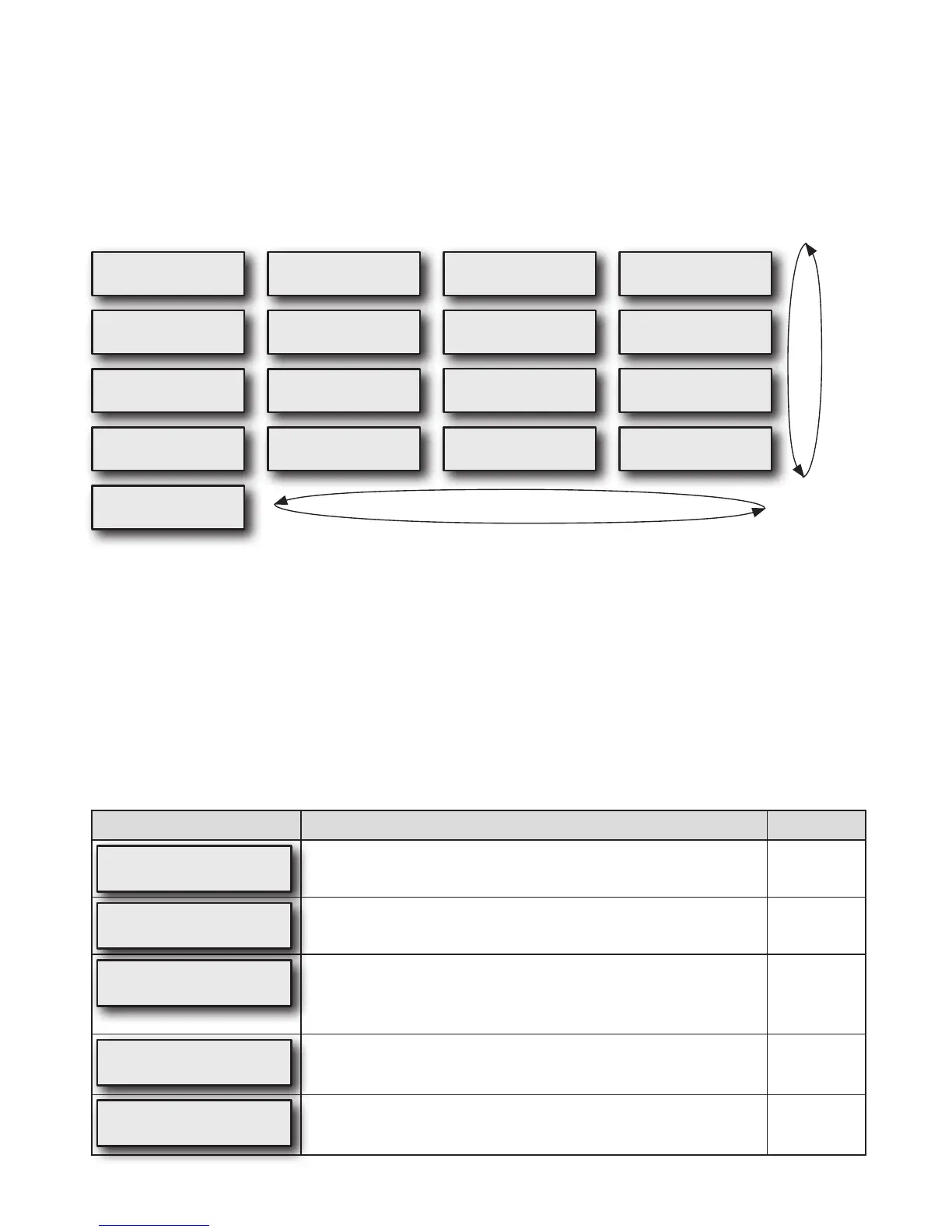
Quick View Menu Layout
The Quick View Menu shows a summary of information which is reported in the SmartCode data. Information in the Quick
View includes: Number of days used more than 4 hours (or can be set to 5 hours by clinician), AHI (Apnea/Hypopnea
Index), High Leak percent (percent of time at leak >95 L/m), and Daily Usage (average hours per day used). Each
parameter can be viewed in any of four time periods, 1 day, 7 days, 30 days and 90 days.
The following chart shows the Quick View information that is available on your CPAP display if viewing this information has
been enabled by your provider. The Quick View menu shows a summary of your SmartCode data for 1, 7, 30, and 90 day
periods.Eachofthetimeperiodscontainsinfofor“NumberofDays>xhrs”,ApneaHypopneaIndex(AHI),HighLeak%
(>95 L/m) and Average Daily Hours of while breathing use.
DiagramofCPAPdisplays
Days≥4H 1d
1/1(100%)
AHI 1d
31.5+
HighLeak 1d
31+%
DailyUsage 1d
9.3+hours
ExitMenu
Press
Days≥4H 7d
7/7(100%)
AHI 7d
31.5+
HighLeak 7d
31+%
DailyUsage 7d
9.3+hours
Days≥4H 30d
30/30(100%)
AHI 30d
31.5+
HighLeak 30d
31+%
DailyUsage 30d
9.3+hours
Days≥4H 90d
90/90(100%)
AHI 90d
31.5+
HighLeak 90d
31+%
DailyUsage 90d
9.3+hours
UP () DOWN () buttons
RIGHT () LEFT () buttons
SmartCode Data and Adherence Score Information
Your Healthcare provider may contact you to retrieve SmartCode data and Adherence Score information. To display the
SmartCode data, press the LEFT arrow key once. Use the UP arrow or DOWN arrow keys to change the SmartCode
reporting period. Press the LEFT arrow key again to display the Adherence Score.
Definitions
Notallofthefeaturesinthetablebelowareavailableinallmodels;someareoptionalandsomedependonwhatyour
physician and/or home care provider has selected. The table shows the items you may see, and describes the feature
associated with each item. Also, some features are only available in certain modes or with the DeVilbiss SmartLink
Therapy Management Module – these are noted in the ‘Mode’ column below. If you do not see some of these options, your
modelorcongurationdoesnotsupportthem.
Please note that the values displayed are examples only.
DisplayExample Description Mode
OFF
Blower OFF, the CPAP unit is plugged in to AC or DC power with the
blower OFF.
All
QuickViewMenu
Press
Pressing the down key enters the Quick View menu. NOTE:The
“Quick View” menu is only shown if enabled from the clinical menu.
All
P:5.0 Auto
Heat:Off
This is the default screen when the device is turned on. The actual
mask pressure and heater setting are shown. The displayed pressure
may vary slightly while breathing. If the heater system is not connected,
the heat setting will be blank.
All
UpperLimit
15.0cmH
2
O
This is a prescription setting which limits the maximum pressure at
whichthedevicewilloperateifinAutoAdjustmode.Yourhomecare
provider programs this setting for you during device setup.
AutoAdjust
Mode
LowerLimit
5.0cmH
2
O
This is a prescription setting which sets the minimum pressure at which
thedevicewilloperateinAutoAdjustmode.Yourhomecareprovider
programs this setting for you during device setup.
AutoAdjust
Mode


 To Next Page