LT-1859
6
SERVICE INSTRUCTIONS
VI. SERVICE INSTRUCTIONS
A. Regulator Seal Replacement
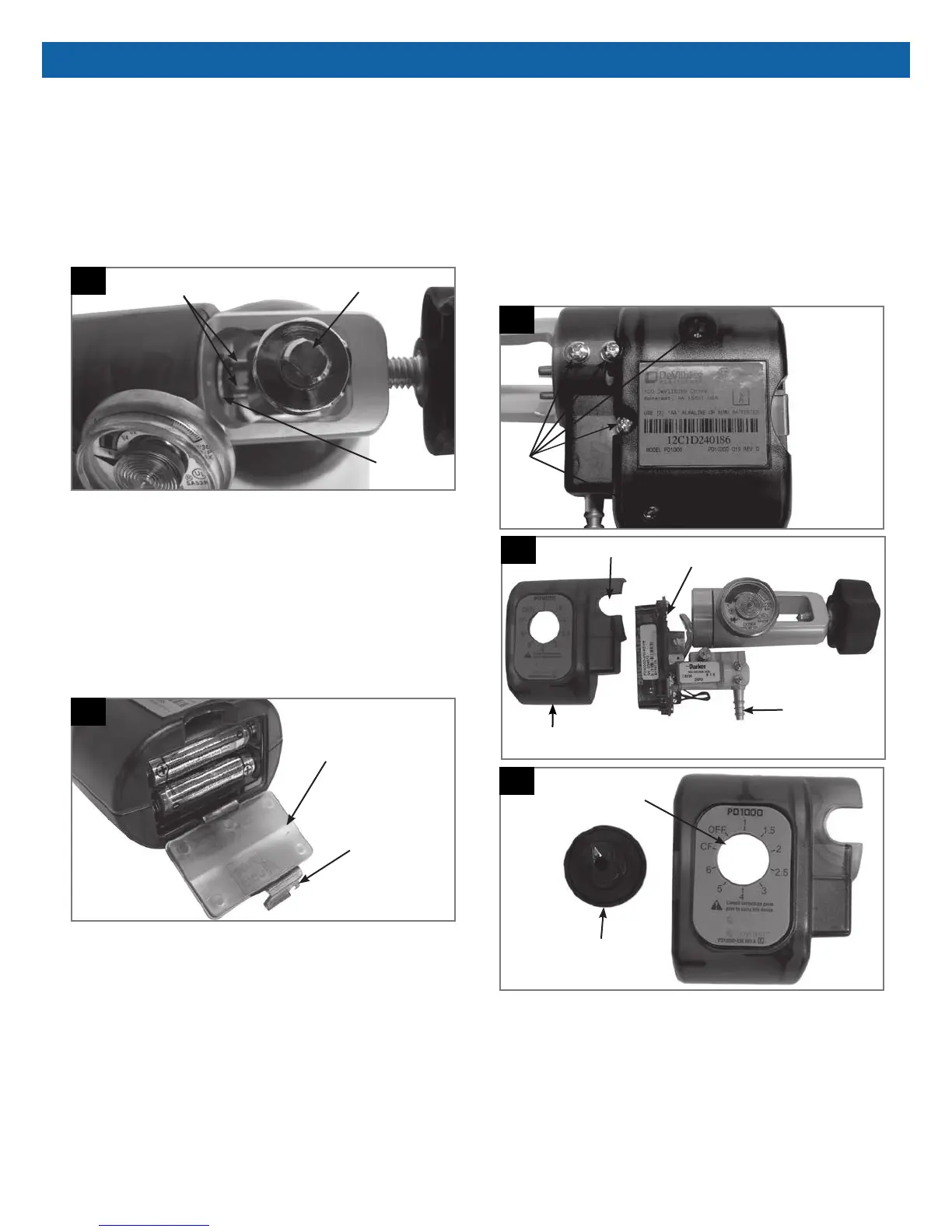
Start by closing the tank valve so that no pressure is
supplied to the PD1000. Loosen the knob so that the
guide pins slide out of the indexing holes in the tank
post. Remove and replace the defective seal (Part #
9286-RD) (Figure 9).
9
Regulator
Seal
PostGuide Pins
B. Battery Replacement
NOTE-Turn the rotary selector to the "OFF" setting and
wait approximately 15 seconds prior to changing
batteries.
Open the battery door by pushing back on the latch
and lifting (Figure 10). Remove batteries and note the
polarity. The polarity is also indicated in the battery
compartment. Replace with standard "AA" alkaline or
NiMH batteries.
10
Battery Door
Latch
Battery Door
C. Cover/Regulator and Gauge Removal
Position the PD1000 face down so that the back cover
is facing up. Remove the 5 cover screws (Figure 11)
and then remove the rear cover. Stand the unit on its
side and (Figure 12) remove the circuit board/manifold
assembly. Then slide the front cover off the regulator.
The Rotary Selector will also lift out when the front
cover is removed (Figure 13). The regulator/gauge can
then be removed by disconnecting the regulator hose.
Refer to Section VII-Internal Parts.
11
Cover
Screws
12
Slot for Gauge
Front Cover
Cannula Fitting
PC Board
13
Rotary Selector Knob
Knob Opening









 To Next Page