Initial use 23
devolo dLAN pro 1200+ WiFi ac
쎲 The LED flashes white quickly at regular inter-
vals if the encryption process (pairing) is being
performed in the dLAN pro network.
쎲 The LED flashes white at irregular intervals if
the dLAN pro 1200+ WiFi ac is in PowerSave
mode.
쎲 The LED flashes red at regular intervals if the
transmission rate of the dLAN pro 1200+ WiFi ac
is not in the optimum range. For information on
improving the transmission rate, refer to Chapter
5.1 Bandwidth optimization.
3.3.2 Wi-Fi button
The Wi-Fi button controls the following Wi-Fi
functions:
Wi-Fi On/Off:
쎲 In the factory default settings, the Wi-Fi set-
ting is already enabled and the Wi-Fi encryption
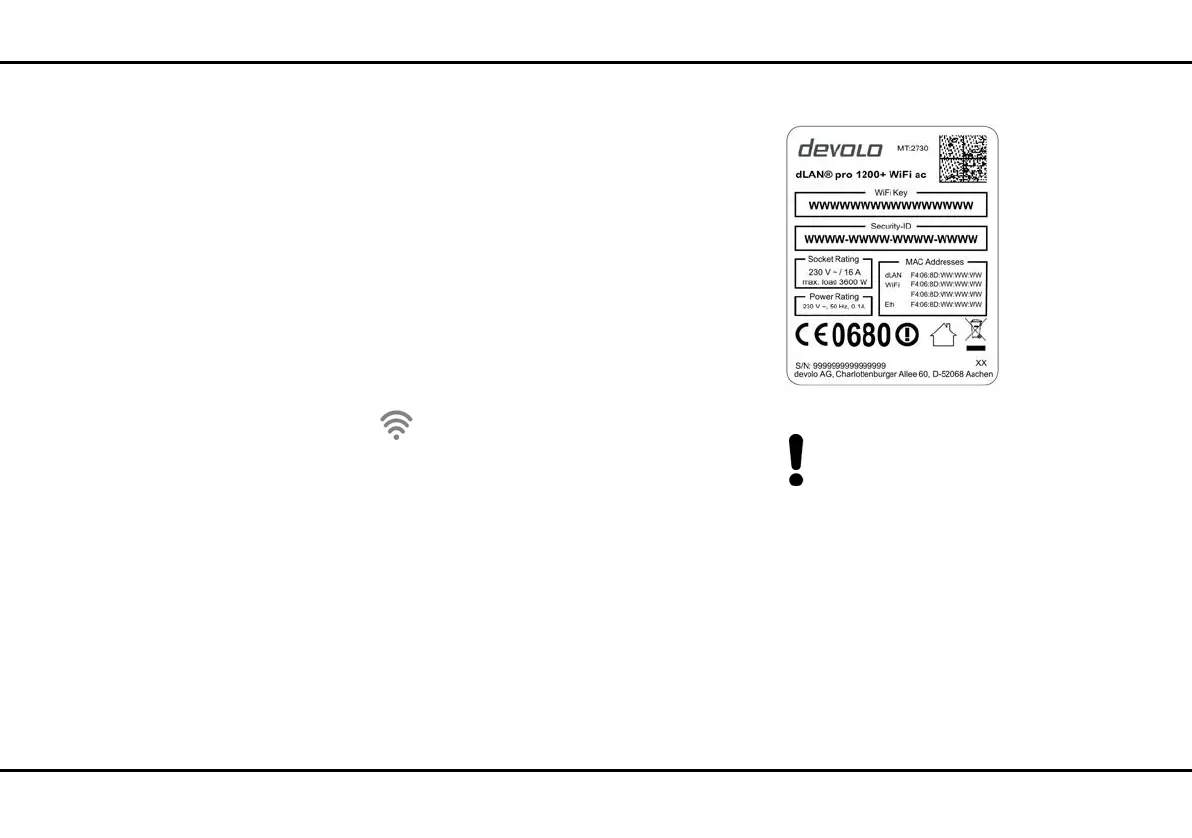
is set to WPA2. The default WiFi key for the initial
installation of the dLAN pro 1200+ WiFi ac is the
device's WiFi key. You will find the unique key on
the label on the back of the housing.
Note the WiFi key of the
dLAN pro 1200+ WiFi ac before the network-
ing procedure. You will find the device's
unique key (WiFi key) on the label on the back
of the housing.
In order to connect the
dLAN pro 1200+ WiFi ac with your laptop
later via Wi-Fi, tablet or smartphone, enter the
noted WiFi key as the network security key.
쎲 In order to switch Wi-Fi off, press and hold the
Wi-Fi button longer than 3 seconds.













 To Next Page