17 Introduction
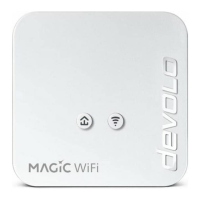
devolo Magic 1 WiFi mini
2.3.1Reading the Powerline indicator
light
The integrated Powerline indicator light (LED)
shows the status for the devolo Magic 1 WiFi mini
by illuminating and/or flashing:
LED Flashing be-
haviour
Meaning LED status display
(web interface*)
1 Red LED Lights up for
up to 2 sec.
Start-up process Cannot be disabled
2 Red LED Flashes at in-
tervals of 0.5
sec. (on/off)
Status 1:
The reset of the devolo Magic adapter was
successful. The PLC/reset button has been
pressed and held for 10 seconds.
Status 2:
The devolo Magic adapter (once again) has
the factory default settings. Since the last
reset, no pairing with another devolo Magic
adapter has taken place.
Connect the adapter with another
devolo Magic adapter to create a full-
fledged PLC network as described in
Chapter 2.3 Pairing – Establishing a
Powerline connection.
Cannot be disabled
Magic_1_WiFi_mini.book Seite 17 Mittwoch, 16. Oktober 2019 11:27 11












 To Next Page