EasyManua.ls Logo

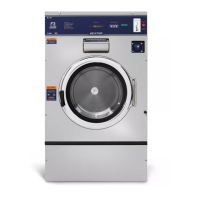
Dexter Laundry T-950 - User Manual

Dexter Laundry T-950
92 pages
Print Icon
To Next Page IconTo Next Page
Loading...
8514-296-001 REV K page 1
COMMERCIAL WASHERS
MODELS T-300/350/400/450/600/650/750/900/950/1200/1450/1800
VENDED C-SERIES CONTROL
OPERATOR’S MANUAL
INSTALLATION & OPERATION
INSTRUCTIONS
Please read this information and retain for reference.
WARNING - THIS WASHER IS EQUIPPED WITH DEVICES AND FEATURES RELATING TO ITS SAFE
OPERATION. TO AVOID INJURY OR ELECTRICAL SHOCK, DO NOT PERFORM ANY SERVICING UNLESS
QUALIFIED TO DO SO.
IT IS THE RESPONSIBILITY OF THE OWNER TO CHECK THIS EQUIPMENT ON A FREQUENT
BASIS TO ASSURE ITS SAFE OPERATION.
A machine should NOT be allowed to operate if any of the following occur:
- Excessively high water level.
- If machine is not connected to a properly grounded circuit.
- If the door does not remain securely locked during the entire cycle.
- Vibration or shaking from an inadequate mounting or foundation.
WARNING - SAFETY PRECAUTIONS
- Always shut off power and water supply before servicing.
- Do not overload the washer.
- Do not open door when cylinder is in motion or it contains water.
- Do not bypass any safety devices of this washer.
- Do not use volatile or flammable substances in or near this washer.
- Keep all panels in place. They protect against shock and injury and add rigidity to the washer.
PREVENTIVE MAINTENANCE REQUIREMENTS
DAILY
- Check that the loading door remains securely locked and cannot be opened during an entire
cycle.
- Clean the top, front, and sides of the cabinet to remove residue.
- Clean the soap dispenser and lid and check that all dispenser mounting screws are in-place and
tight.
- Check the loading door for leaks. Clean the door seal of all foreign matter.
- Leave the loading door open to aerate the washer when not in use.
QUARTERLY
- Make sure the washer is inoperative by switching off the main power supply.
- Check the V-belts for wear and proper tension.
- Clean lint and other foreign matter from around motor.
- Check all water connections for leaks.
- Check the drain valve for leaking and that it opens properly.
- Wipe and clean the inside of the washer and check that all electrical components are free of
moisture and dust.
- Remove and clean water inlet hose filters. Replace if necessary.
- Check anchor bolts. Retighten if necessary.
IMPORTANT: Replace any and all panels that were removed to perform daily and/or quarterly
maintenance.


Table of Contents

Other manuals for Dexter Laundry T-950

Questions and Answers

  • S
    sullivanmelanieSep 7, 2025
    What causes the water level to be too high in my Dexter Laundry T-950?
    • J
      Jonathan RiveraSep 7, 2025
      If the water level is too high in your Dexter Laundry Washer, check the pressure switch hose for blockage. Also, check for the pressure switch opening circuit across terminals and replace the switch if contacts do not open.
  • A
    Anthony ElliottSep 7, 2025
    Why does water drain slowly from my Dexter Laundry T-950 Washer?
    • K
      Kara BarreraSep 7, 2025
      If your Dexter Laundry Washer is draining slowly, check the hoses and drain valve for any blockages. Ensure the drain size is adequate. If necessary, inspect the building drains for blockages.
  • C
    Christine CamachoSep 8, 2025
    Why does my Dexter Laundry T-950 Washer start but not operate?
    • S
      Stephanie CarterSep 8, 2025
      If your Dexter Laundry Washer starts but doesn't operate, check for error codes and refer to the individual error code descriptions.
  • G
    gvillarrealSep 8, 2025
    Why does my Dexter Laundry Washer only tumble in one direction?
    • R
      Randy DillonSep 8, 2025
      If your Dexter Laundry Washer only tumbles in one direction, review the indicator lights displayed on the VFD. Also, inspect the yellow enable wires from the main relay PCB and at the VFD.
  • H
    harveymichaelSep 9, 2025
    Why Dexter Laundry T-950 machine does not start?
    • C
      Chad MontgomerySep 9, 2025
      If your Dexter Laundry Washer isn't starting, several factors could be at play. Begin by examining the power supply, checking circuit breakers, voltage, power leads, and connections. Ensure the front display LED is lit. Next, verify the door switch for continuity when closed; adjust or replace if necessary. Inspect the control breaker or fuse for continuity and replace if needed. Check the control transformer's voltage output. Ensure all wire connections on the PCB board and relay PCB are secure. Also, confirm that the door lock mechanism is receiving the correct voltage after pressing the start button. Lastly, inspect the data cable phone type connectors between the PCB and VFD, ensuring they are properly plugged in after removing power.
  • V
    vanessa66Sep 9, 2025
    What to do if hot water does not enter tub in wash for Dexter Laundry Washer?
    • R
      Richard RodriguezSep 9, 2025
      If hot water isn't entering the tub during the wash cycle of your Dexter Laundry Washer, start by checking the water valve coil for continuity at its terminals and ensure it's receiving the correct voltage from the main relay PCB. Replace the coil if there's no continuity. Inspect the water inlet screens for any blockages and clean them if necessary. Confirm that the water supply is turned on and functioning correctly. Check the black and white wires at the Molex plug on the PCB at the main controller and at the relay PCB. Also, check the pressure switch continuity between terminals; if there's no continuity, inspect the pressure switch hose for obstructions and replace the switch if the hose is clear.
  • J
    Jennifer PhillipsSep 10, 2025
    What to do if Dexter Laundry T-950 door does not lock?
    • T
      Tammy MorganSep 10, 2025
      If the door on your Dexter Laundry Washer isn't locking, check the display for any fault codes. Specifically, if F1 is displayed, consult the fault code section for further instructions. Verify that the door locking mechanism is receiving the appropriate voltage from the main relay PCB; if it is, consider replacing the mechanism. Also, check the door latch switch for continuity when the door is closed; adjust or replace the switch if there is no continuity.
  • P
    Patrick GomezSep 12, 2025
    What to do if Dexter Laundry T-950 Washer door will not open?
    • J
      Jasmin RodriguezSep 12, 2025
      If the door of your Dexter Laundry Washer won't open, examine the thermoactuator and its mechanism for any sticking or binding that may prevent the door lock mechanism from opening. Ensure the locking thermoactuator isn't receiving 120VAC (60 Hz) or 24 VAC (50 Hz) during the last 1 1/2 minutes of the cycle, and that the unlocking thermoactuator is receiving the correct voltage during the last minute. If the timing and voltage are correct, replace the thermoactuator. Also, check the door rod from the mechanism to the lock assembly to ensure it's long enough to allow the lock assembly to disengage; adjust the rod if necessary. Finally, check that the door lock mechanism isn't stuck closed; replace it if it is.
  • J
    Jason WilliamsSep 12, 2025
    How to fix excessive vibration in Dexter Laundry T-950?
    • K
      Kelsey AllenSep 12, 2025
      To address excessive vibration in your Dexter Laundry Washer, check the strength of the mounting structure (concrete or base) and ensure the mounting bolts are tightened. A worn drive belt can also cause vibration and noise, so inspect and replace if necessary. Keep in mind that small loads can contribute to out-of-balance loading, increasing vibration.
  • I
    inicholsSep 12, 2025
    Why Dexter Laundry T-950 machine does not turn?
    • H
      Heather MorenoSep 12, 2025
      To troubleshoot why your Dexter Laundry Washer isn't turning, begin by checking the VFD (Variable Frequency Drive). Remove the inspection panel and note any numbers or letters displayed. If there's no display, turn off the power to the machine at the breaker for two minutes, then turn it back on to reset. If the issue persists and there's still no display, consider replacing the VFD.

Summary

Manual Overview

Safety Precautions

General safety advice and warnings for operating the washer.

Preventive Maintenance Requirements

Daily and quarterly checks for optimal washer performance and longevity.

Installation Instructions

Foundation Requirements

Guidelines for concrete floors and bases to ensure stable washer installation.

Foundation and Pad Options

Details on reinforced concrete floors and pad types for installation.

Machine Anchoring

Methods and options for securely anchoring the washer to the floor.

Operating Instructions

Starting the Washer

Step-by-step guide to loading, selecting cycles, and starting the washing process.

Emergency Stop; Safety Door Lock

Explains the function of the emergency stop button and the safety door lock mechanism.

Machine Programming Instructions

Manual Programming

Instructions for accessing and navigating the programming menus on the washer control.

Prices Option

How to set vend prices and coin acceptor values for the washer.

Cycles Option

Configuration of bath times, temperatures, and spin speeds for various wash cycles.

Troubleshooting

Machine does not start

Common causes and remedies when the washer fails to power on or initiate.

Dexter Laundry T-950 Specifications

General IconGeneral
ModelT-950
Control TypeMicroprocessor
Phase3
Width46.5 in (1181 mm)
Depth52.5 in (1334 mm)
Height57.5 in (1461 mm)

Related product manuals