www.dfi .com
13
Chapter 2 Hardware Installation
Chapter 2
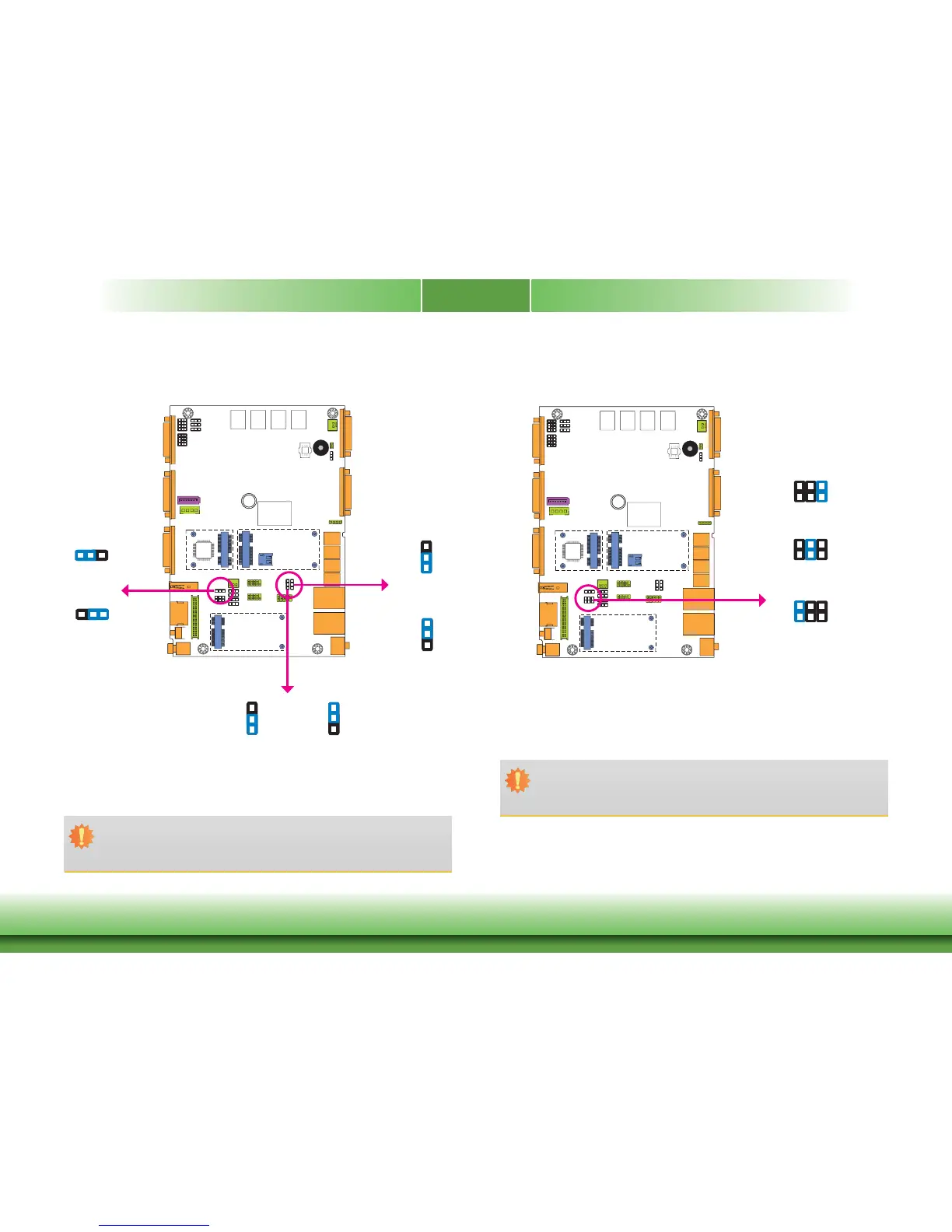
JP5, JP6 and JP7 are used to select the power of the USB ports. Selecting +5V_standby will
allow you to use a USB device to wake up the system.
USB Power Select
132
132
1-2 On:
+5V_standby
(default)
2-3 On: +5V
Important:
If you are using the Wake-On-USB Keyboard/Mouse function for 2 USB ports, the
+5V_standby power source of your power supply must support ≥1.5A. For 3 or more
USB ports, the +5V_standby power source of your power supply must support ≥2A.
USB 0
(JP5)
USB 5-7
(JP7)
1
3
2
1
3
2
3
USB 1-2
(JP6)
1
3
2
1
3
2
Panel Power Select
3
JP23 is used to select the power supplied with the LCD panel.
Important:
Before powering-on the system, make sure that the power settings of JP23 match
the LCD panel’s specification. Selecting the incorrect voltage will seriously damage the
LCD panel.
1-2 On: +12V
3-4 On:+5V
5-6 On: +3.3V
(default)
JP23
642
531
1-2 On:
+5V_standby
(default)
2-3 On: +5V
1-2 On:
+5V_standby
(default)
2-3 On: +5V
642
531
642
531



 To Next Page