www.df .com
48
Chapter 4 Supported Softw are
Chapter 4
Intel LAN Drivers
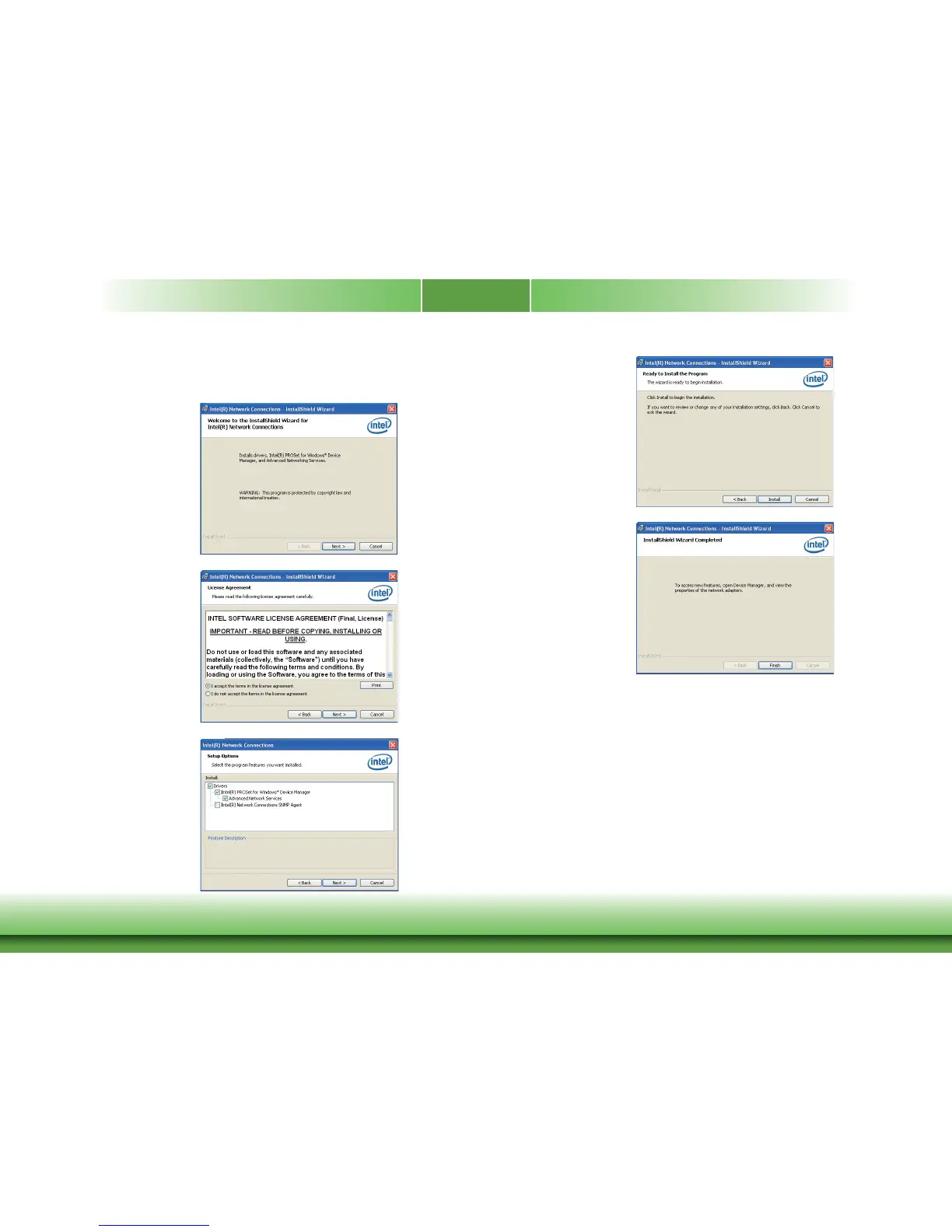
To install the driv er, click “Intel L AN Drivers” on the main menu.
1. Setup is ready to install the
driver. Click Next.
2. Click “I accept the terms
in the license agreement ”
then click “Next ”.
3. Select the progr am featuers
you want installed then
click Next.
4. Click Install to begin the
installation.
5. After completing installa-
tion, click Finish.



 To Next Page