www.df .com
51
Chapter 4 Supported Softw are
Chapter 4
HW Utility
HW Utility provides information about the board, HW Health, W atchdog, DIO, and Backlight. To
access the utilit y, click “HW Utilit y” on the main menu.
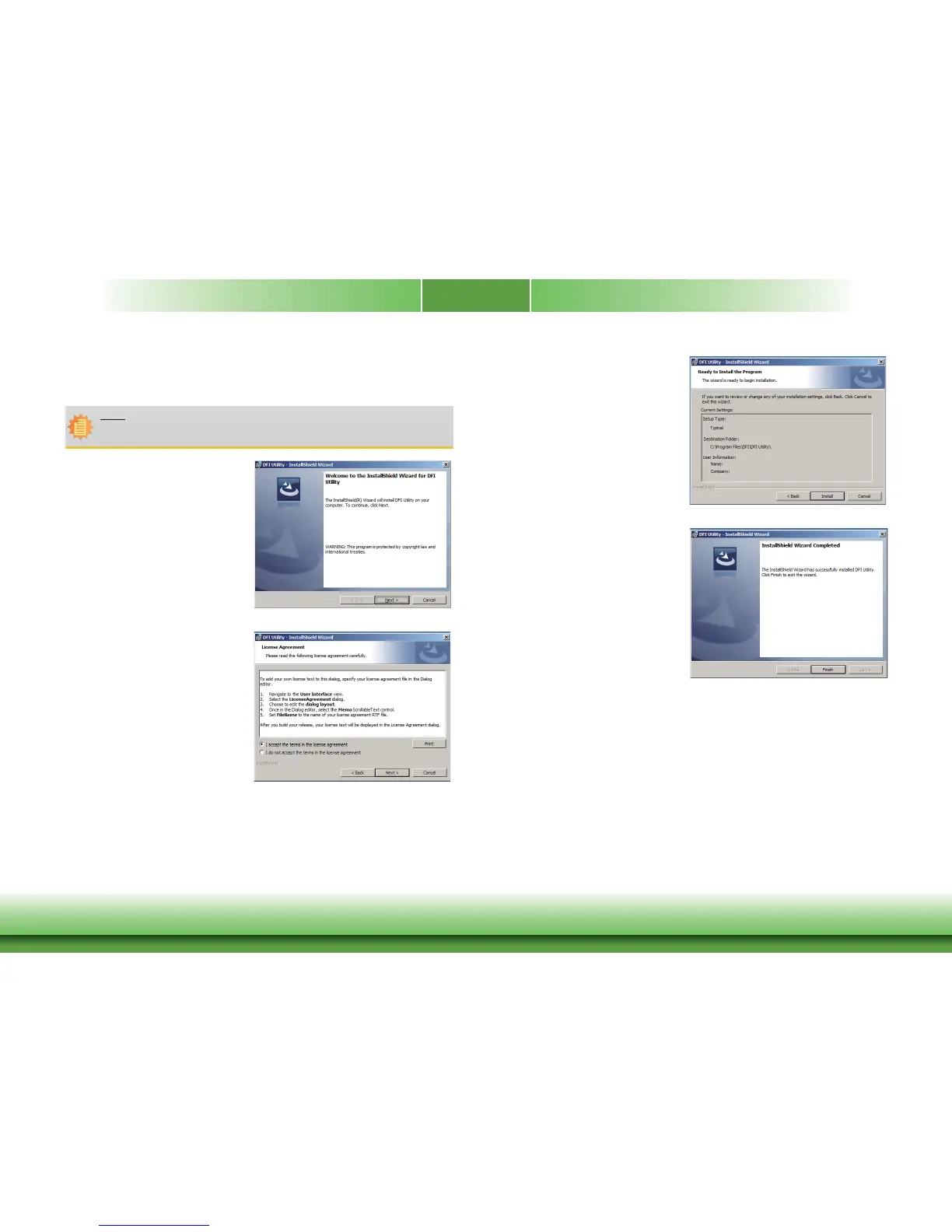
2. Click “I accept the terms in the
license agreement” and then click
Next
.
1. Setup is ready to install the HW
Utility drifer. Click Next.
Note:
If you are using Windows 7 , you need to access the oper ating system as an
administr
ator to be able to install the utilit y.
3. Click Install to begin the installation.
4. After completing installation,
click Finish.



 To Next Page