15
5 Once your vehicle has been successfully tuned, press Continue to
return to the main menu.
Customization
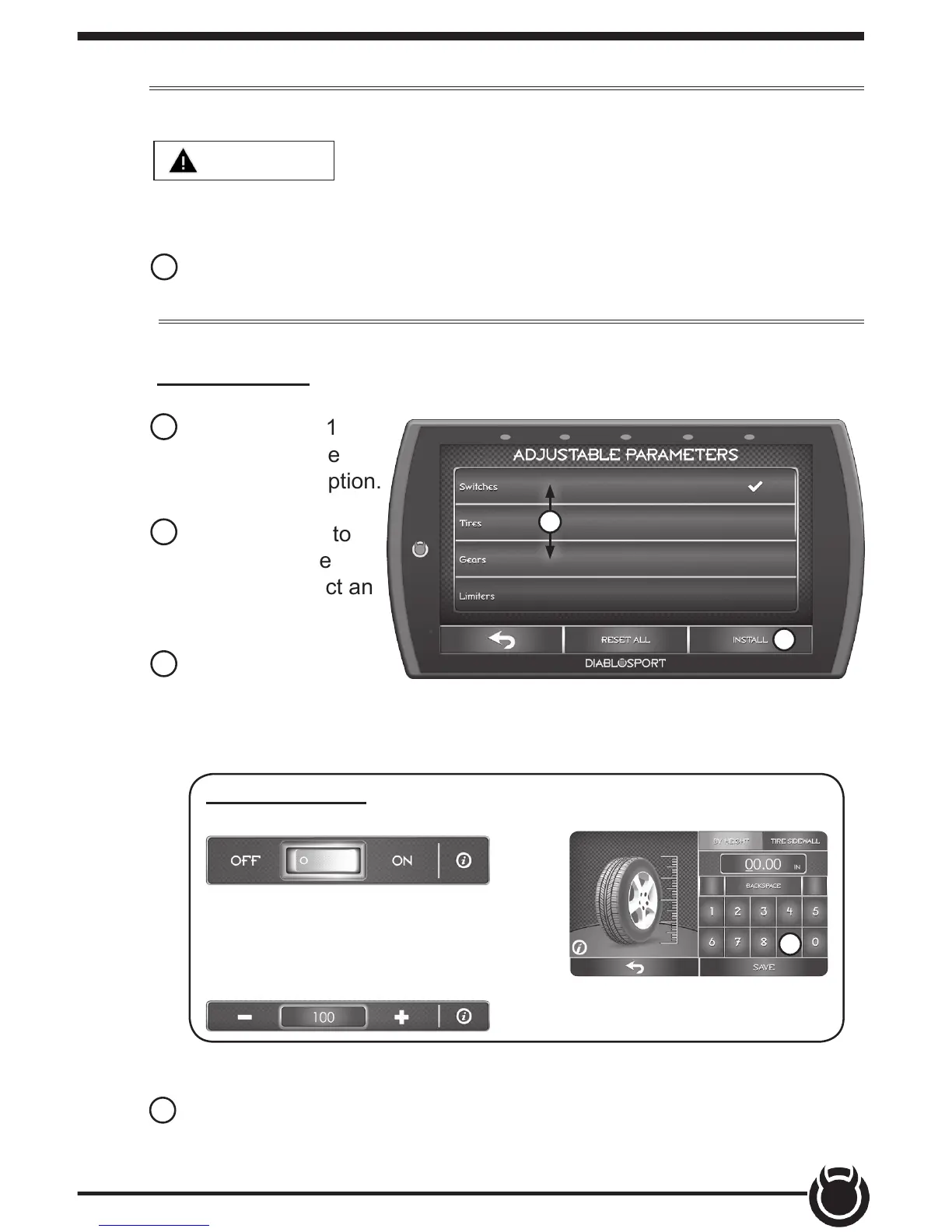
6 Refer to steps 1
& 2 then select the
Customization option.
7 Scroll up/down to
view the available
parameters. Select an
option to modify.
7
9
8 Modify the parameter
using the tools provided
in the menu option. Select Save to apply the changes.
Tool Examples:
On/O Toggle Buttons
Plus/Minus Buttons
Key Pads
8
NOTE: Not all features are available on every make, model, and engine.
WARNING
Do not program the vehicle while parked in unsafe
locations including heavy trac or places without cell phone service and
the internet (if possible).
9 Once the parameters have been adjusted, choose Install to continue.
Toggle button may also be used
to Disable/Enable features.


 To Next Page