14
Tuning
Tune Vehicle
While in the Main Menu, select the Tuning icon.
The tune vehicle option provides a list of tunes selected for your vehicle’s
engine and transmission (transmission tunes available only on certain
applications).
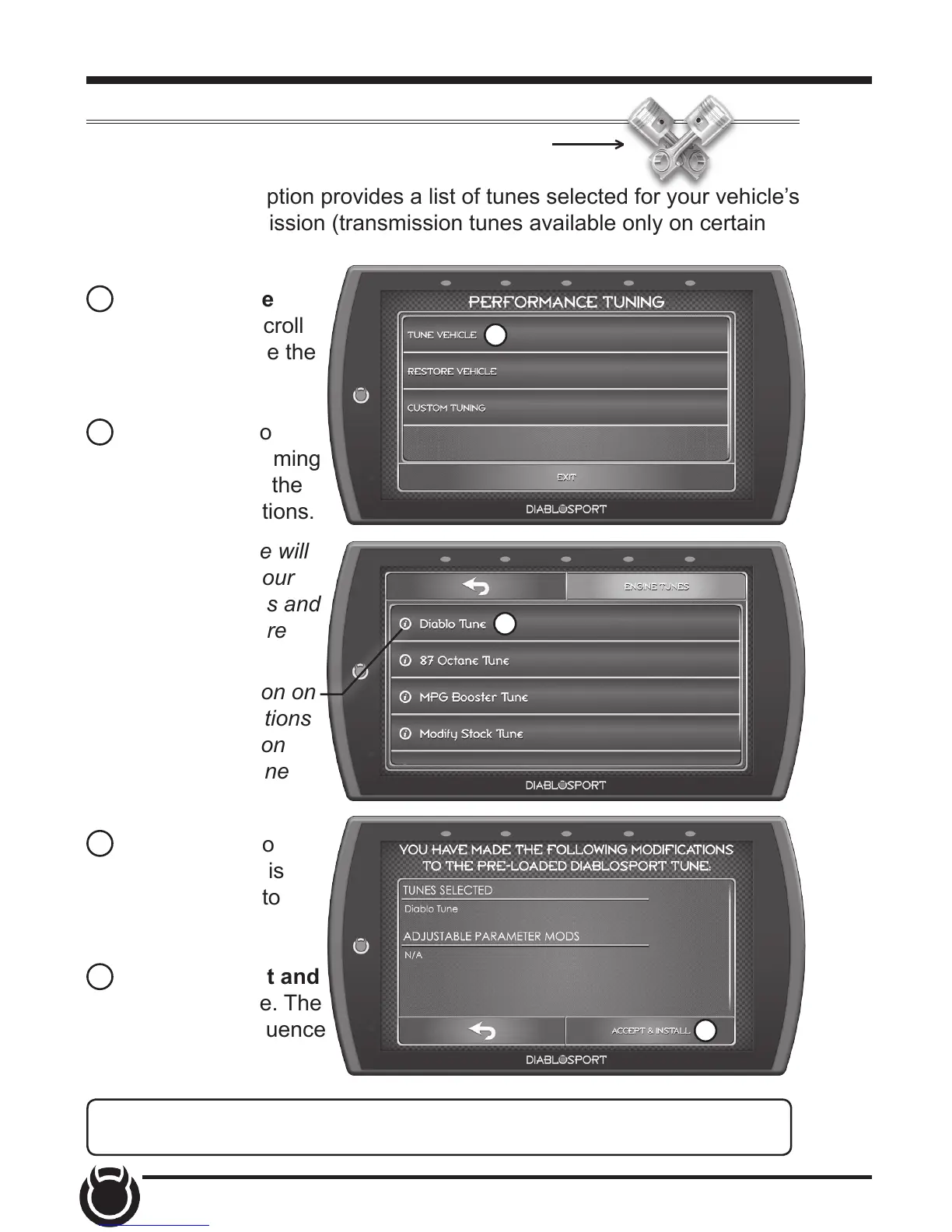
1 Select the Tune
Vehicle option. Scroll
up/down to browse the
available tunes.
2 Select a tune to
begin the programming
sequence. Follow the
on screen instructions.
TIP: For information on
how the tune functions
click the information
icon next to the tune
name.
NOTE: The device will
proceed to read your
vehicle’s stock les and
save them for future
use.
3 Select Install to
apply the tune as is
or refer to step 6 to
customize.
4 Choose Accept and
Install to continue. The
programming sequence
will begin.
1
2
4
NOTICE Do not remove or bump the OBD-II connector during any
programming sequence. If you do, the vehicle may not start.


 To Next Page