31
Wallpaper
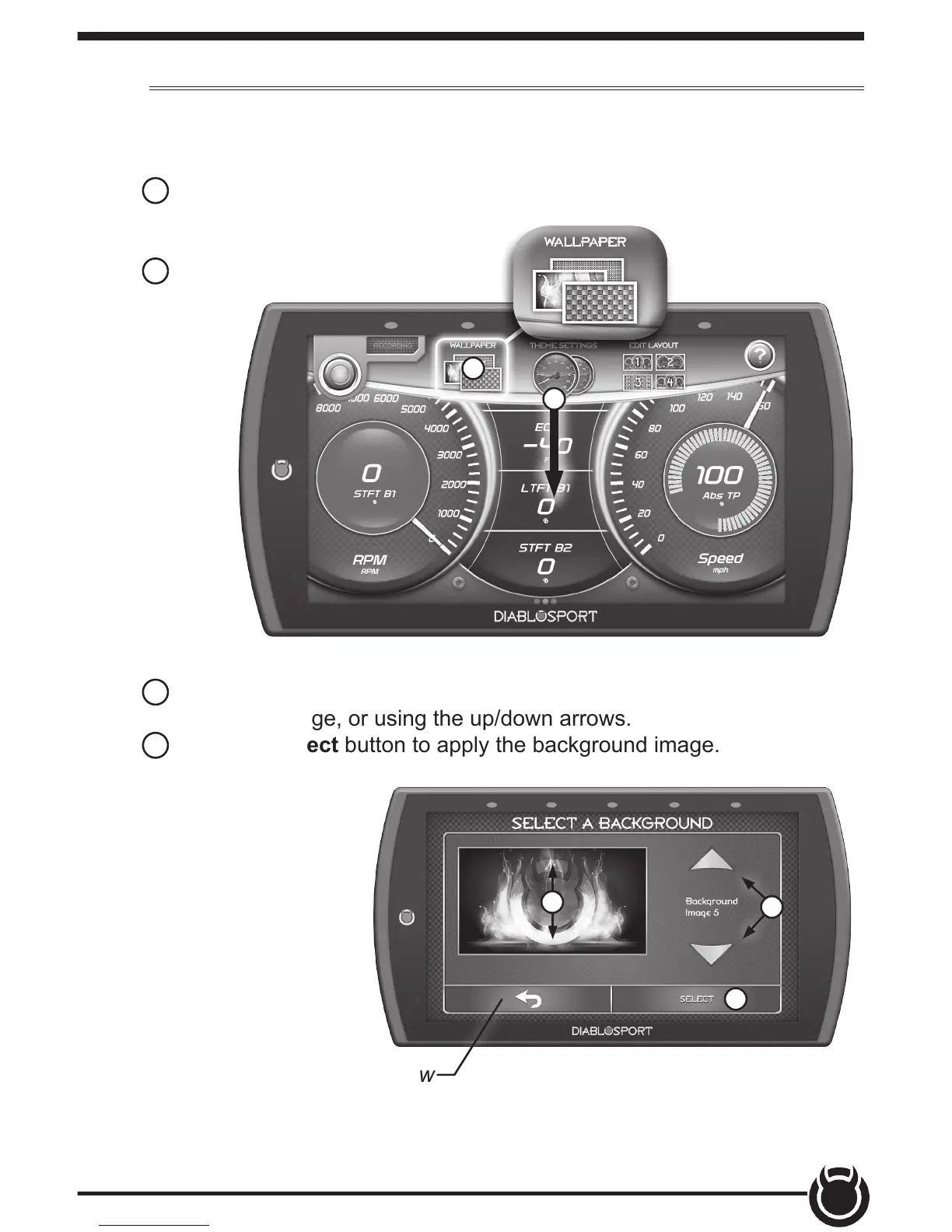
Change the background image displayed on the device.
1 While the Gauge Screen is in view. Open the pull down menu by
swiping downward starting from the
top of the screen.
2 Select Wallpaper.
1
2
3 Toggle through the available background images by either swiping up/
down on the image, or using the up/down arrows.
4 Press the Select button to apply the background image.
4
3
3
TIP: Select the back arrow
to return to the gauges.


 To Next Page