28
Gauge Layouts
While in the Main Menu, select the Gauges & Logging icon.
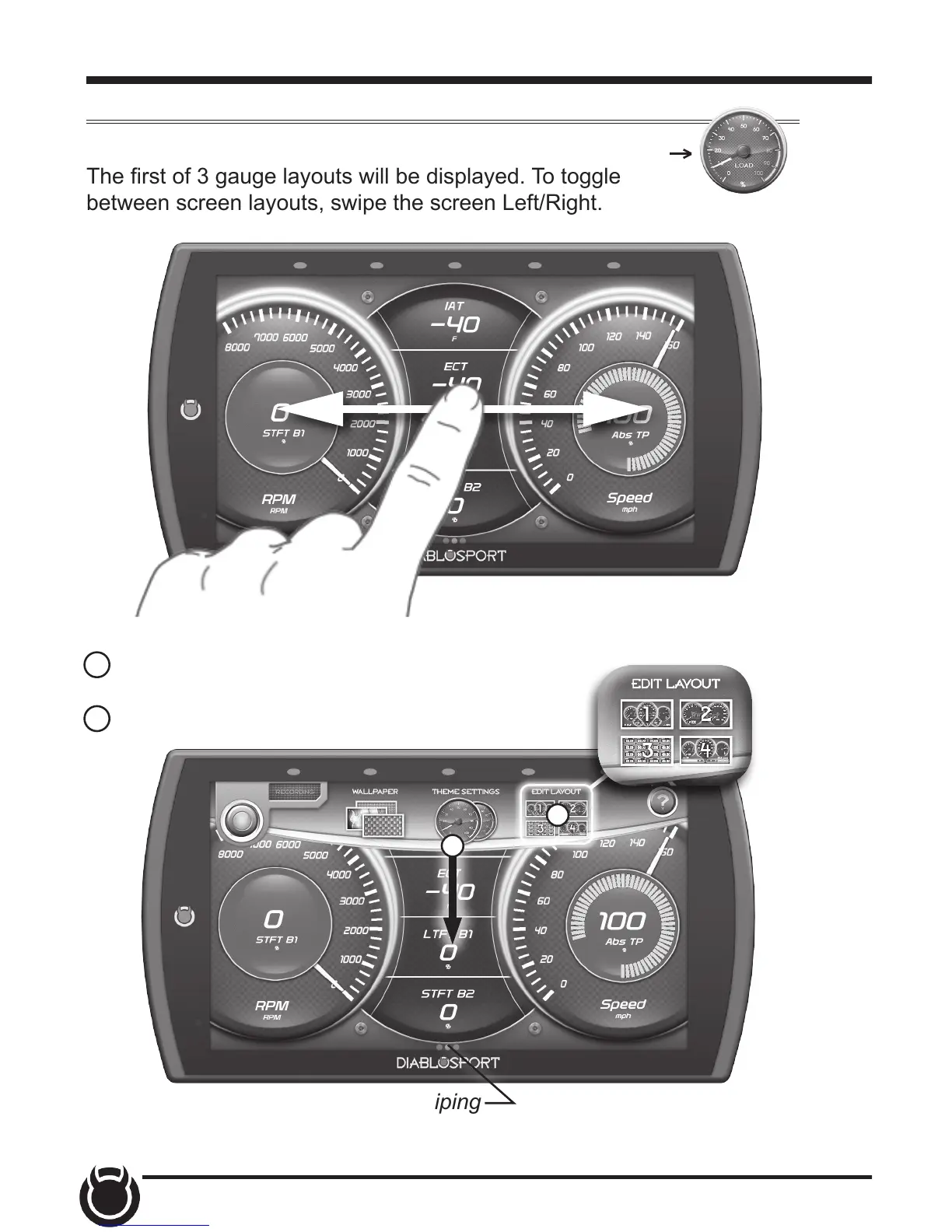
The rst of 3 gauge layouts will be displayed. To toggle
between screen layouts, swipe the screen Left/Right.
Gauges & Logging
To edit the Gauge Layouts:
1 Open the pull down menu by swiping downward
starting from the top of the screen.
2 Select Edit Layout.
1
2
TIP: Open the pull up menu by swiping
upward starting from the bottom of the screen.


 To Next Page