35
DataViewer
After a recording session, unplug the device from the vehicle and follow
these instructions.
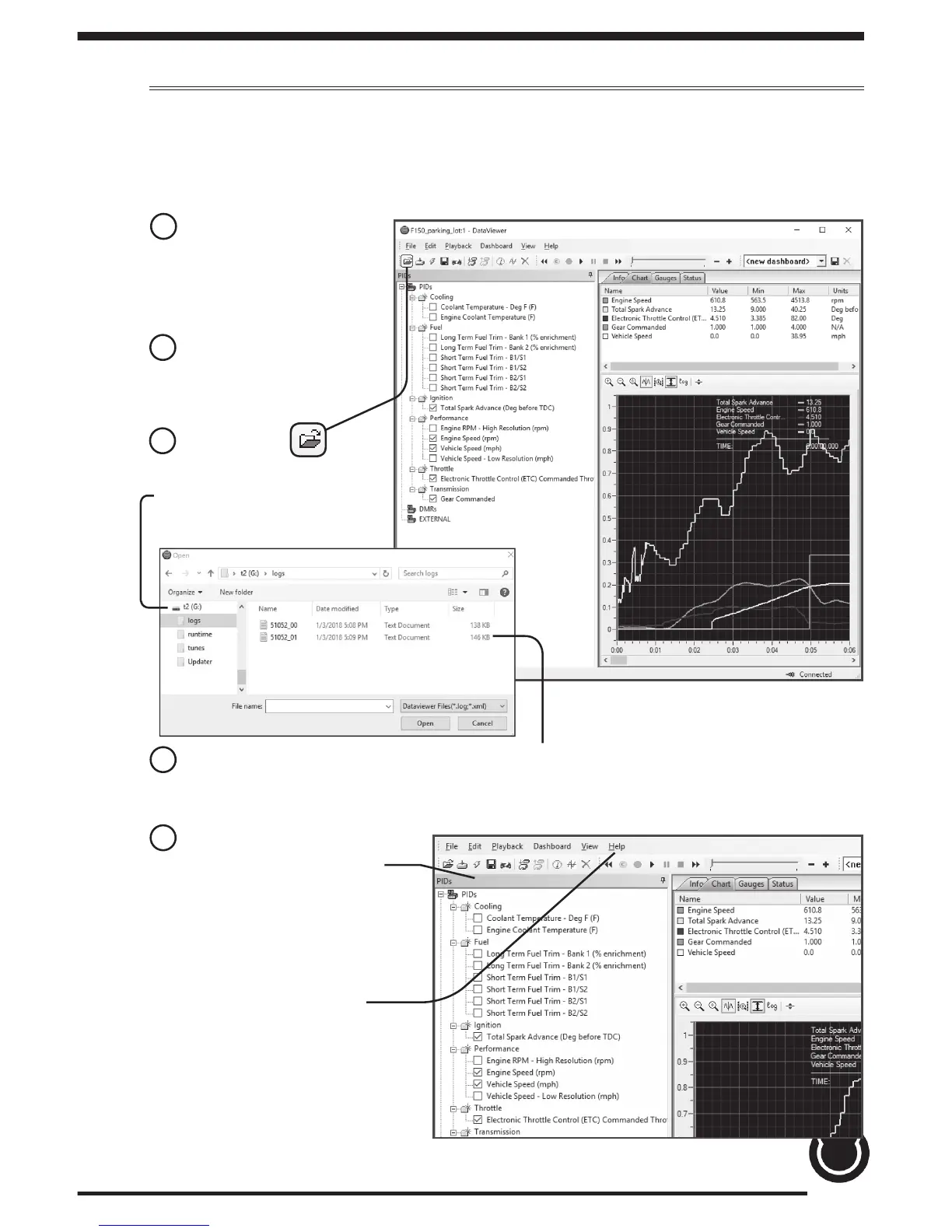
1 Double-Click the
DataViewer icon
located on your
computer desktop.
2 Connect the device
to the PC using a USB
connector.
3 Select the icon
and browse to the T2
drive.
4 Open the logs folder. Select the log le you would like to open and
click the open button to continue.
5 Toggle on/o information
using the check boxes.
TIP: For more information
on DataViewer functionality
open the Help menu.


 To Next Page