17
Custom Tuning (EX Platinum)
In order to apply custom calibrations using the custom tuning option,
you will need to contact a professional calibrator (dealer) with access to
our custom tuning software. For more information, contact our Technical
Support department or visit our website.
To get started, the dealer will request a stock le. Follow these
instructions to read and create this le:
1 Connect the device to the vehicle using the HDMI cable. Allow the
device to boot up.
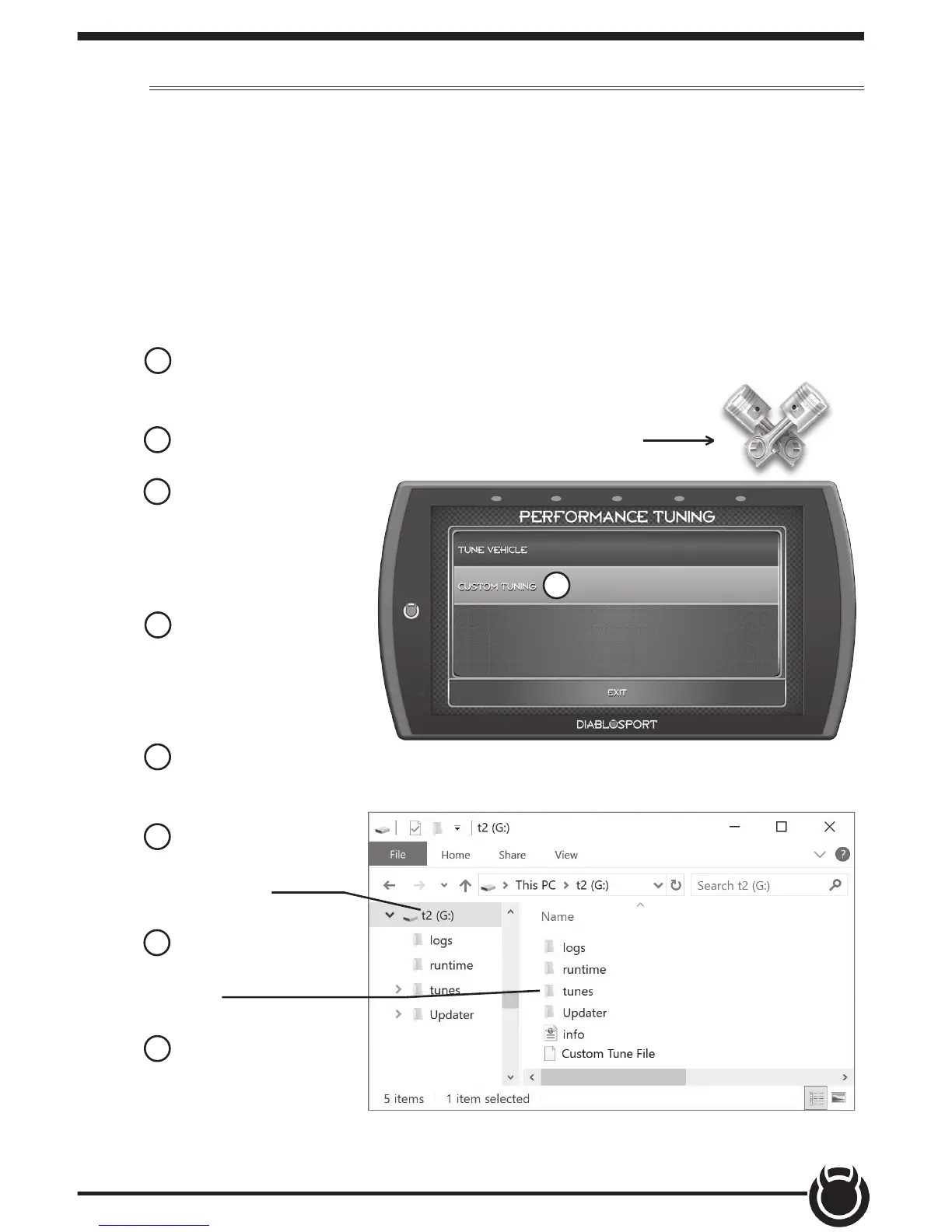
2 While in the Main Menu, select the Tuning icon
3 In the Performance
Tuning menu, select
the Custom Tuning
option.
4 Next, select Read
Vehicle. The device
will read and store a
stock le.
5 Disconnect the device from the vehicle and connect it to a computer
using the supplied USB cable.
6 Browse the le
explorer and locate
the t2 drive.
7 Locate and open
the folder labeled
Tunes.
8 Open the subfolder
labeled with the
vehicle VIN. Copy the
les requested by the dealer and send them to the dealer. If your vehicle
is equipped with a PCM and TCM, there will be two pairs of les.
3


 To Next Page