18
Once you have a custom tune le ready to load onto the device,
refer to the following instructions:
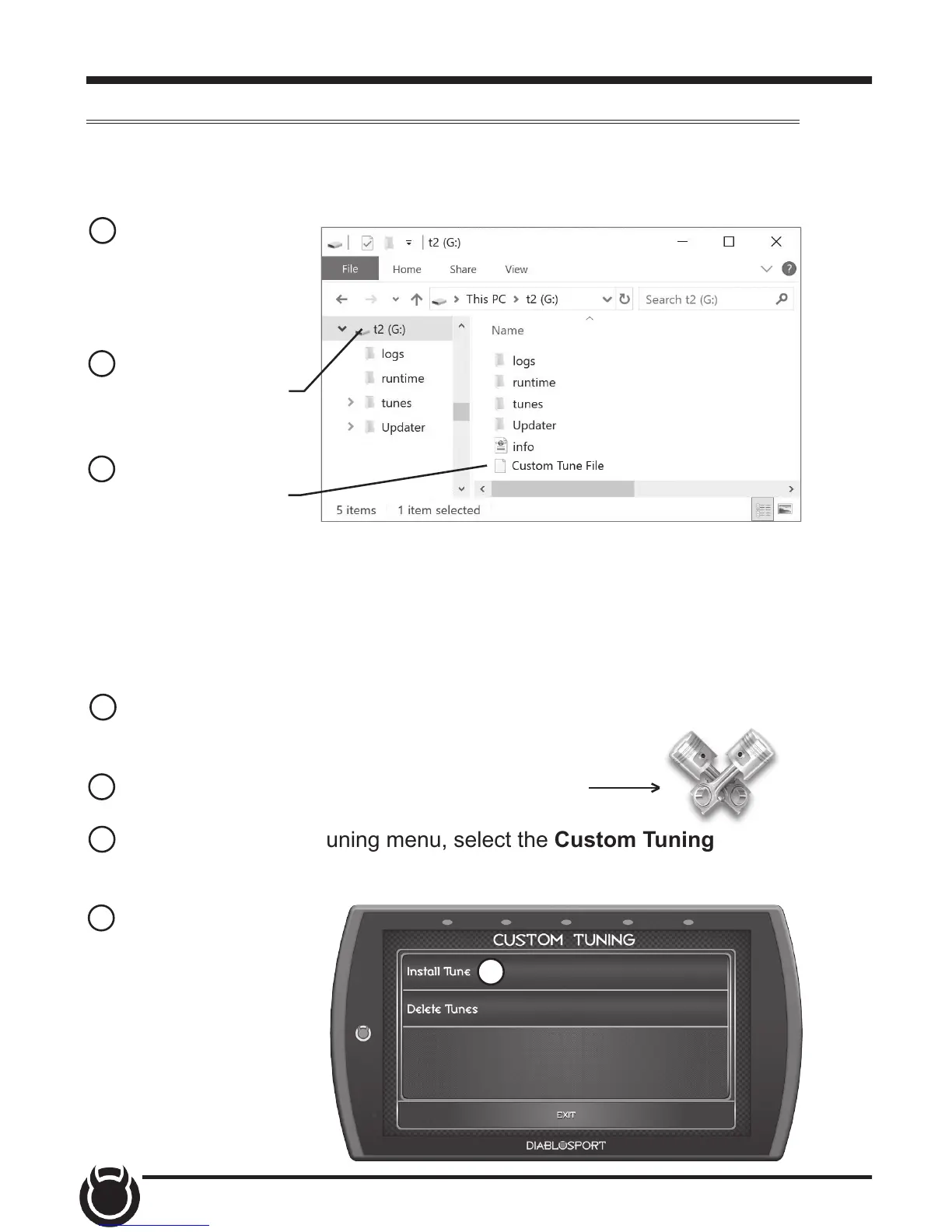
1 Connect the device
to a computer using
the supplied USB
cable.
2 Browse the le
explorer and locate
the t2 drive.
3 Paste custom tune
le into the main t2
drive folder as shown.
NOTE: The custom tune le must be placed in this exact location in
order for the device to read and import it. Once the device recognizes it
and imports it automatically, you will recieve verication on the screen
stating that “Custom Tune for VIN.... has been loaded.
4 Disconnect the device from the computer and connect it to the
vehicle using the HDMI connection.
5 While in the Main Menu, select the Tuning icon
6 In the Performance Tuning menu, select the Custom Tuning
option.
7 Select Install Tune.
7



 To Next Page