30
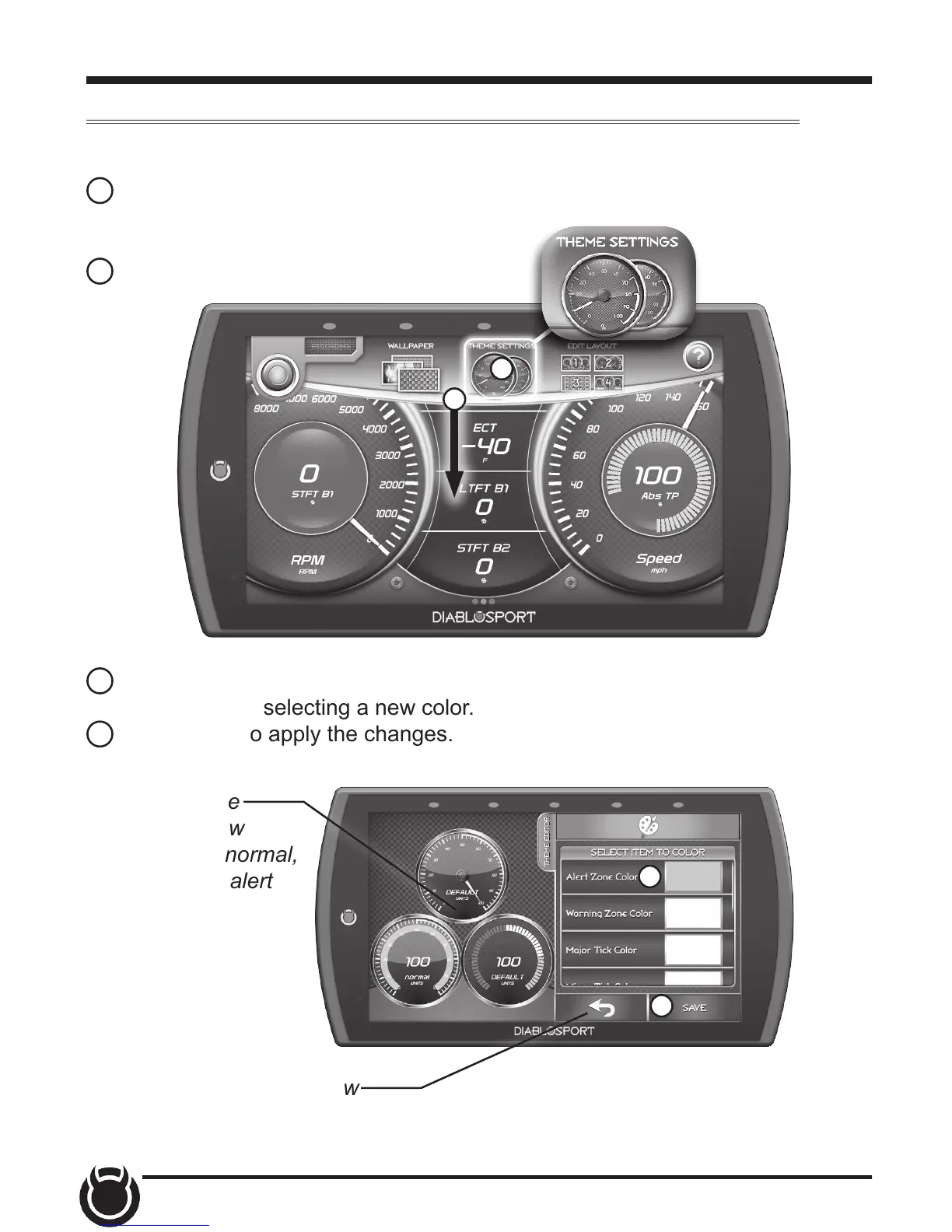
Theme Settings
1 While the Gauge Screen is in view. Open
the pull down menu by swiping downward
starting from the top of the screen.
2 Select Theme Settings.
1
2
Change and modify individual gauge element colors & transparency.
3 The following editor will show. Modify each of the available items by
clicking on it and selecting a new color.
4 Select Save to apply the changes.
3
4
TIP: Select the back arrow
to return to the gauges.
TIP: Touch the
gauges to view
them in their normal,
warning, and alert
states.


 To Next Page