Horizontal-Schrumpfgerät
Horizontal Shrinking Device
HS 1100-P
Copyright © Diebold 2017-04 Ersteller: kh
19.7. Reset to Factory Settings
41. Turn on the unit with the main switch
42. Hold down the ”+“ and ”–“ button simultaneously and press the ”Menü“ button
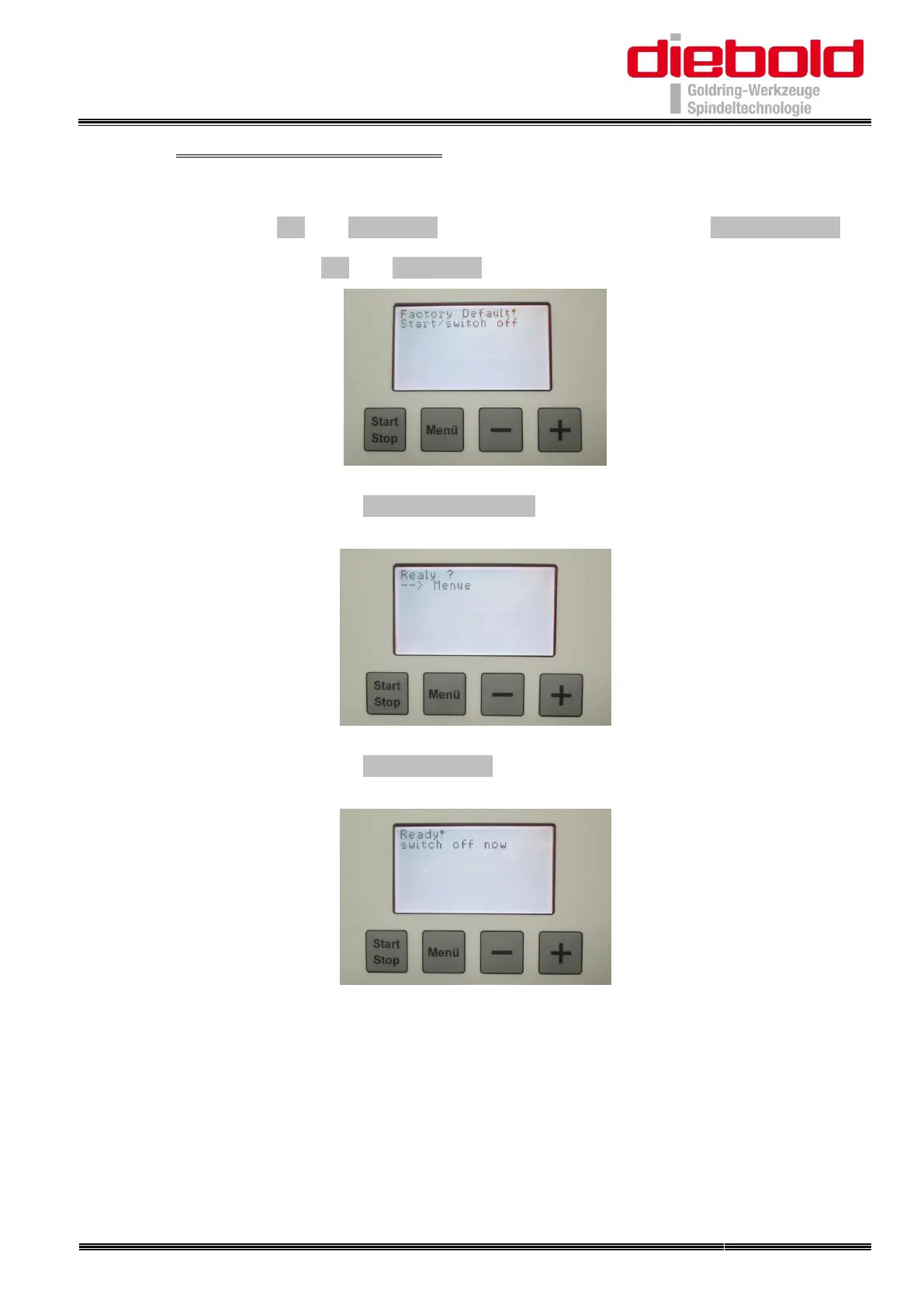
43. When releasing the ”+“ and ”–“ button the display shows:
44. Confirm by pressing the “Start/Stop“ button
when released, the display shows:
45. Confirm by pressing the ”Menü“ button
when released, the display shows:
46. Turning off and turning back on the unit with the main switch
47. The factory settings are being restored


 To Next Page