Rev. 1.2 (12.2021) MINI-CUBE | SERVICE MANUAL 31
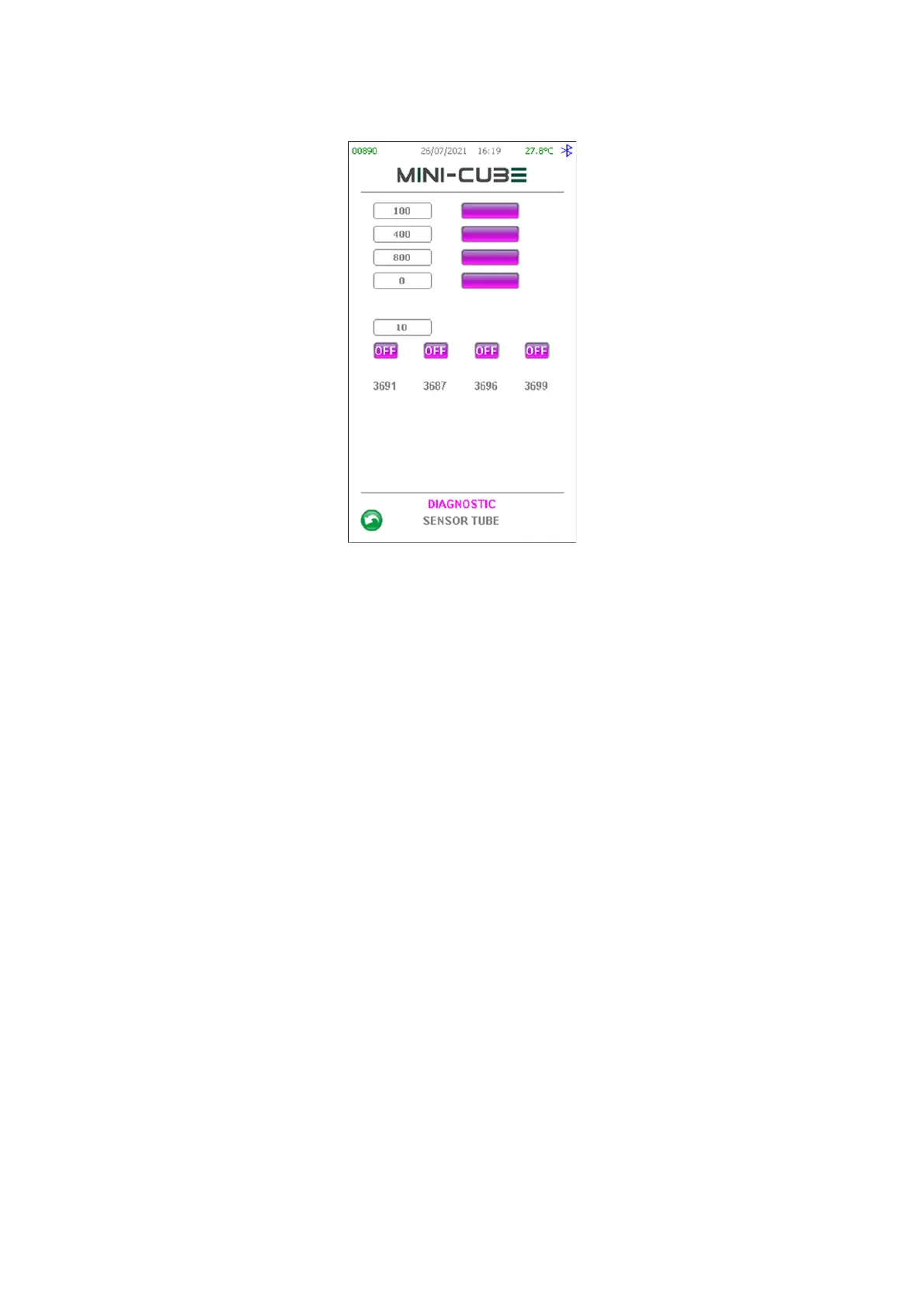
Figure 29
LEDs TEST:
There are four predefined light levels written in the fields listed on the upper left side.
They can be changed by touching them. By pressing the purple button near the light
level field, the LEDs will be driven to emit the corresponding light.
You can check the light levels for all the four LEDS at the same time.
DARK TEST:
In the bottom part you can read the sensors light readings.
When all the LEDS are OFF and by closing the 4 holes on top of the instrument, it must
be checked that the light read by the sensors is less than 200.
SINGLE SENSOR TEST:
Be sure that the Reading Unit is in its Home position (otherwise go to the Home Setting
Menu to move it to Home).
Be sure that all the LEDs are OFF (see LEDS TEST).
Activate one LED by pressing the corresponding button with the label “OFF” and check
that the corresponding Sensor reading is higher than 3500 and that all the other sensors
are less than 600.


 To Next Page
 Loading...




