Rev. 1.2 (12.2021) MINI-CUBE | SERVICE MANUAL 40
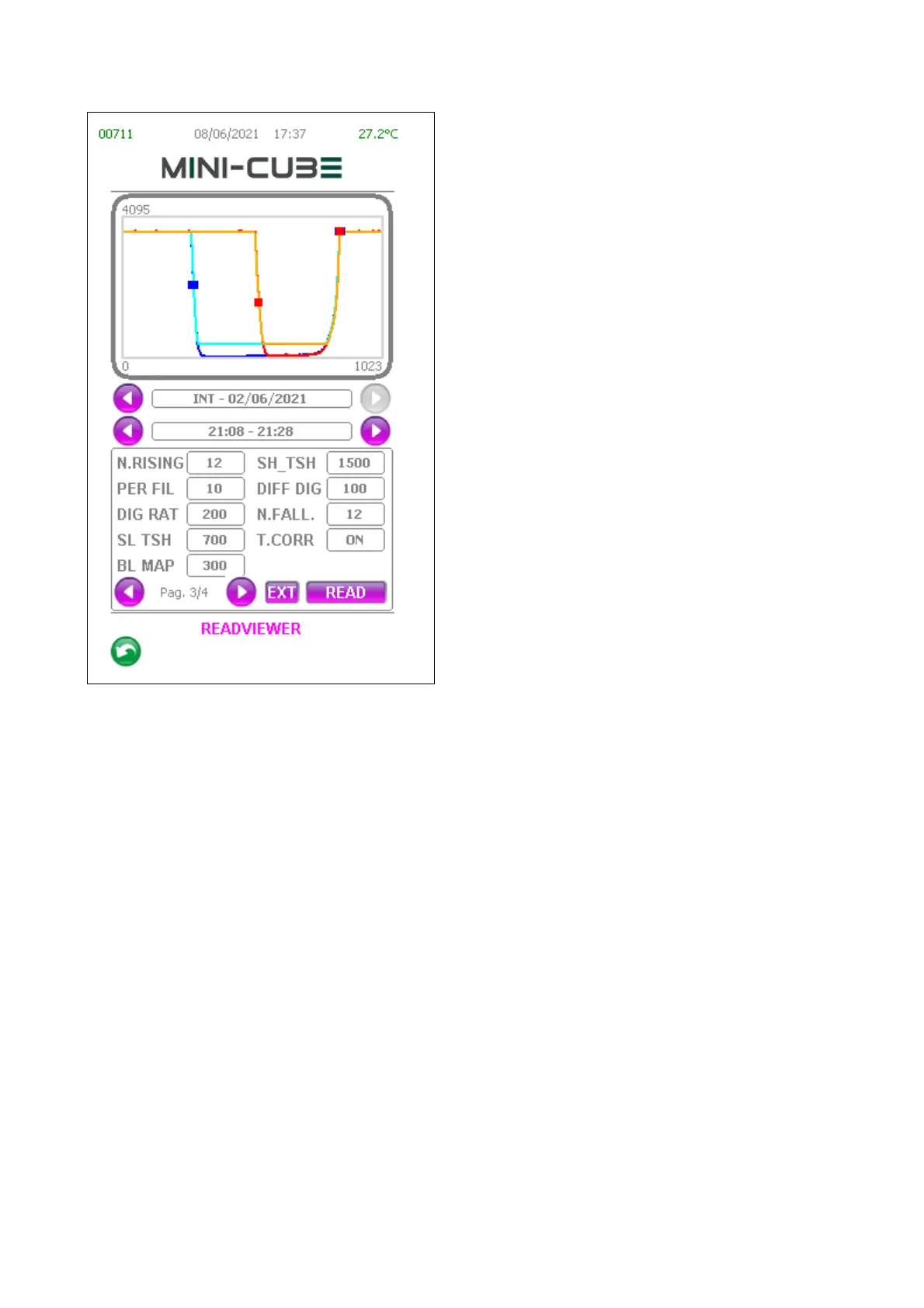
(Pag. 3/4) - The third page shows the
parameters used for processing the sample.
All the parameters present in this page can
be found in the parameters menu (password:
1-4-7-8-5) and are all editable.
Whenever a parameter is changed, the data
and the graphs are serviced accordingly.
The Temperature Correction setting
(ON/OFF) affects the calculation of the ESR
and is only active if there are both readings.
These parameters modification only affect
the ReadViewer session. Exiting and
reentering the ReadViewer resets all the
default values set on the instrument.
The LOGs are saved as raw data. Each time
the ReadViewer is used and a log is opened,
the software recalculates the curve by
applying on it a specific filter (i.e.
M1_PERC_FILTER).
NOTE: in software versions prior to 1.00, the readings were saved after having already
applied the filter in question. Therefore, attention must be paid in recovering the LOGs
up to 1.00 SW version, since the ReadViewer will apply the filter twice.
During saving, all possible file system errors are managed and saving the acquisition in
the log is attempted for a maximum of 3 times.



 To Next Page