DI-5000_DP-5000_DPS-5000 Service Manual Edition 2
37
6.1.2 Database IP Address
Procedure Picture
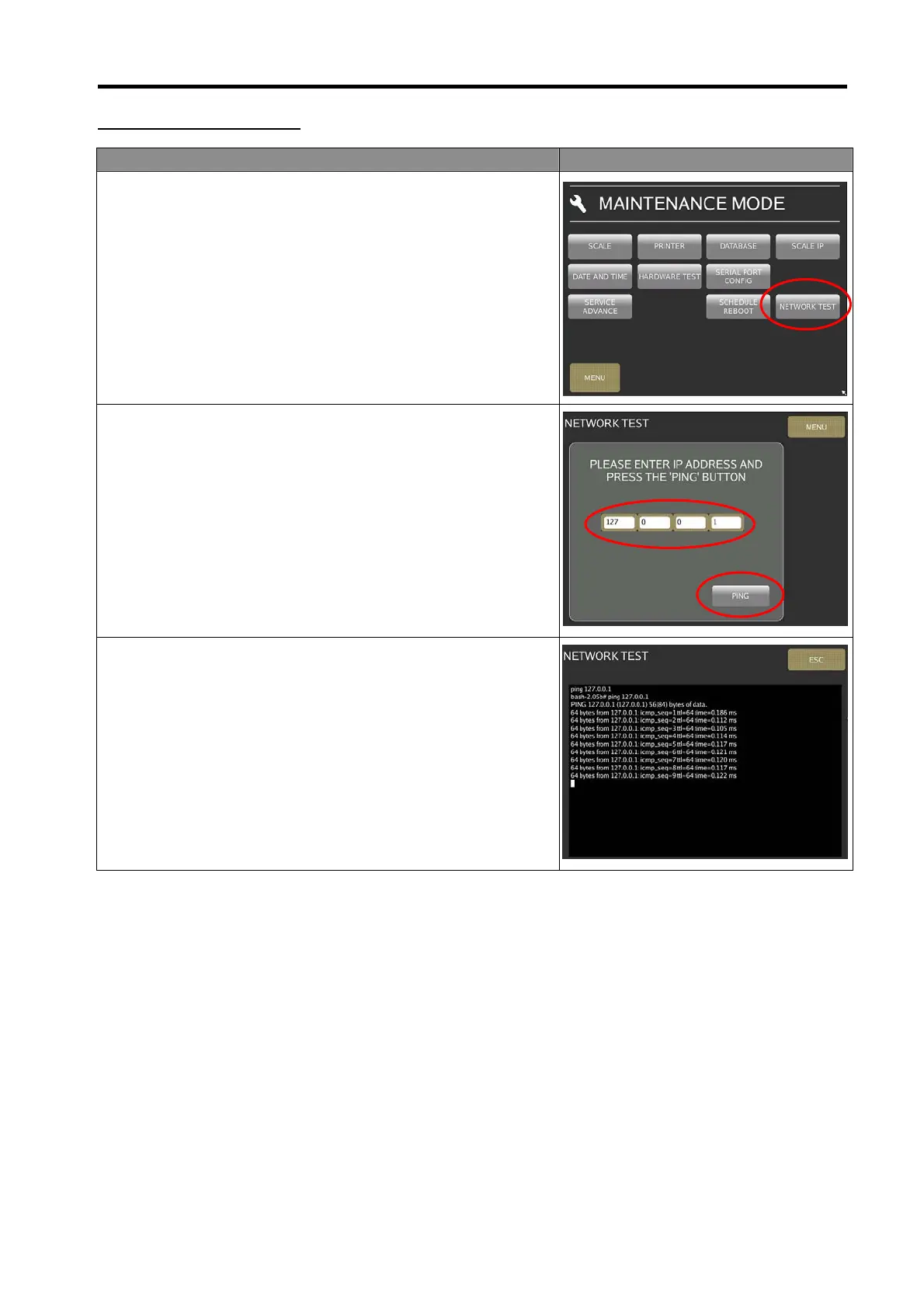
1) In Registration mode, select [MENU] [MAINTENANCE]
[MAINTENANCE] [NETWORK TEST] to go to database
network test mode.
2) Keying the database IP Address and touch [PING] button.
3) The display must show [Reply from 127.0.0.1:icmp_seq…]
as shown as the picture.



 To Next Page
 Loading...
