DI-5000_DP-5000_DPS-5000 Service Manual Edition 2
49
7.2 Database Maintenance
7.2.1 Database Initialization
Procedure Picture
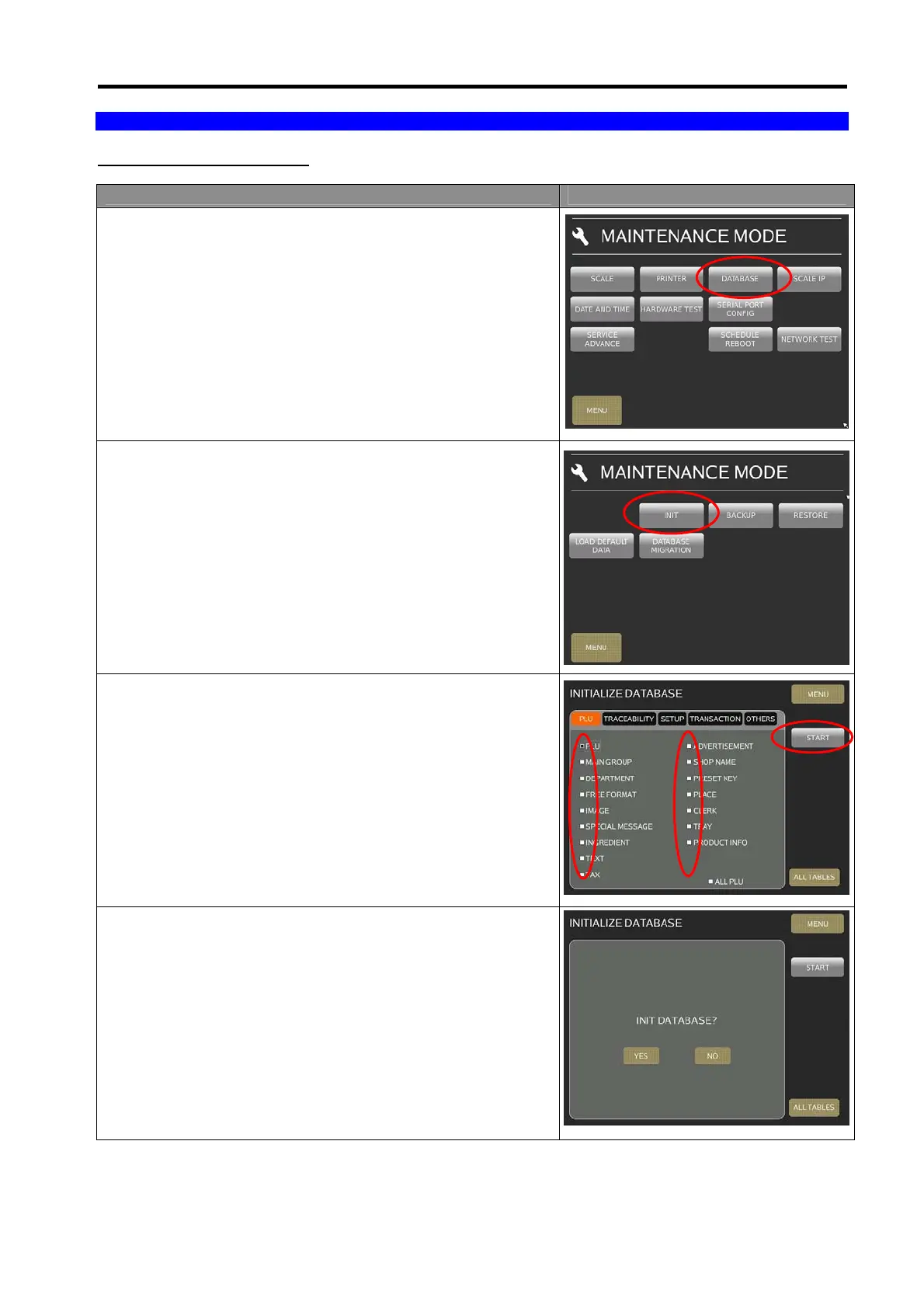
1) In Registration mode, select [MENU] [MAINTENANCE]
[MAINTENANCE] [DATABASE] to go to DATABASE
mode.
2) In Database menu, select [INIT].
3) Select the desired any or all database, then touch [START]
button to start initialization.
4) Select [YES] to confirm initialization database.



 To Next Page
 Loading...
