DI-5000_DP-5000_DPS-5000 Service Manual Edition 2
69
7.6 AD Board Write Checksum (For DI-5000 & DPS-5000)
Note: Ensure the Span Switch is set to [Enable] position
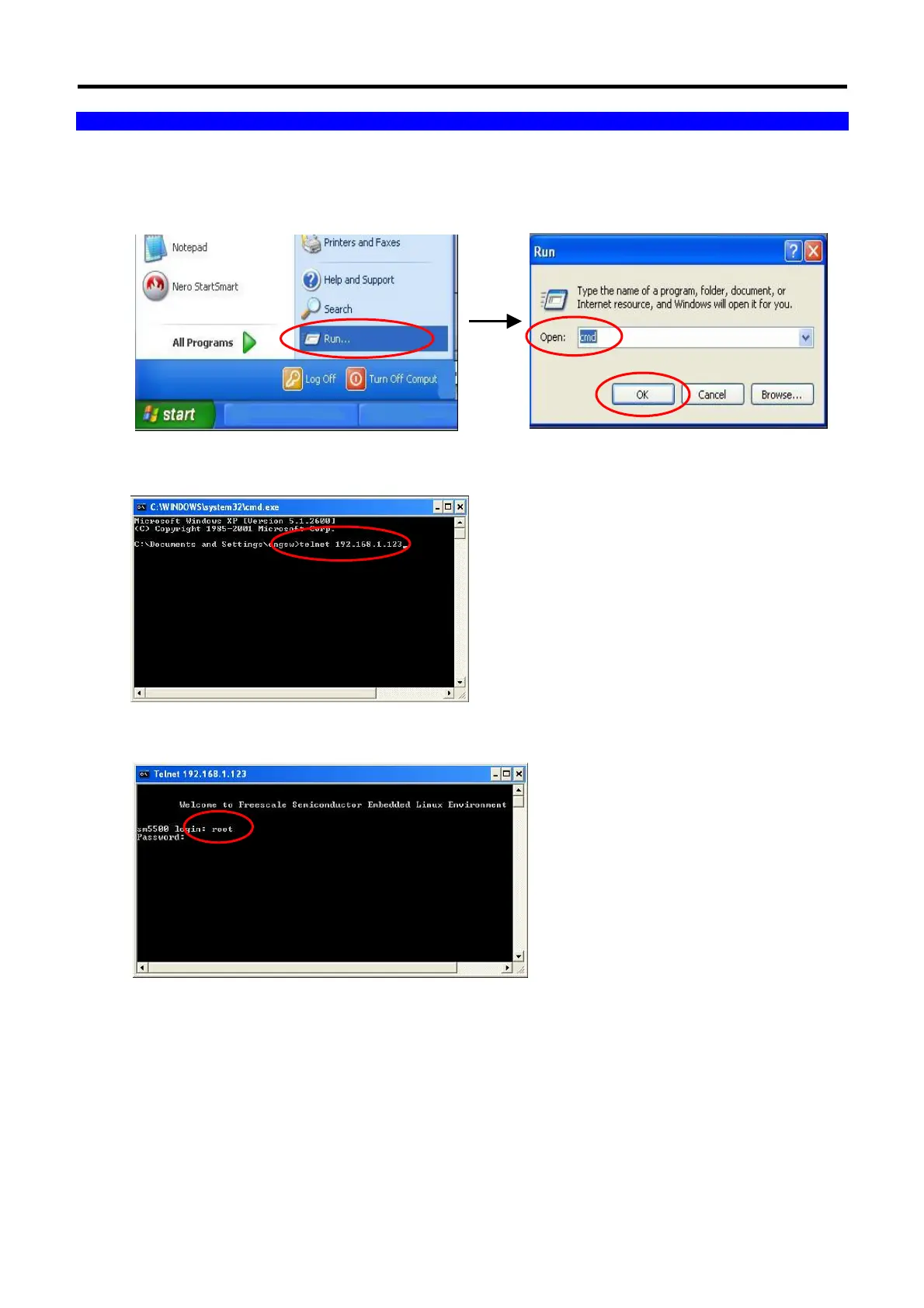
1. From the PC monitor display, select START All Program Run.... In Open column, type in the “cmd”
and then click “OK”.
2. Keying the [telnet 192.168.1.123] (Scale IP Address) to go to login mode.
3. Keying the login name [root] and press [Enter].



 To Next Page
 Loading...
