DI-5000_DP-5000_DPS-5000 Service Manual Edition 2
67
7.5 System Information
Procedure Picture
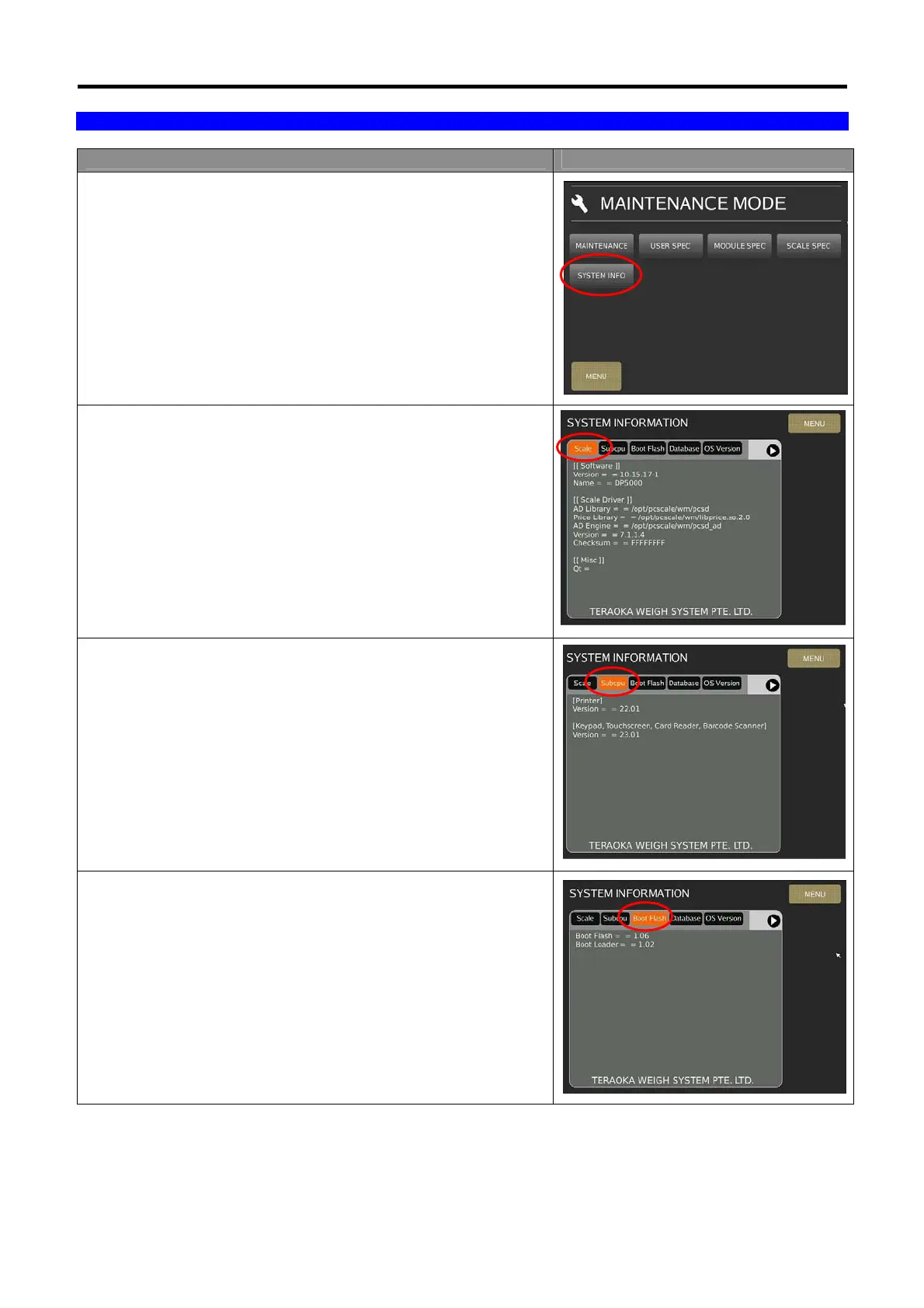
1) In Registration mode, select [MENU] [MAINTENANCE]
[SYSTEM INFO].
2) In System Info mode, select [Scale] will show the information of
“Software Version”, “Model Name”, “AD Version” and
“Checksum”.
3) Select [Subcpu] will show the firmware version information of
“Printer” and “Keypad/Touchscreen/Card Reader/Barcode
Scanner”.
4) Select [Boot Flash] will show the information of “Boot Flash”
and “Boot Loader” firmware version.



 To Next Page
 Loading...
