2.4
Installation
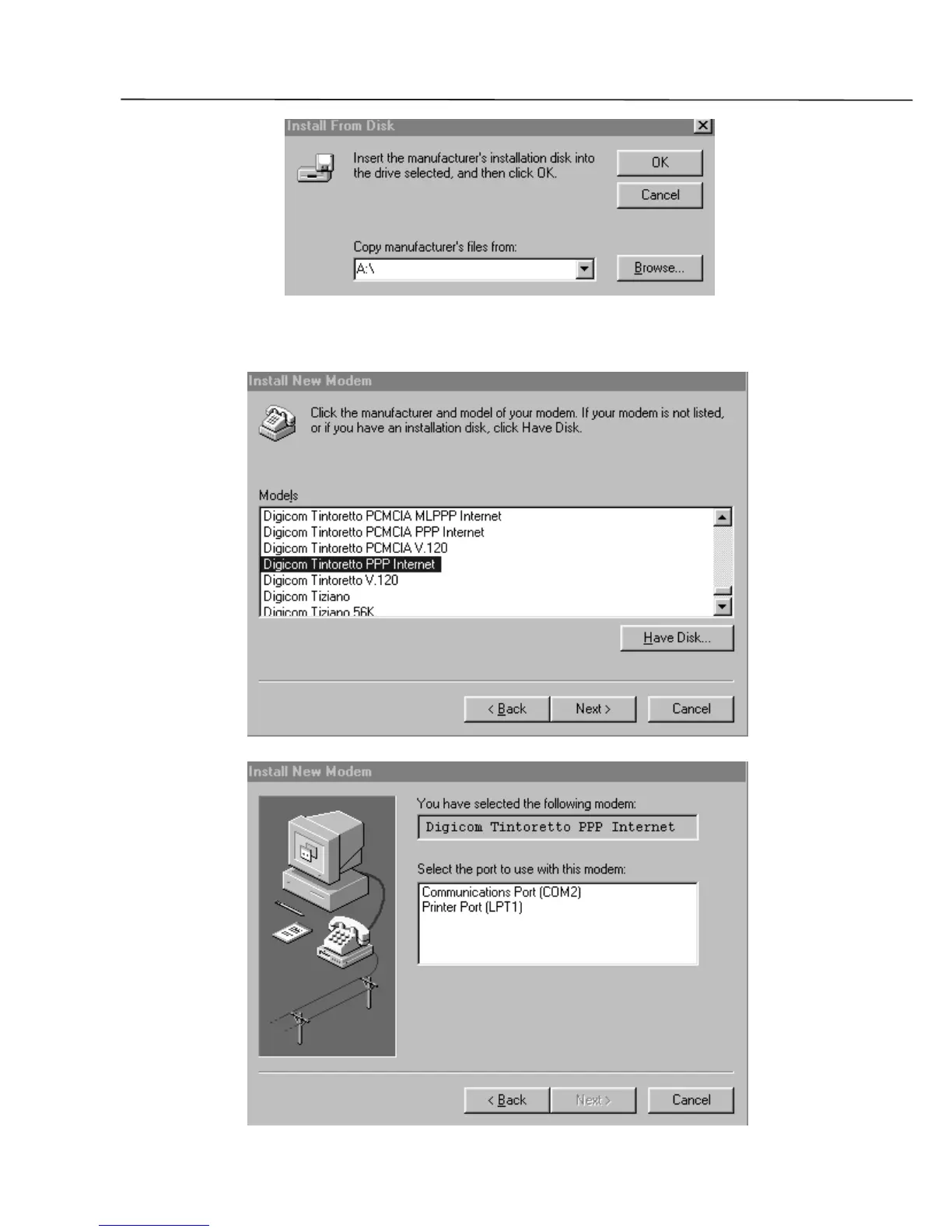
5. Insert the Floppy disk or the CD ROM in the appropriate drive and from the window : Install from
disk check that the correct driver letter appears showing where your Floppy/CD ROM is inserted
(eg. A or D), then click the button OK.
6. From the list select the driver to use (e.g. Digicom Tintoretto PPP) and click Next
7. Select the COM port where your modem is connected, then clik Next and then Finish


 To Next Page