27
6.5.3 Sensor communication
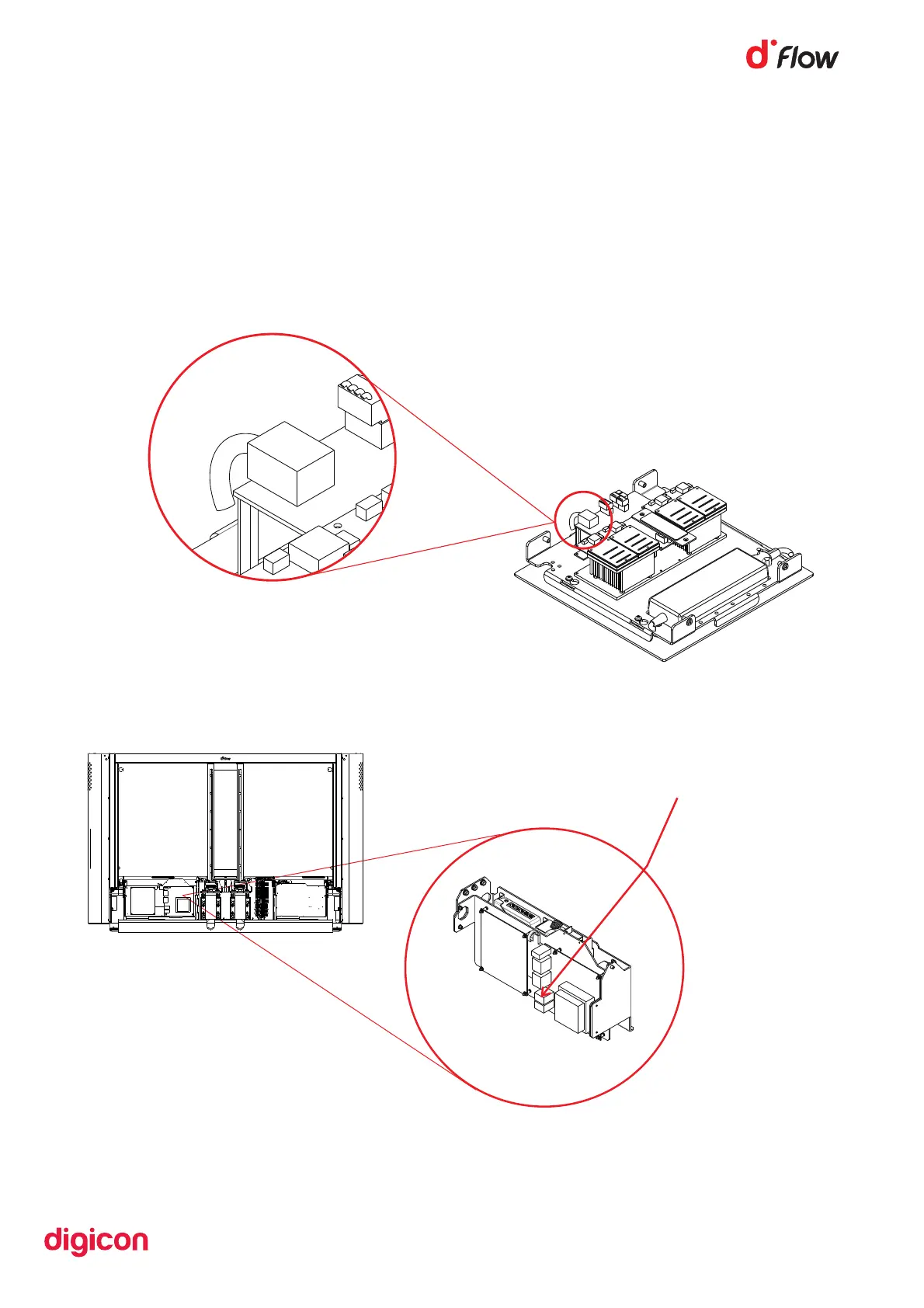
The dFlow CPU has a unique Ethernet port to connect the sensor communication
cable.
Follow the instructions below:
• Connect one end.
Figure 23
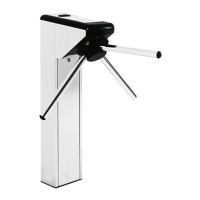
After connecting the cable, it must be connected to the other end in dFlow, as
shown below:
Location where the sensor
communication cable must be connected.
Figure 24


 To Next Page