30
6.8 dFlow Pictograms
dFlow has two pictograms, flow and operation.
A) Operation pictogram (upper):
The operation pictogram is installed at the top of the equipment and is represented
by a sequence of LEDs with different colors, depending on the operating flow
direction and validation group, if any.
The flashing red LEDs or flowing only in the opposite direction, means passage not
allowed.
The LEDs flowing in green indicating the passage direction mean free passage.
The LEDs flowing in yellow indicating the passage direction mean controlled
passage and a validation is necessary to authorize the passage.
B) Flow pictogram (front):
The instruction pictogram is installed at the ends of the equipment and is represented
by a green arrow > or red x.
The red pictogram informs the user that dFlow is not operating in this direction or
that at the moment his/her passage is not allowed or that it is busy.
The green pictogram informs the user that dFlow is free or controlled for passage
in this direction.
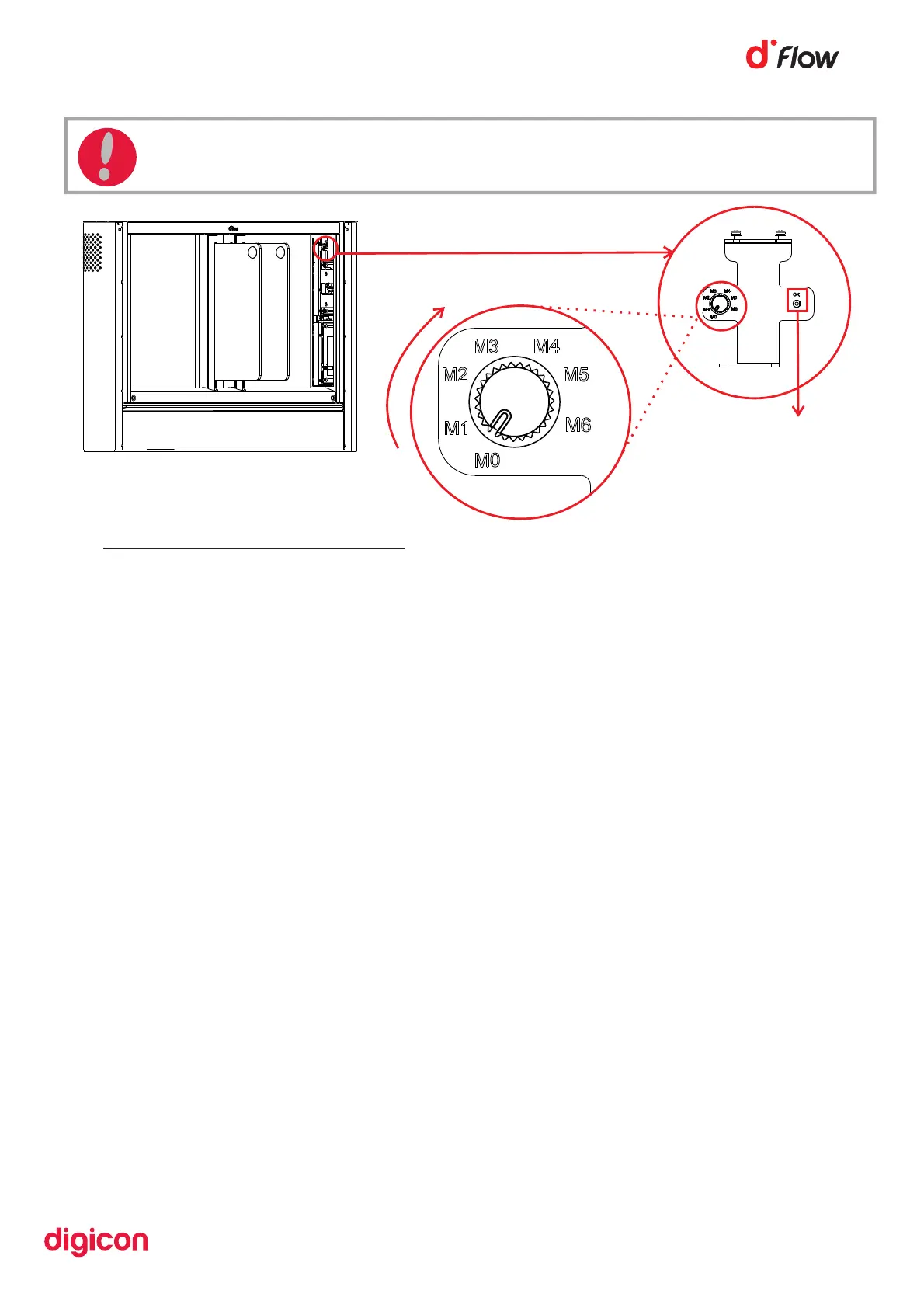
Figure 28
OK button
ATTENTION: Be careful, the test mode for the doors will swiftly open and close
the doors.


 To Next Page