33
IOX
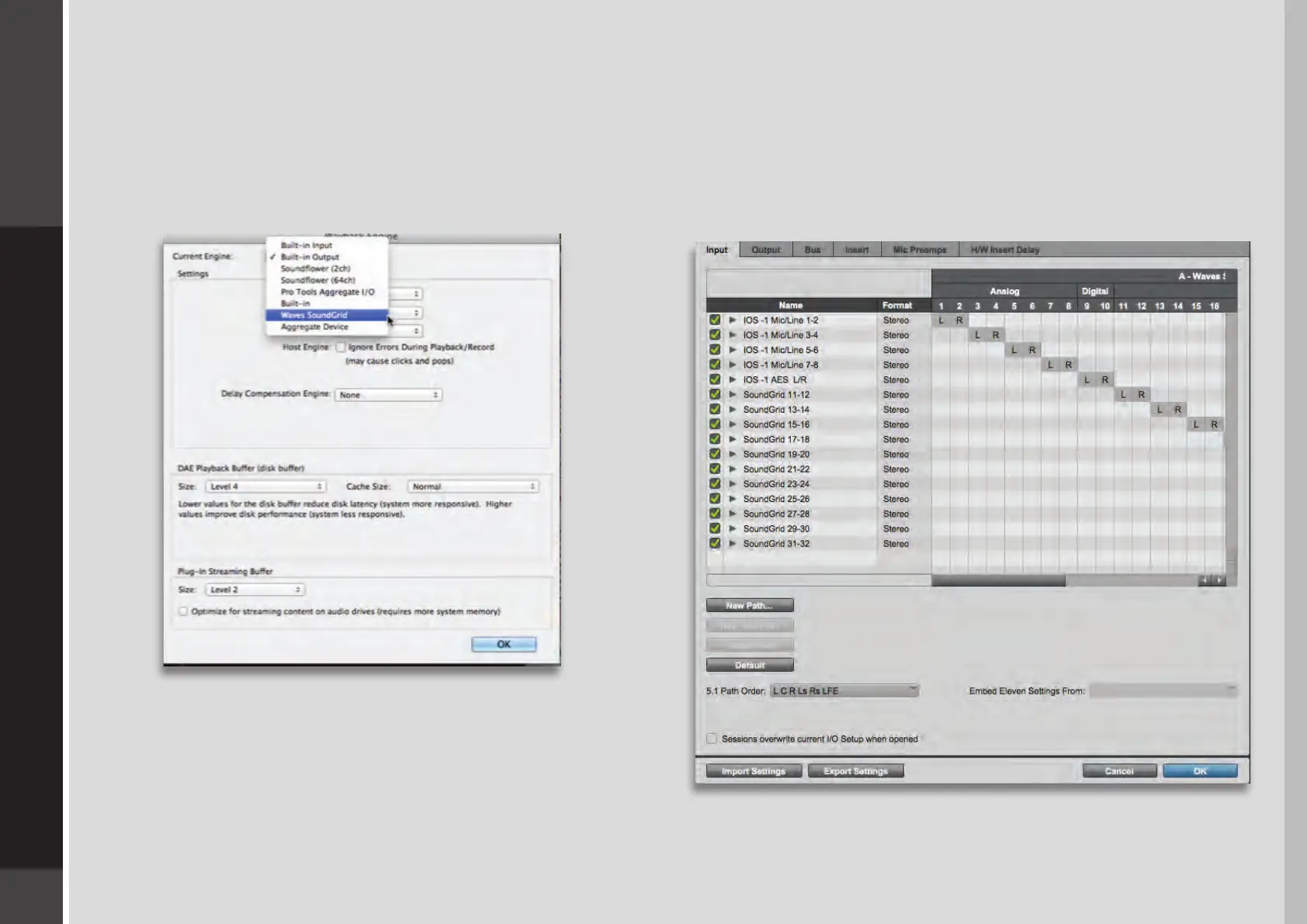
DAW I/O Setup
When you look at the I/O setup page of your DAW, what you see
are driver channels whose default names represent what they
are connected to. What they are connected to is determined in
the Patch page of the SoundGrid Studio application.
Selecting the Driver in the DAW
When a DAW is part of a SoundGrid network, the
SoundGrid ASIO/Core Audio driver must be its playback
engine. Choose Waves SoundGrid from among your
playback engine options.


 To Next Page