Page 10
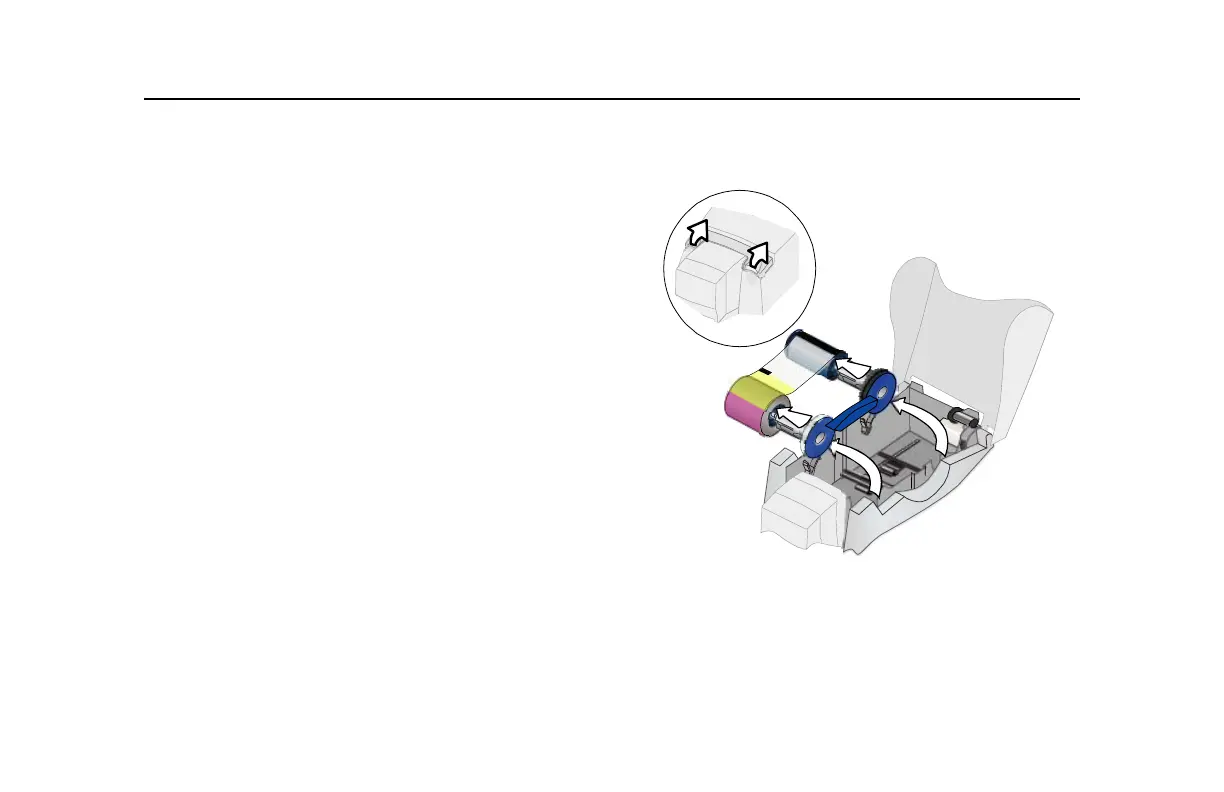
Loading print ribbon
1 Open the printer cover.
2 Remove the ribbon cartridge.
3 Remove both used ribbon spools from the cartridge (if
present).
Tips: Handling print ribbon
• Keep unused ribbon in the original package.
• Don’t place ribbon on a dusty or dirty surface–dirt could
damage the printhead.
4 Run a cleaning card and replace the cleaning sleeve at
the same time that you load a new print ribbon. See
"Cleaning the printer" on page 20 for the steps to
follow.
1
1



 To Next Page