Page 6
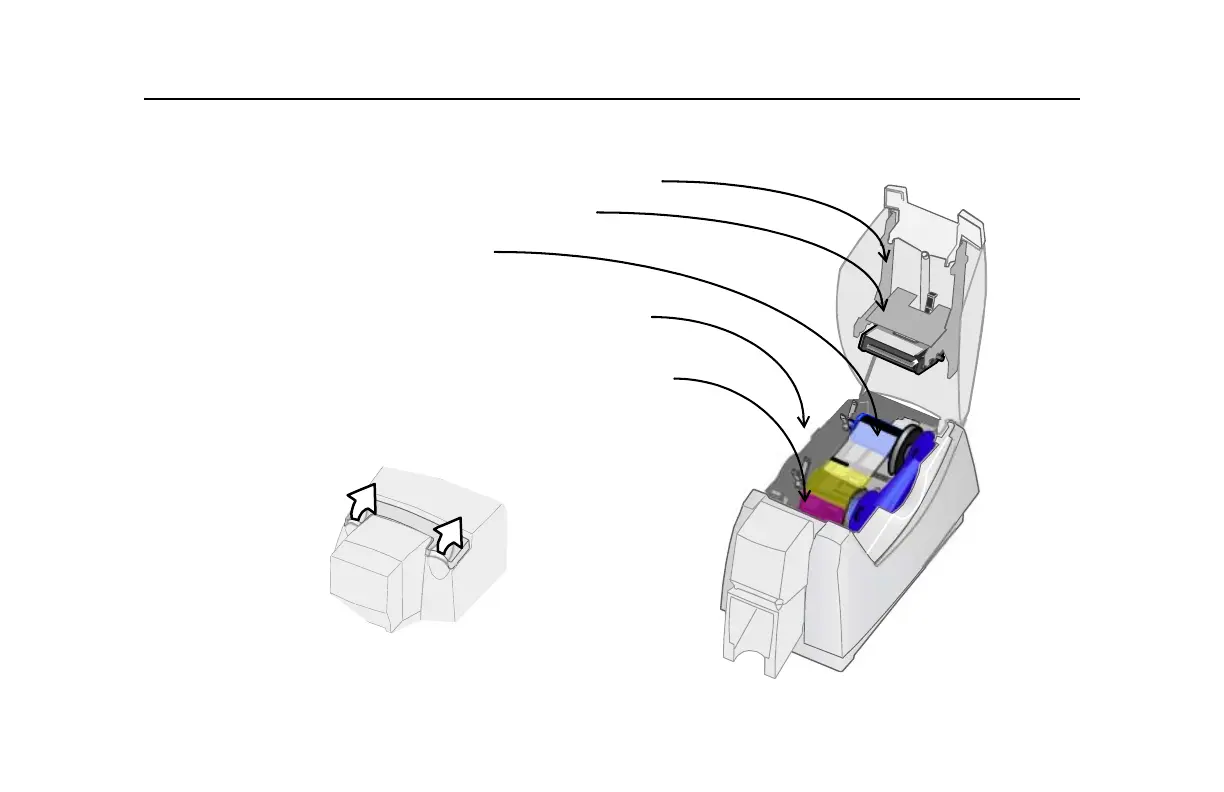
The inside of the printer
Cover Arm: Holds the cover and printhead cartridge in place.
Printhead Cartridge: Applies the image to the card.
Print ribbon cartridge with print ribbon.
Printer Label: Includes the serial number and model information
(located on the left side of the printer and not visible in this
drawing).
Cleaning roller (not visible in this drawing): Removes dust and
debris from cards.
Tip: Lift the latch to open the printer and see inside.
1
1



 To Next Page