Page 13
Power on the printer
Plug in the printer to power it on.
The printer does not have a power switch.
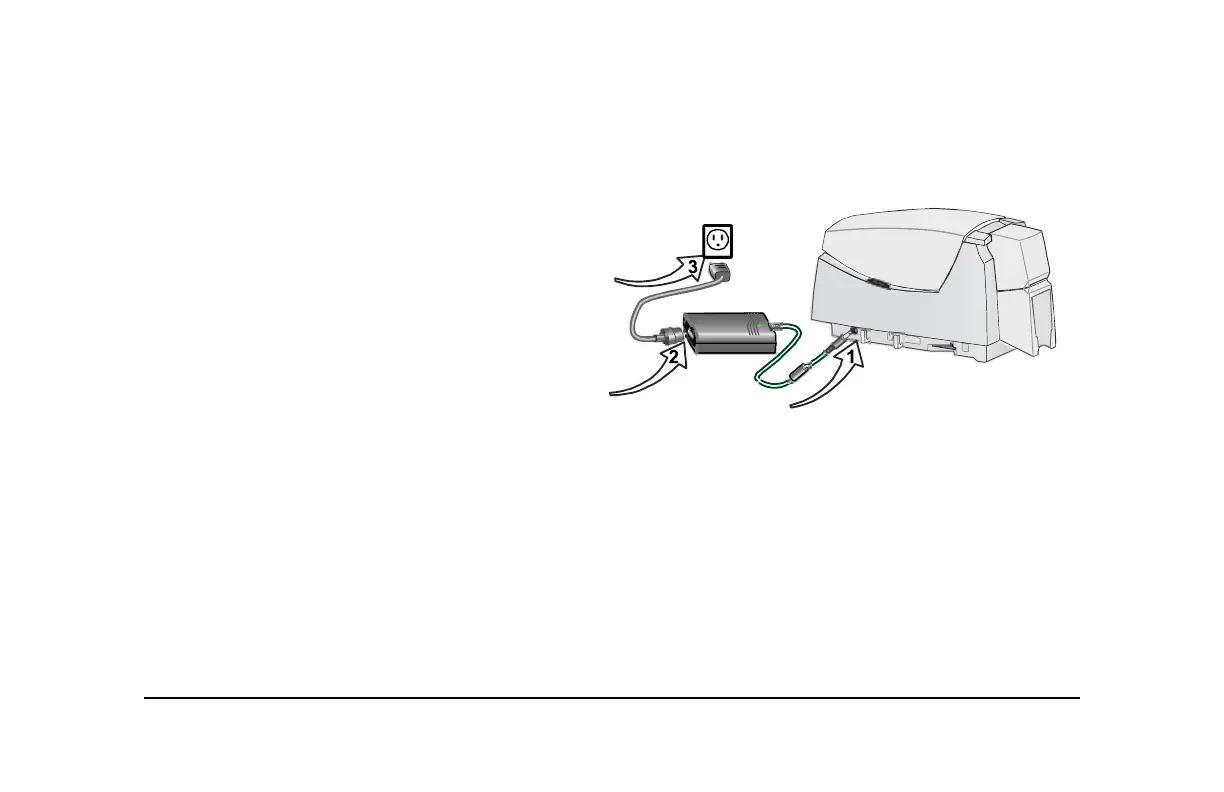
1 Make sure the power supply cord connects to the
printer power receptacle (1).
2 Connect the power cord to the power supply (2).
3 Connect the power cord to the power outlet (3).
4 The printer powers on and initializes.
Tips for printer power
• Wait while the printer initializes.
• The printer Status Light displays steady green
when the printer is ready to print cards. See
"Status light" on page 14 for details.
• Follow the guidelines for your organization about
when to power the printer on and off.



 To Next Page