©2012 Digitrax, Inc. www.digitrax.com 16
5. If you do not know the address of the DCC locomotive you want to run,
you can either read back the decoder’s address or program it to the address
you want to use. Section 16.6 shows how to read back the decoder address.
'3931A7;5/;2&B;;7;5F<B? <1<:<A7C3
To select and run a DCC equipped locomotive with a known address follow
these steps:
1. Set the DCS51’s Throttle Knob to
'(#$.
2. Place a DCC equipped locomotive (one with a decoder installed) on your
digital layout that is controlled by your DCS51. In this example we assume
that you have a new Digitrax decoder that is factory programmed to address
03. If your decoder is using a different address, simply use that address as
you follow these instructions.
3. Check the DCS51’s TRACK STATUS Light to be sure that track power is
turned on. Press the $#+& key to turn track power on if necessary.
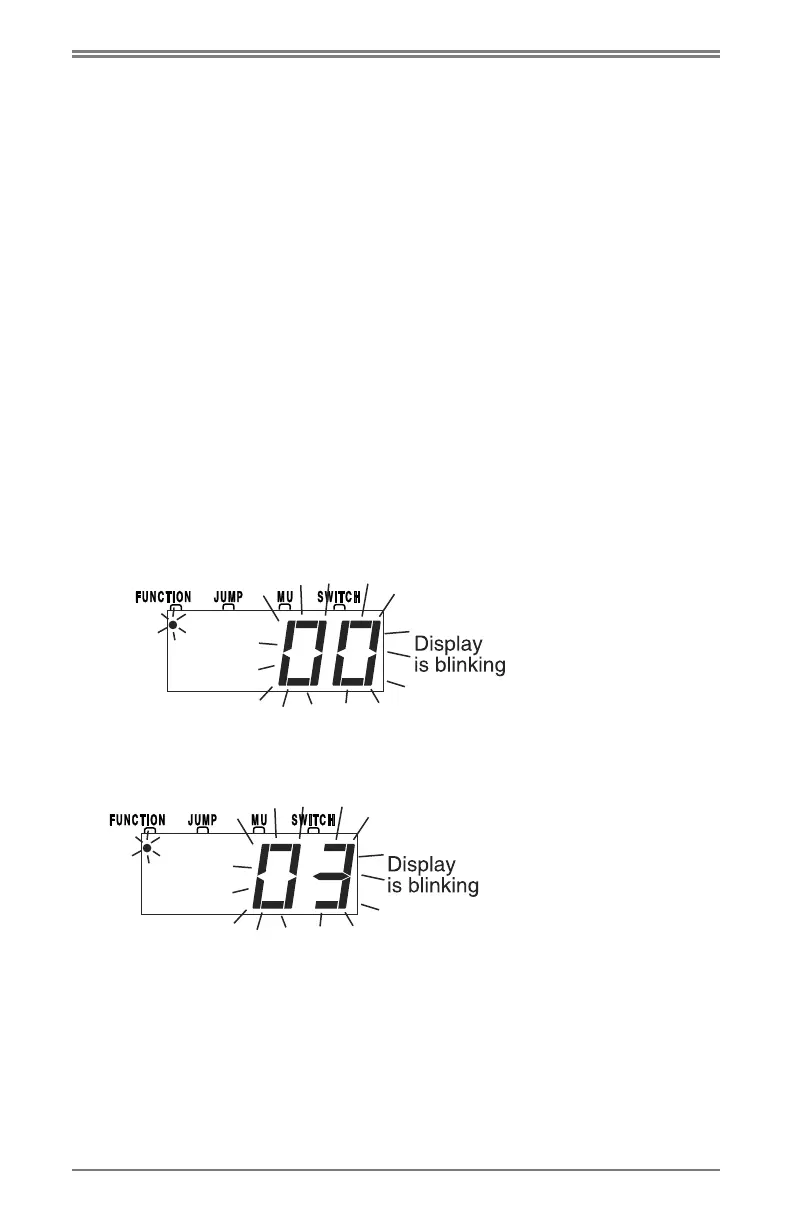
4. Press the ## key to begin the selection process. The Display will begin
flashing either “Loco” or the last address selected on the throttle. If you are
continuing on from the previous example of running an analog locomotive,
your display will be blinking address 00 as shown here since 00 was the last
address you used:
5. Use the numeric keypad to enter “
”, the address used to control the loco-
motive with the decoder. Your display will show:
6. Press the
## key again to confirm your selection and set address 03 on
the throttle. The display will stop blinking and you will have control of the
DCC equipped locomotive with address 03.



 To Next Page