©2012 Digitrax, Inc. www.digitrax.com 7
'3931A&B;"<; <1<:<A7C3@
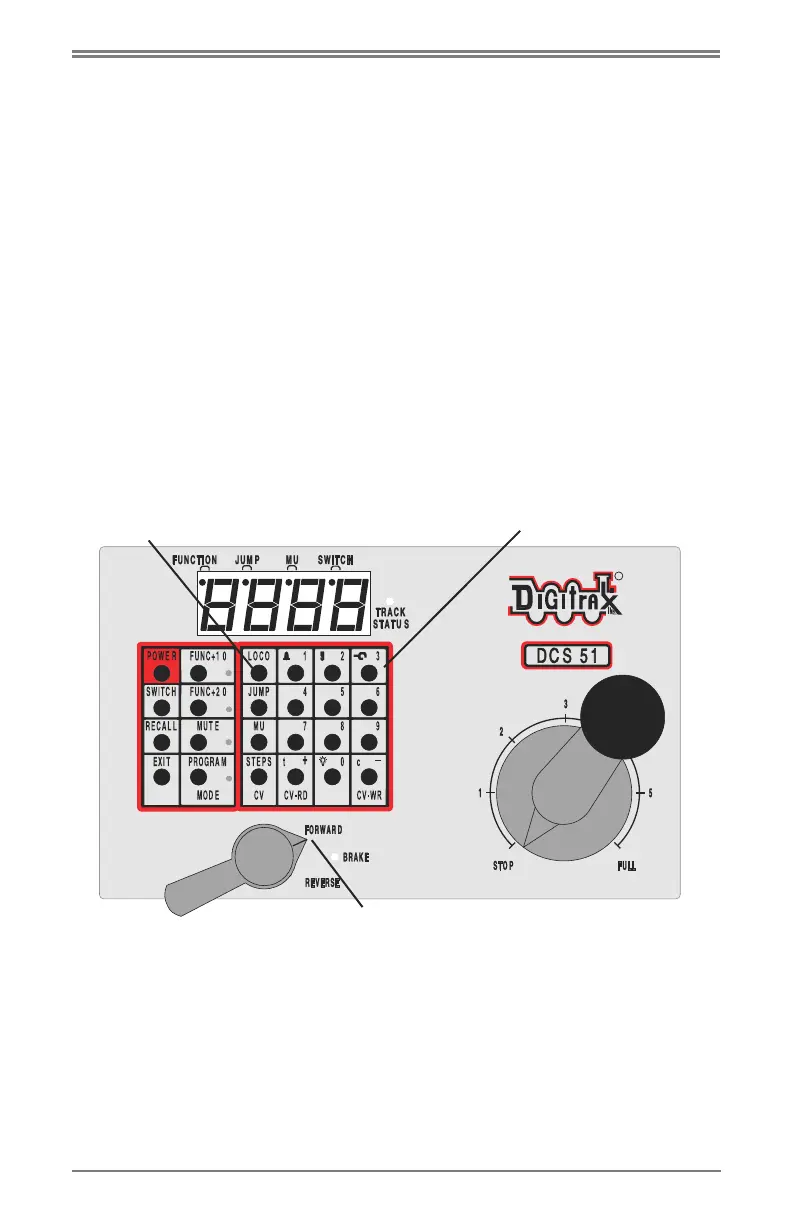
. To select a non-DCC equipped (Analog) locomotive to run, look at the main
group of keys on the front panel. Locate the one labeled “LOCO”.
. Press this key ONCE, enter “00” and press “LOCO” once again. You have
selected a locomotive to run!
. To run the locomotive, place the locomotive on your layout, move the
Direction/Brake lever to either ‘FORWARD” or “REVERSE”, depending
on which way you want the locomotive to move, and slowly turn the
Throttle clockwise until the locomotive starts to move.
. If your locomotive runs in the opposite direction of the throttle setting, turn
the locomotive around.
. To stop the locomotive, either turn the Throttle back to “STOP,” or shift the
Direction/Brake lever to “BRAKE”.
RR
44
SWITCH
EX IT
PO W ER
PROG
MODE
##Lkey
Keypad
7?31A7<;?/83lever in I#&+&Jposition



 To Next Page