©2012 Digitrax, Inc. www.digitrax.com 45
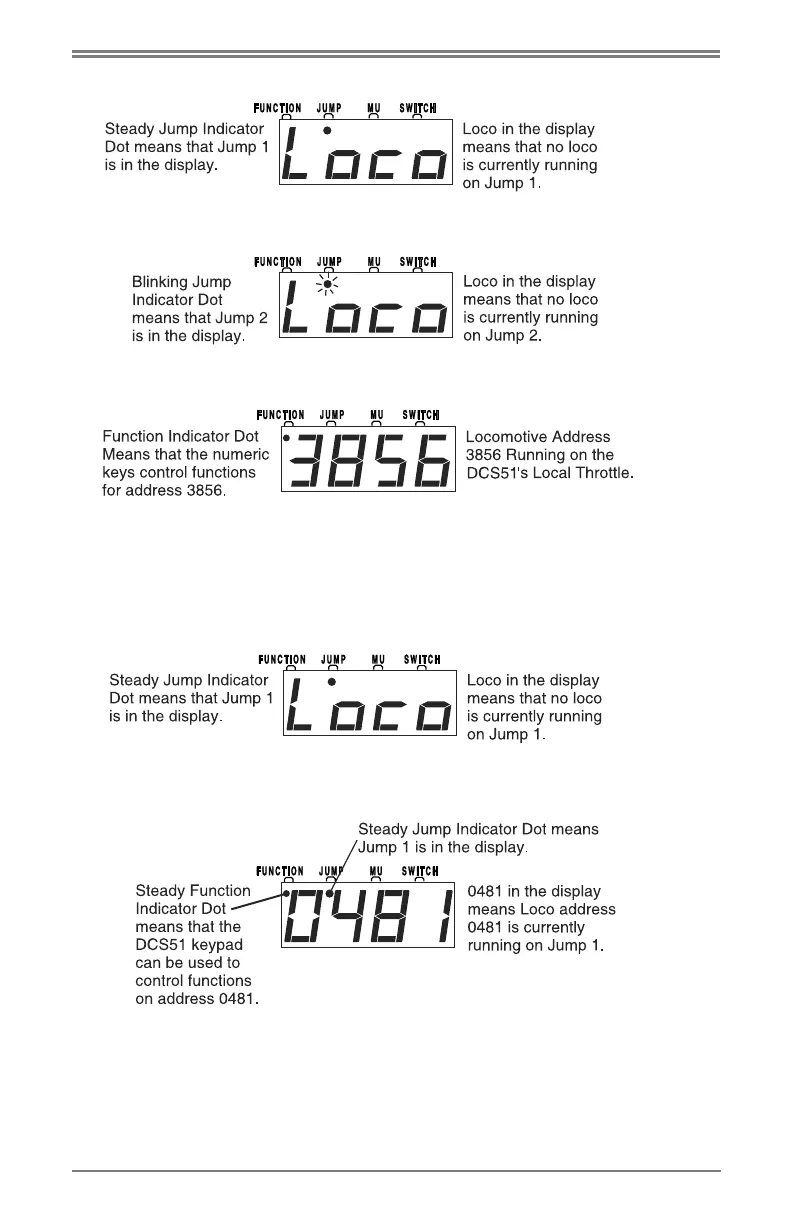
2. Press the )!$ key to view Jump 1:
3. Press the
)!$ key again to view Jump 2:
4. Press the
)!$ key again to return to the Local Throttle:
To run a locomotive address on Jump 1:
1. Press the
)!$ key until you have JUMP 1 in the display, you’ll see the
JUMP Indicator Dot on steady and a screen like this if there is nothing
selected on JUMP 1.
Or, you’ll see a screen similar to this if there is a locomotive address, in this
case 481, selected on JUMP 1
2. To select a loco on JUMP 1 or to change the loco that is already there,
press the
## key. The screen will begin flashing to let you know that the
loco selection is pending. The display will now show the last loco that was
selected on this throttle. It will look something like this:



 To Next Page