Page 27
Reflections Collection
11.8 Bluetooth® Pairing Instructions
If you experience a connection problem with your Bluetooth device, make
sure that the Bluetooth antenna is secure and located at the highest point
within the equipment bay.
To pair your Bluetooth device to the Bluetooth
Stereo System, follow these steps:
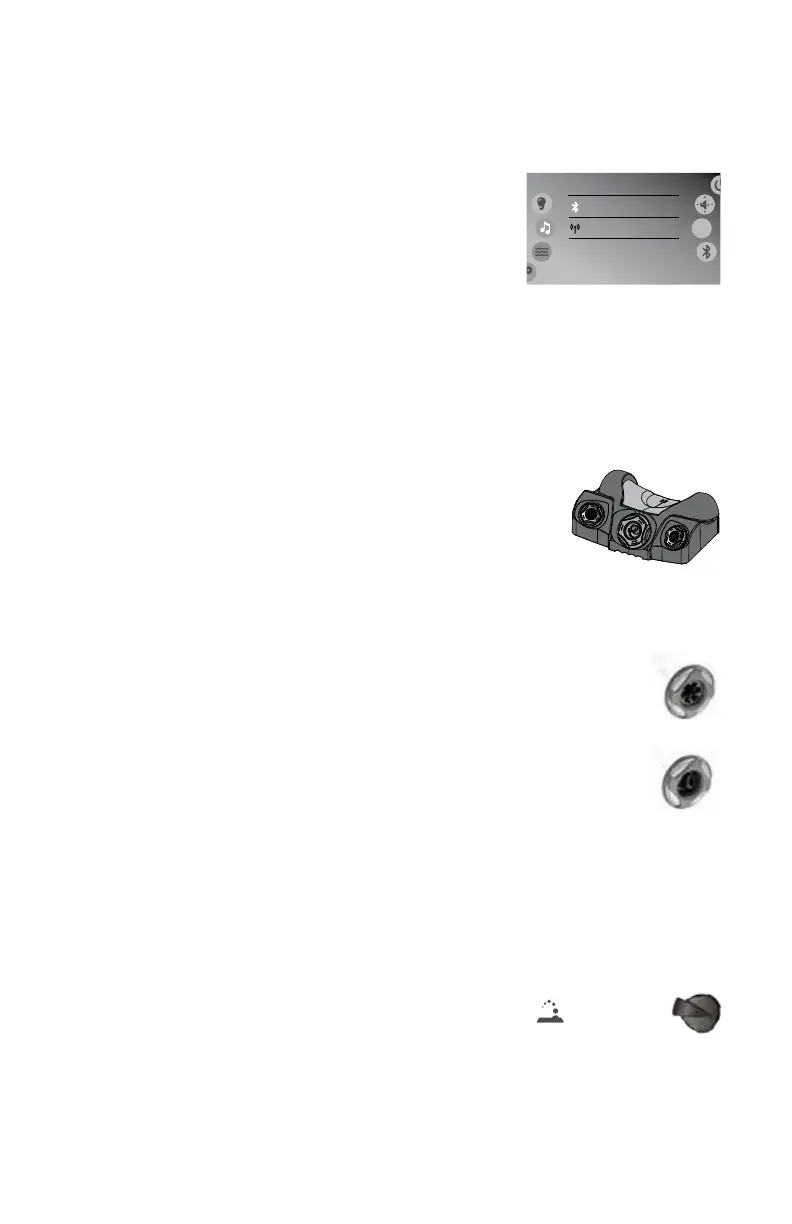
1. Tap the music icon on the control panel screen
then tap either the Bluetooth or SRC, Figure
11.8a, button to select the Bluetooth option.
2. From your Bluetooth device, make sure that
the Bluetooth setting is ON.
3. Follow the pairing instructions for your Bluetooth device and connect
to the “Bluetooth Stereo System” device that appears on your screen.
4. If asked for a pin code, enter the code “5555” and then connect.
5. If the pairing process is successful, your Bluetooth device will show
“Connected” right next to “Bluetooth Stereo System”.
11.9 Jet Therapy Pillow™
D1’s patented Jet Therapy Pillow provides you with the
only adjustable neck and shoulder massage system in
theindustry.TheJetTherapyPillowhasveadjustable
height positions. Gently pull the pillow and slide it up or
downtheguiderails.Adjustthewaterowandwaterpressure
from the jets by rotating their nozzles clockwise or counterclockwise.
11.10 Adjusting Jet Flow
Your hot tub is equipped with D1’s Accent Jets that can adjust
and interchange with a simple twist motion for a customized
massage.Thewaterowandwaterpressureofyourjetscanbe
increased and decreased by rotating the outside jet face. Rotate
theoutsidejetfaceclockwisetodecreaseorshutoffwaterow.
Turncounterclockwisetoturnonorincreasewaterow.
Note: Always keep at least 6 adjustable jets open at all times.
11.11 Auxiliary Control Switch (if equipped)
For added convenience, certain models feature an Auxiliary Jet Switch.
Pressing this button will turn on and off the jets in the seat closest to the
button, allowing the user to command their experience without accessing
the main control.
11.12 Fountain Control
Turn on the fountain by tapping the fountain button ( ) on
the control panel. Use the fountain control valves to increase or
decrease output.
Note:WhenintheOFFposition,somewatermaystillowthrough.
This is considered normal. It also prohibits any “standing water” in the
plumbing lines.
Bluetooth
Source
Bluetooth
FM
8:01 am
src
Figure 11.8a



 To Next Page