18 www.dimplex.com
Operation
through the 3 settings: Low Heat,
High Heat and Off.
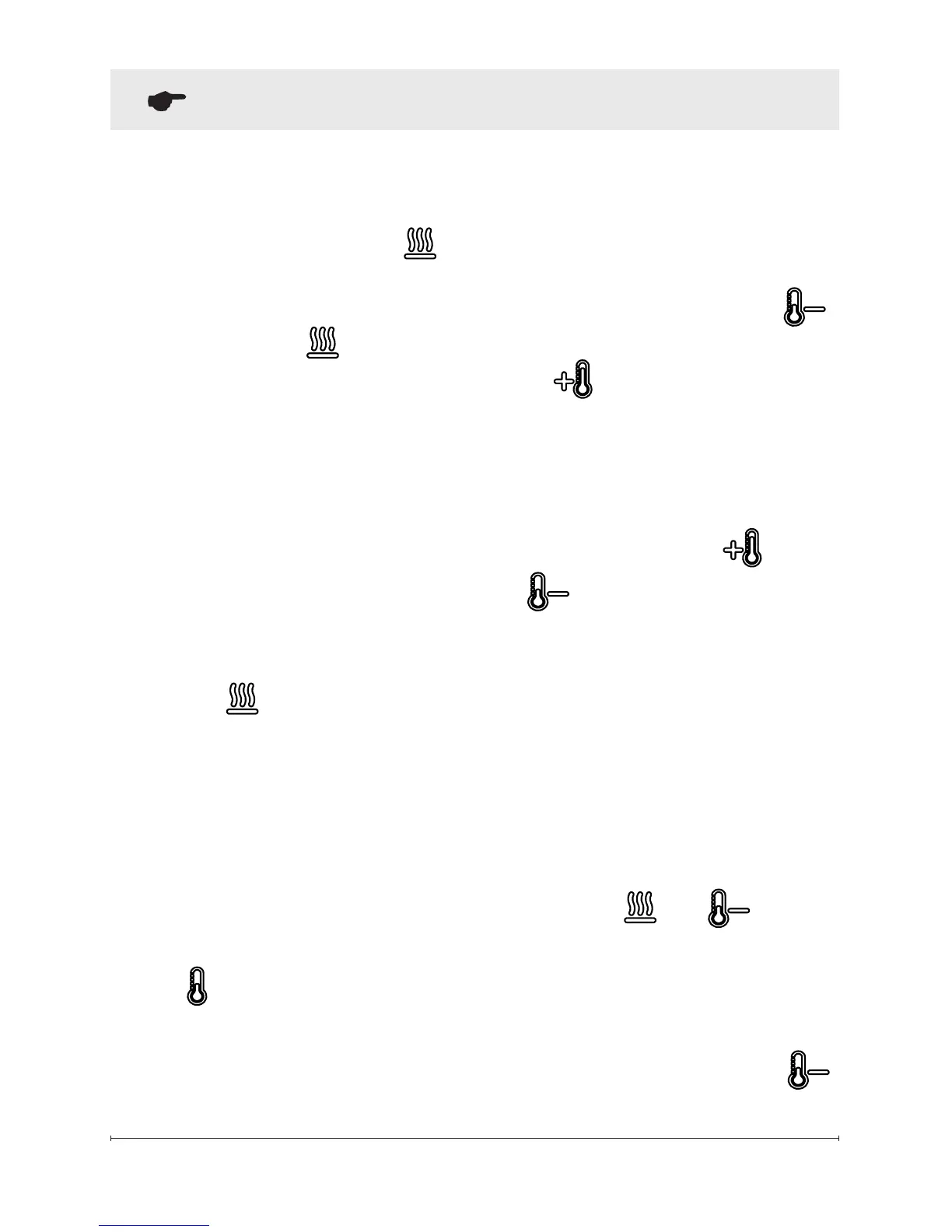
→ Activated by pressing the
button on the unit or the re-
mote.
• Indicated by the icon and
the intake temperature being
displayed on the On Screen
Display, for 5 seconds before
turning off.
!
NOTE: After the heater is
switched off, there is a 60 second
fan delay, where the fan will con-
tinue running before turning off.
!
NOTE: The unit can be oper-
ated in Heat Only Mode. When
the unit is only running with the
heater, the icon will con-
tinuously be displayed on the On
Screen Display.
!
NOTE: The heater may emit
a slight, harmless odor when rst
used. This odor is a normal con-
dition caused by initial heating of
internal heater parts and will not
occur again.
D & E.
Thermostat Controls
Adjusts the temperature set point
to your individual requirements.
Once the desired set temperature
is reached the heater will turn off.
The heater will cycle on and off
to maintain the desired set tem-
perature. The default temperature
setting is 72°F (22°C).
→ Adjusted by pressing the
to decrease the setpoint and
the to increase the setpoint
on the unit or the remote.
• The On Screen Display will in-
dicate the temperature setpoint
as it is adjusted.
!
NOTE: Holding the and
the
buttons down for two
seconds, on the unit, will change
the temperature from °C to °F, or
vice versa.
Disable Heat
If desired, depending on the sea-
son, the heater on the unit can be
disabled. The unit will operate in
the same fashion, with remainder
of the controls.
Pressing the and buttons
on the unit at the same time and
holding for 2 seconds will disable
and enable the heater.
!
NOTE: When the heater has
been disabled and either the


 To Next Page