6
CAS1000
Mains Switch - Controls the electricity supply to the appliance. (Fig 27A)
Note: This switch must be in the ‘ON’ ( I ) position for the appliance to operate
Button Panel ‘C’ Controls the functioning of the left side of product while Button Panel ’D’ controls the functioning of the
right side of the product. Please note the ame height and re crackling noise can be controlled independently on each
individual side of the product.
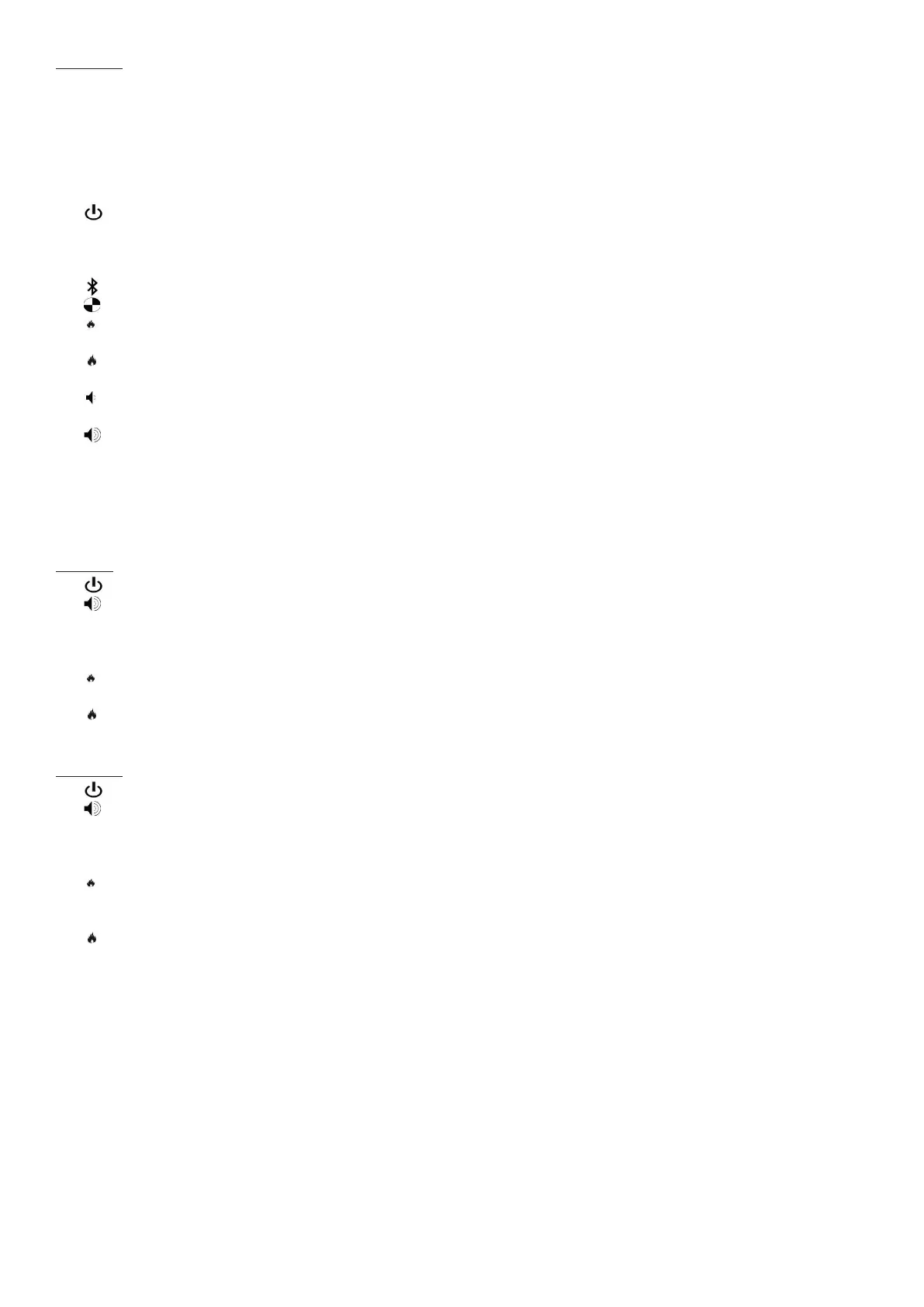
• is the on/standby button. Press it to turn on and off the ame effect. Turning it on will be indicated by a single
beep and the main LED lights activating. Be careful not to look directly into the LED’s as they can be very bright.
Although the main LED lights operate immediately, a further 45 seconds of warm up time is required before the
ame effect starts.
• is the pairing button. This will pair your remote control to the receiver. See ‘Remote Control Operation’ for details.
• is the test mode button. This will be used by the manufacturer and the Service Engineer.
• is the reduce ame button. Press this to reduce the height/intensity of your ame. You will hear an audible beep
when you reach the minimum level.
• is the increase ame button. Press this to increase the height/intensity of your ame. You will hear an audible
beep when you reach the maximum level
• is the reduce re crackling sound. Press this to reduce the volume of the crackling sound. The minimum volume
for this is off. You will hear an audible beep when you reach the minimum level.
• is the increase re crackling sound. Press this to increase the volume of the crackling sound. You will hear an
audible beep when you reach the maximum level.
RECEIVER CONTROLS
The product can also be controlled using the receiver which is supplied with the product. (Fig 12)
CAS500
• is the on/standby button. Press it to turn on and off the ame effect.
• is used to mute the re crackling sound. Press this to turn on and off the crackling sound. The volume can be
adjusted on the manual controls of the appliance. Please note that the mute setting will not be saved after a product
restart. The crackling sound can be turned off completely by using the volume control buttons on the button panel to
reduce the volume to its minimum setting. This minimum setting will be remembered after a product restart.
• is the reduce ame button. Press this to reduce the height/intensity of your ame. You will hear an audible beep
when you reach the minimum level.
• is the increase ame button. Press this to increase the height/intensity of your ame. You will hear an audible
beep when you reach the maximum level.
CAS1000
• is the on/standby button. Press it to turn on and off the ame effect.
• is used to mute the re crackling sound. Press this to turn on and off the crackling sound. The volume can be
adjusted on the manual controls of the appliance. Please note that the mute setting will not be saved after a product
restart. The crackling sound can be turned off completely by using the volume control buttons on the button panel to
reduce the volume to its minimum setting. This minimum setting will be remembered after a product restart.
• is the reduce ame button. Press the upper reduce ame button to reduce the height/intensity of the ame on the
left hand side of the product. Press the lower reduce ame button to reduce the height/intensity of the ame on the
right hand side of the product. You will hear an audible beep when you reach the minimum level.
• is the increase ame button. Press the upper increase ame button to increase the height/intensity of the ame
on the left hand side of the product. Press the lower increase ame button to increase the height/intensity of the
ame on the right hand side of the product. You will hear an audible beep when you reach the maximum level.




 To Next Page