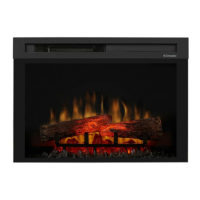
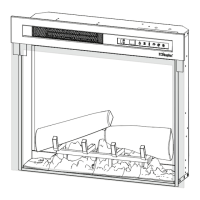
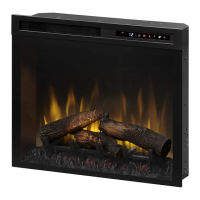
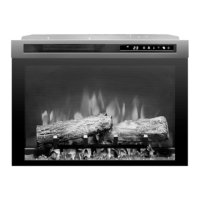
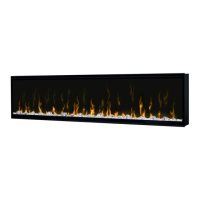
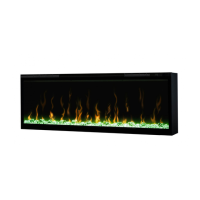
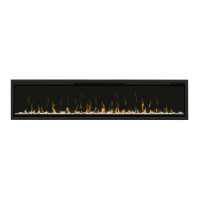
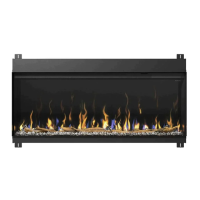
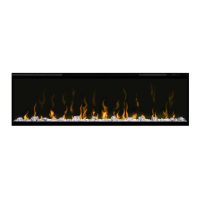
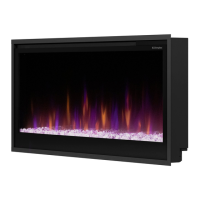
This document is an owner's manual for the Dimplex Electric Fireplace, covering models XHD28L, XHD28G, XHD26L, XHD26G, XHD23L, XHD23G, XHD33L, and XHD33G. It provides essential information for installation, operation, and maintenance of the electric fireplace.
The Dimplex Electric Fireplace offers an alternative to a traditional wood or gas fireplace, designed to give an existing fireplace new life or transform a cabinet or media center into a focal point. It does not require special venting, but proper air circulation is necessary, with at least 1/2 inch clearance behind the unit. It should not be installed directly on carpet or similar surfaces that may restrict airflow. When installing into an existing fireplace opening, all drafts and vents should be sealed with a non-fibrous insulation material to prevent chimney debris from falling onto the unit. It is important not to install the unit into an existing fireplace opening that is prone to dampness.
Installation involves placing the unit into an opening with specific minimum dimensions depending on the model (XHD33, XHD28, XHD26, XHD23). For media models, small acrylic crystals are supplied to be dispersed in the media tray, with larger crystals arranged near the flame panel. If using an optional media accessory kit (XHDDW-KIT for XHD26G & XHD28G, or XHDDW-KIT33 for XHD33G), the supplied crystals are omitted, and river rocks are dispersed in the media tray with driftwood arranged on top.
For mounting into a Dimplex mantel, check for holes in the side panels near the top. Align the front of the firebox (without the front glass installed) with the mantel's front face and install provided screws into the front holes on the inside faces of the firebox, aligning with the mantel holes to secure it. If there are no holes, remove the screw on the back bottom flange and use the provided L-bracket to secure the firebox to the mantel. For custom mantels or existing openings, secure the firebox by inserting an appropriate screw through either the front or back hole on the inside face of the firebox, depending on the most suitable location.
The product must be grounded to reduce the risk of electric shock in case of malfunction. It is equipped with an equipment-grounding conductor and a grounding plug. The plug must be connected to a properly installed and grounded 120V outlet in accordance with all local codes. No adapter should be used. Improper connection of the grounding conductor can result in electric shock. If there is doubt about proper grounding, consult a qualified electrician or serviceman. The plug should not be modified; if it does not fit the outlet, a proper outlet should be installed by a qualified electrician.
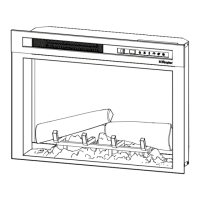
The fireplace is operated via a hidden touch panel on the front and a multi-function IR (infrared) remote control. To activate the touch panel, touch the hidden control to the right side of the white line; an icon will be selected, and the digital display will highlight the selection. The touch panel returns to a hidden state after 5 seconds. The remote control has a range of approximately 30 ft (9 m) and must be pointed towards the front of the fireplace.
The controls include:
- Power (Icon A): Press to turn the unit off or on. When off, pressing it turns everything off. When on, pressing it turns the unit on with previous settings. If the flame effect was on, it will turn on, and the previous heat setting will be activated. The display will show the current heater temperature setting and then the room temperature after 2 seconds. If the flame effect was off, the previous heat setting will be activated (on or off).
- Heat (Icon B): Press to turn heat on (indicated by a short beep). The display will show the current heater temperature setting and then the room temperature after 2 seconds. The Temperature icon is used to change the heater temperature setting. Press again to turn heat off (indicated by a short beep). After the heater is switched off, the fan will continue for 60 seconds before turning off.
- Temperature (Icon C): Press multiple times to cycle through 12 temperature settings from 62°F to 84°F, and "On" for continuous operation (17°C to 28°C, and "On"). Press once to display the set temperature, which flashes for 3 seconds before displaying the room temperature.
- Disable Heat: On the touch panel, press the Heat and Temp buttons simultaneously and hold for 2 seconds to disable the heater. Repeat to enable. When disabled, "--" will display when the Temp button is pressed, but other controls operate normally.
- °C / °F Temp: To change the temperature display between Celsius and Fahrenheit, press and hold the Temp and Flame Speeds buttons simultaneously on the touch panel.
- Flame Speed (Icon D): Press multiple times to toggle through flame speeds (minimum, medium, maximum), indicated by F1, F2, F3 respectively.
- Color Themes (Icon E): Press multiple times to change the media and flame base colors. This feature is active only when the flame effect is on. The display will show the theme (t0, t1, t2, etc.). Log unit themes include: t0 (no flame), t1 (Natural, flame base off), t2 (Red highlights), t3 (Orange highlights). Media unit themes include: t0 (Midnight mode), t1 (Media white), t2 (Media red/orange), t3 (Media blue), t4 (Media purple), t5 (Media green), and t0 (Prism mode, which is a color cycle). To choose a custom color, press the Brightness icon, then press again to return to Prism Mode.
- Brightness (Icon F): Press to change the flame and logs brightness. The display will show b1 (low), b2 (medium), b3 (high).
- Flame (Icon G): Press to turn the flame effect on. Press again to turn it off. Note that if the flame effect is off while the heat is on, the heat indicator light remains illuminated to show the heat function is active.
- Timer (Icon H): Press multiple times to change the sleep timer from 0.5 hours to 8 hours before turning off. Press again to display the remaining time. When the timer is active, the timer indicator light illuminates.
Maintenance involves regular inspection of the electric firebox, at least yearly, and cleaning with a damp cloth to remove dust. Except for installation and cleaning, all other servicing should be performed by an authorized service representative. Before any maintenance or cleaning, disconnect power by unplugging the unit and allow the heater to cool to reduce the risk of fire, electric shock, or injury.
The remote control battery (3V Lithium) needs replacement. To do this, push the release tab towards the center and slide the battery cover open. Install the new battery with the positive (+) side facing up, then close the cover. Batteries must be recycled or disposed of properly according to local authority or retailer advice.
Should the heater overheat, an automatic cutout will turn it off. To reset, unplug the unit and wait 5 minutes before plugging it back in. If the heater needs continuous resetting, unplug the unit and contact Technical Support.
The product comes with a two-year limited warranty for products other than fireplace surrounds (mantels) and trims, and a one-year limited warranty for surrounds (mantels) and trims. This warranty applies to the original purchaser and covers defects in material and workmanship. It does not cover light bulbs, products purchased in certain regions (Yukon Territory, Nunavut, Northwest Territories, Hawaii, or Alaska), or defects resulting from misuse, abuse, accident, neglect, incorrect installation, improper maintenance or handling, or operation with an incorrect power source. For service, contact Technical Service with proof of purchase, model, and serial numbers. Glen Dimplex Americas will, at its discretion, repair or replace defective products or parts. For products other than surrounds and trims, on-site or in-home warranty services are provided, with some limitations on travel costs and access. For surrounds and trims, the purchaser is responsible for removal and transportation to and from the service location. The warranty does not cover installation or removal expenses. Glen Dimplex Americas is not liable for indirect, special, punitive, exemplary, consequential, or incidental loss, cost, or damage exceeding the product's purchase price. Some jurisdictions may not allow limitations on incidental or consequential damages. This warranty provides specific legal rights, which may vary by jurisdiction.


 To Next Page

 General