137137
SELF-INSTALLED DIRECTV CINEMA CONNECTION KIT - WIRELESS
You can also order the DIRECTV CINEMA Connection Kit - Wireless from directv.com, or by calling 1-800-531-5000. Please follow the
installation instructions in the kit’s user guide.
If you do not have Whole-Home DVR service:
WIRED
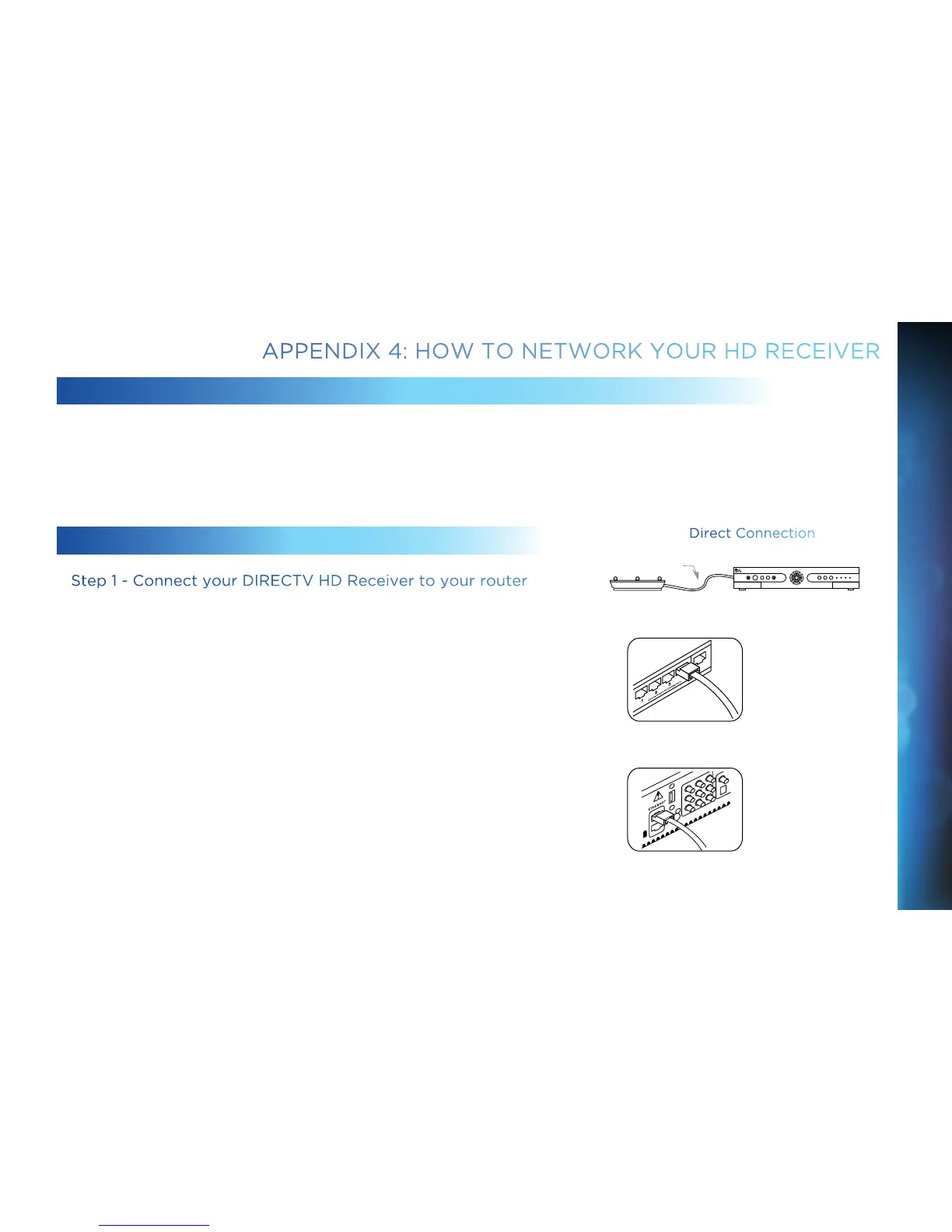
Step 1 - Connect your DIRECTV HD Receiver to your router
Connect one end of your Ethernet cable to the Ethernet port on the back
of your router.
Connect the other end of the Ethernet cable to the Ethernet port on the
back of your DIRECTV HD DVR.
Ethernet cable
connects to an
unused port on the
router
Ethernet cable plugs
into receiver
Direct Connection
Router
DVR Receiver
Ethernet Cable
APPENDIX 4: HOW TO NETWORK YOUR HD RECEIVER
APPENDICES



 To Next Page