44
DIRECTV
®
HD DVR RECEIVER USER GUIDE
PLAYLIST
Open/Close All
Series programs are grouped in folders in your Playlist. Select
“Open/Close All” to open all of your folders so you can see each
episode without having to select each series individually. You
can also use this option to close them all.
Filter by Playlist
If you are set up for Whole-Home DVR, this option lets you
select whether to see all available titles from all receivers, or
just those on the “local” receiver.
MANAGING MY PLAYLIST
Your DVR has a lot of recording space but it is possible to fill up
the hard drive if you record regularly. A quick way to check how
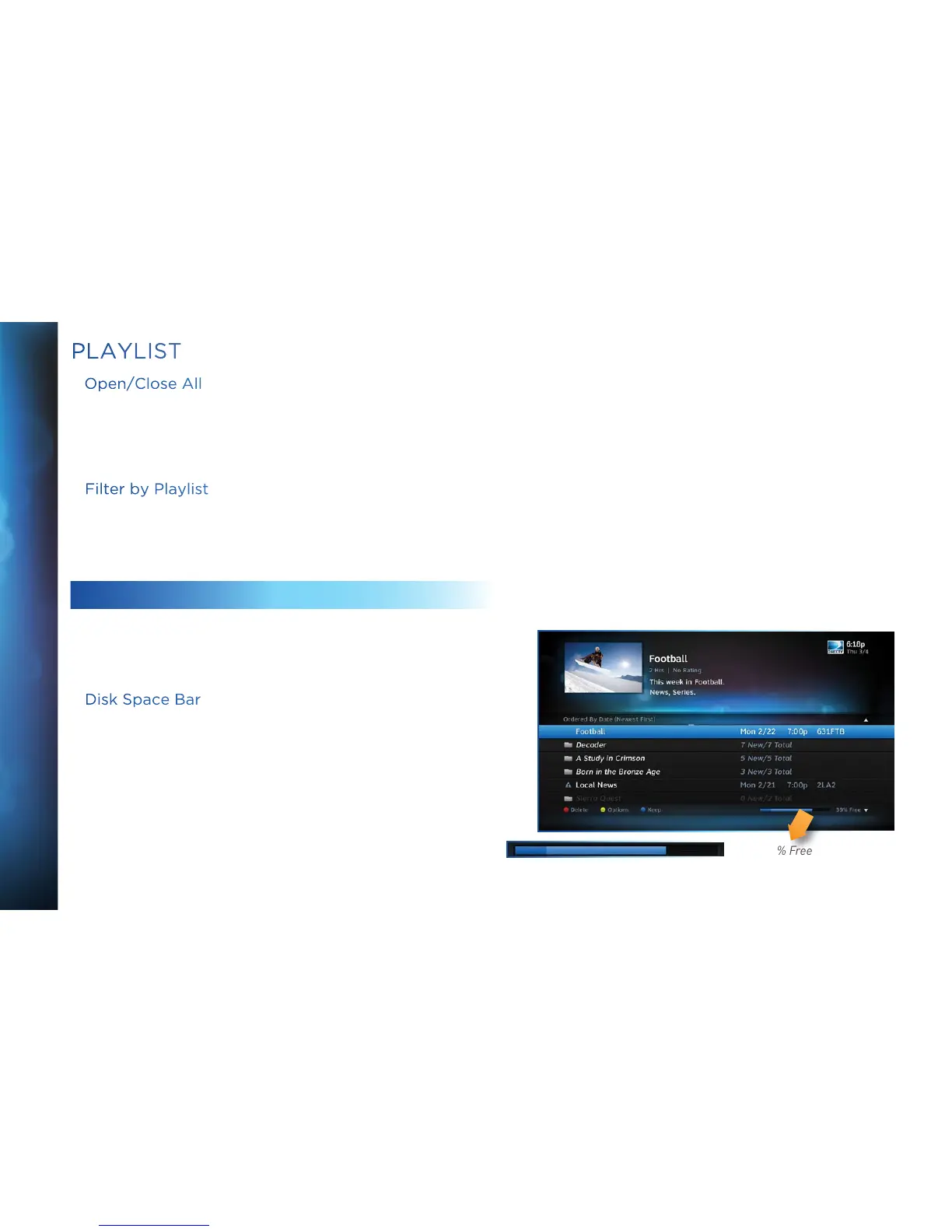
much space you have available is the Disk Space Bar.
Disk Space Bar
The Disk Space bar is at the bottom of your Playlist. It shows
the approximate amount of space available on your disk at any
given time.
The Disk Space bar shows programs you have designated “Keep
Until I Delete” in dark blue, programs subject to expiration or
automatic deletion in light blue, and the remaining unused disk
space that is available for recording in black.
When your disk is full, the oldest shows (viewed or not) are
automatically pushed out to make room for the new ones.
39% Free



 To Next Page