139139
WIRELESS
Create a wireless connection between your wireless router and your DIRECTV HD
DVR, so your receiver can access the Internet.
Along with the Network Requirements at the beginning of Appendix 4,
you will need:
A wireless adapter that uses an Ethernet port to connect to a media device,
preferably the DIRECTV CINEMA Connection Kit - Wireless, as mentioned
above [USB devices are not supported by the DIRECTV HD DVR].
A wireless router (in place of a regular router). You must have initialized your
wireless device for your home network before beginning to network your
DIRECTV HD DVR.
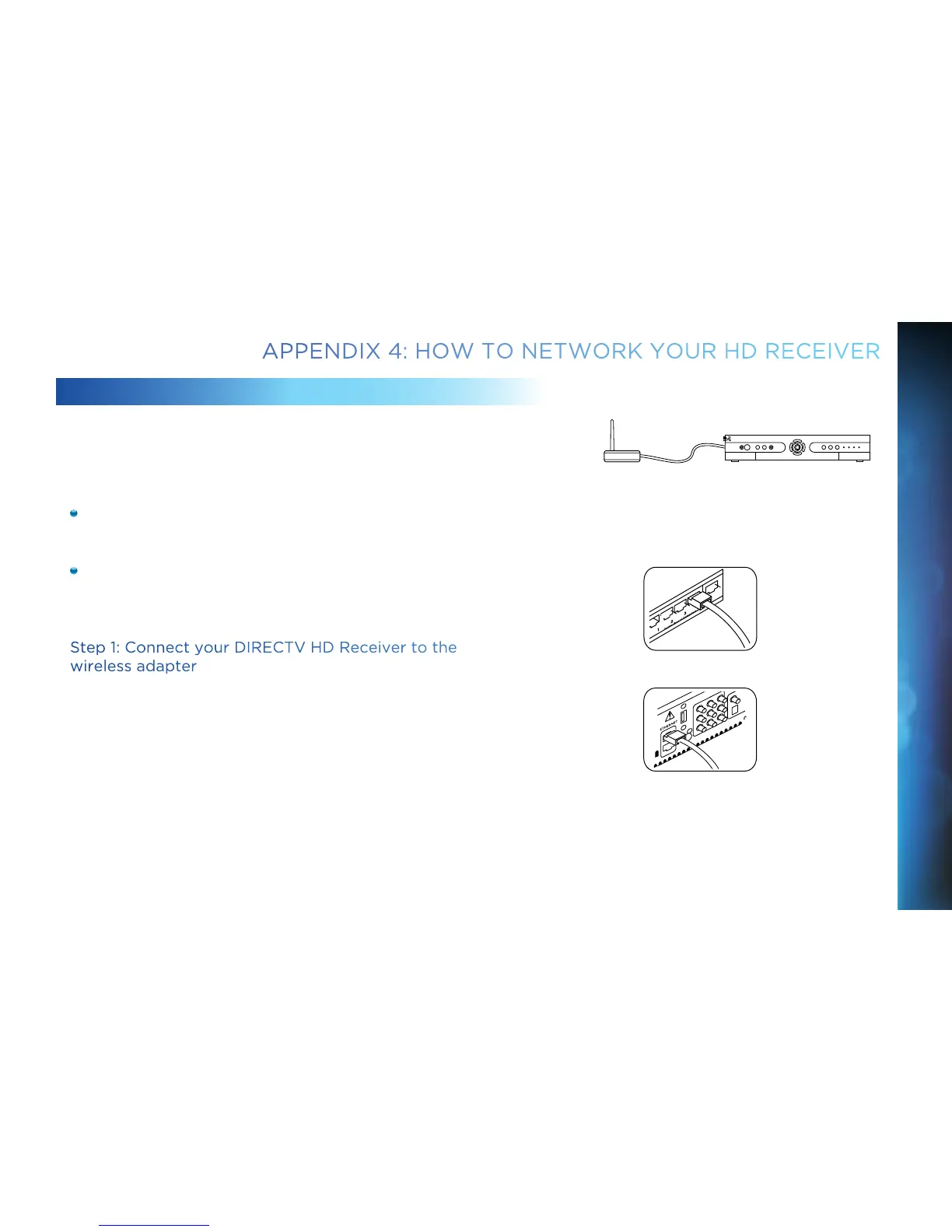
Step 1: Connect your DIRECTV HD Receiver to the
wireless adapter
Connect one end of the Ethernet cable to the Ethernet port on the back of the
wireless adapter. Connect the other end of the Ethernet cable to the Ethernet port
on the back of your DIRECTV HD DVR. If using the DIRECTV Cinema Connection
Kit – Wireless, follow connection instructions found in the user’s manual that
came with the device (or go to directv.com/getconnected) to determine
proper connection.
Plug your wireless adapter into an electrical outlet.
Ethernet cable plugs
into DVR Receiver
Ethernet cable
connects to the
Ethernet port of the
wireless adapter.
Ethernet Cable
Wireless Transceiver
DVR Receiver
APPENDIX 4: HOW TO NETWORK YOUR HD RECEIVER
APPENDICES



 To Next Page