17
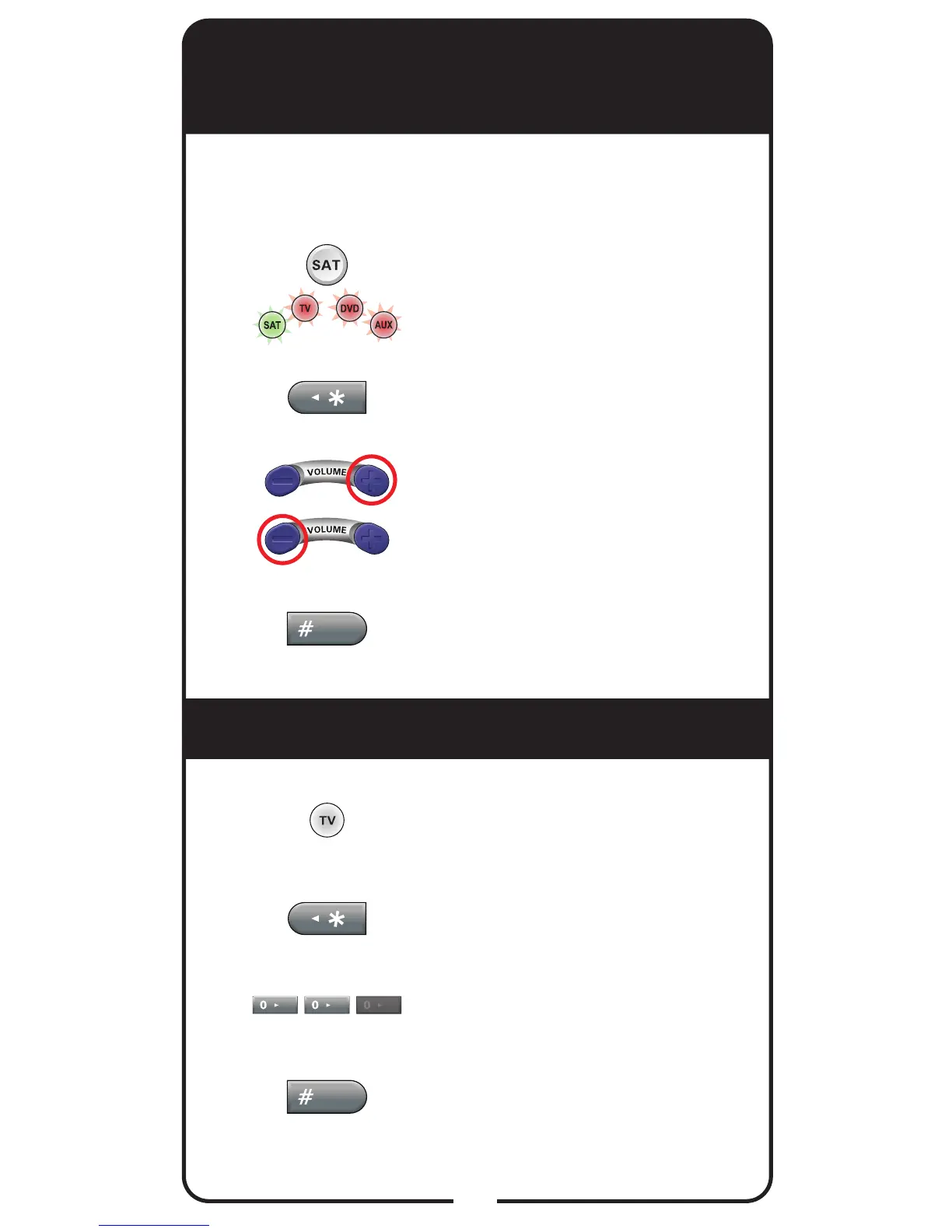
Enabling and Disabling SAT
Auto-Tune
Removing SAT Auto-Tune Channel
Note: SAT Auto-Tune is enabled by default; however,
the channel must be set (see Setting SAT Auto-Tune
Channel on page 16).
Press and hold SAT for three
seconds until all four Mode
buttons are lit.
Press STAR (*).
Press VOLUME UP to enable
SAT Auto-Tune or VOLUME
DOWN to disable.
Press POUND (#).
Press and hold the TV mode
button until it stays lit.
Press STAR (*).
Enter 00 or 000.
Press POUND (#).
1
1
2
2
3
3
4
4












 To Next Page