18
Setting Auto-Tune for
DVD/VCR
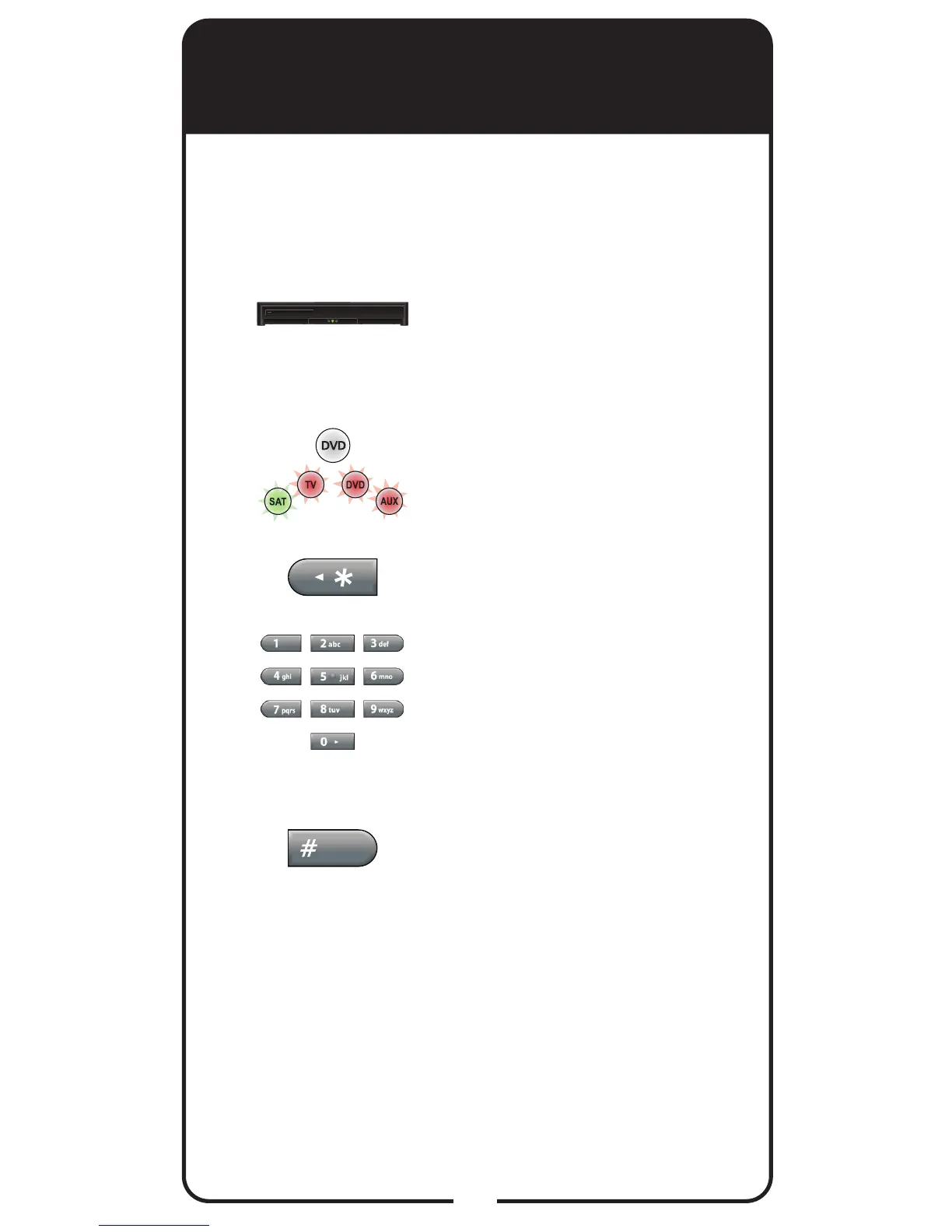
Make sure the remote control
operates your DVD/VCR.
Press and hold DVD for three
seconds until all four Mode
buttons are lit.
Press STAR (*).
Enter the channel used for
viewing (two or three digits
in range of 002 to 125), for
example channel “03” or
“004”.
Press POUND (#). The Mode
button ashes three times to
indicate programming was
successful.
1
2
3
4
5
You can set Auto-Tune for your DVD and/or
VCR. Auto-Tune allows you to return to the
channel for your DVD/VCR output when you
accidentally change the channel or video input.














 To Next Page