Page 31
Using Search
• Use the remote control number pad to enter the letters in the Name
box. Numbers 2 through 9 have telephone-style numbers written
above them. To enter an
H, for example, press 4 twice because H is
the second letter listed above the 4 on the NUMBER PAD. For
example, if you are searching for NCIS, enter the first few letters in
the title as follows:
Press three times for an
N.
Press twice for a
C.
Press once for a
I.
Press three times for a
S.
Note: Enter up to 14 characters (letters and spaces) for your search.
4. When you have entered the name, scroll down to choose between two
options:
Search Event Titles Only—Select this option when you are sure the
word(s) you entered are part of the event title.
Search All Event Info—Select this option if you want to search event
titles and information for the word(s) you entered.
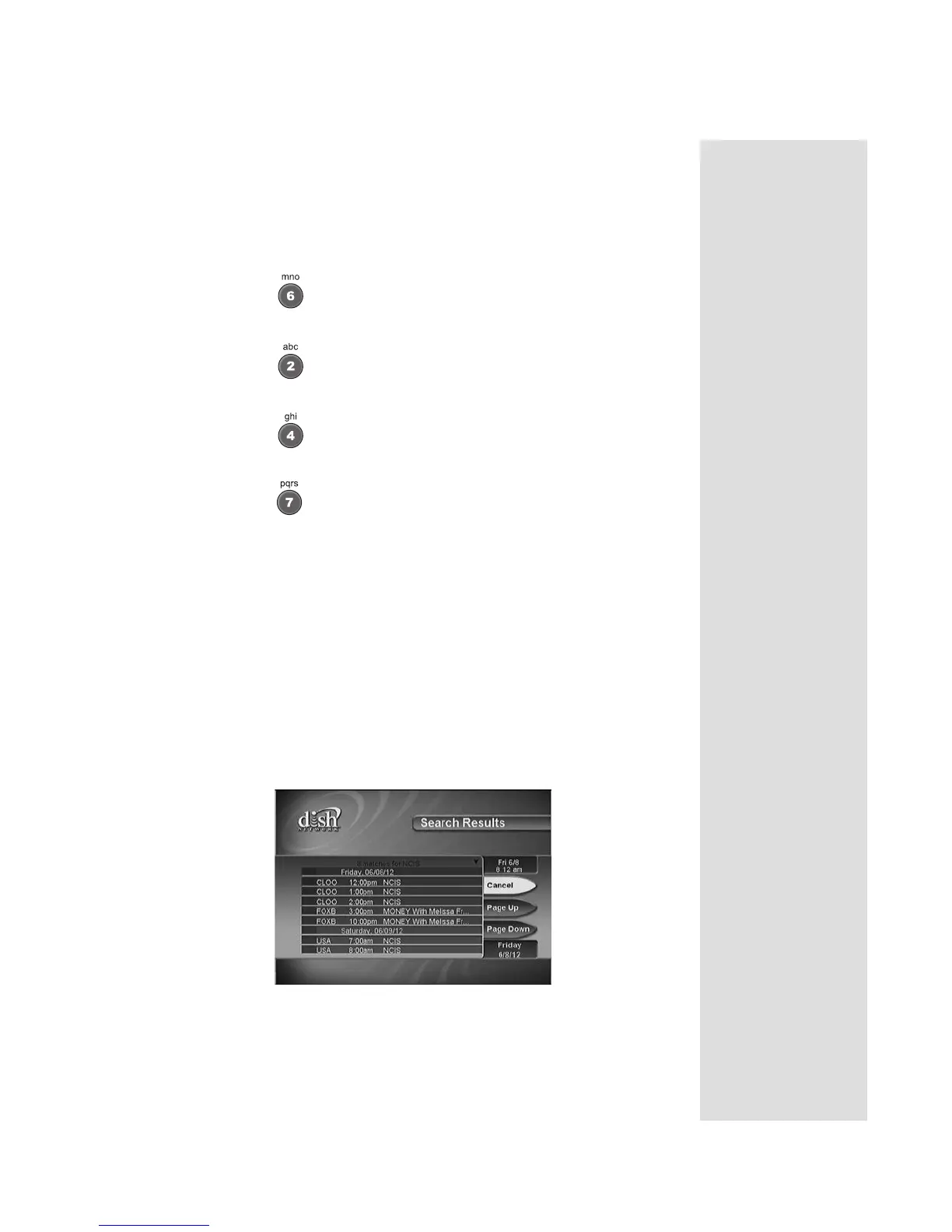
5. Select the
Search option. When the search completes, a screen listing
the name of the program(s) and the start and stop times displays.
6. Highlight the program you want to watch and press SELECT.
7. If the program occurs in the future, the
Create An Event Timer menu
opens. Select
Create to record the program. See Using Timers on
page 34 for more information.











 To Next Page