Page 2
Chapter 1
Introduction
IF YOU NEED ASSISTANCE
If you need help after you read this guide, choose one of the following
resources:
• Go to our website at mydish.com.
• Press MENU on your remote control and then select
Customer Support.
• Call the Customer Service Center at 1-800-333-DISH (3474). You can also
call the Customer Service number for information on professional
installation.
QUICK START GUIDE
These instructions guide you through activating your receiver over the phone
with the Customer Service Center. If you see a screen that asks you to
Begin
Activation, exit the screen by pressing the DOWN arrow on the remote control
to move the highlight to
Watch TV and then press the SELECT button.
STEP 1: ORDERING YOUR PROGRAMMING
1. If the receiver is off, press the blank POWER button on
the remote or press the POWER button on the receiver.
2. Press GUIDE
on the remote control.
Notice that some channels appear in white. These channels can
be viewed immediately. However, many channels are in red.
You cannot view these channels until you order programming.
TO ORDER PROGRAMMING
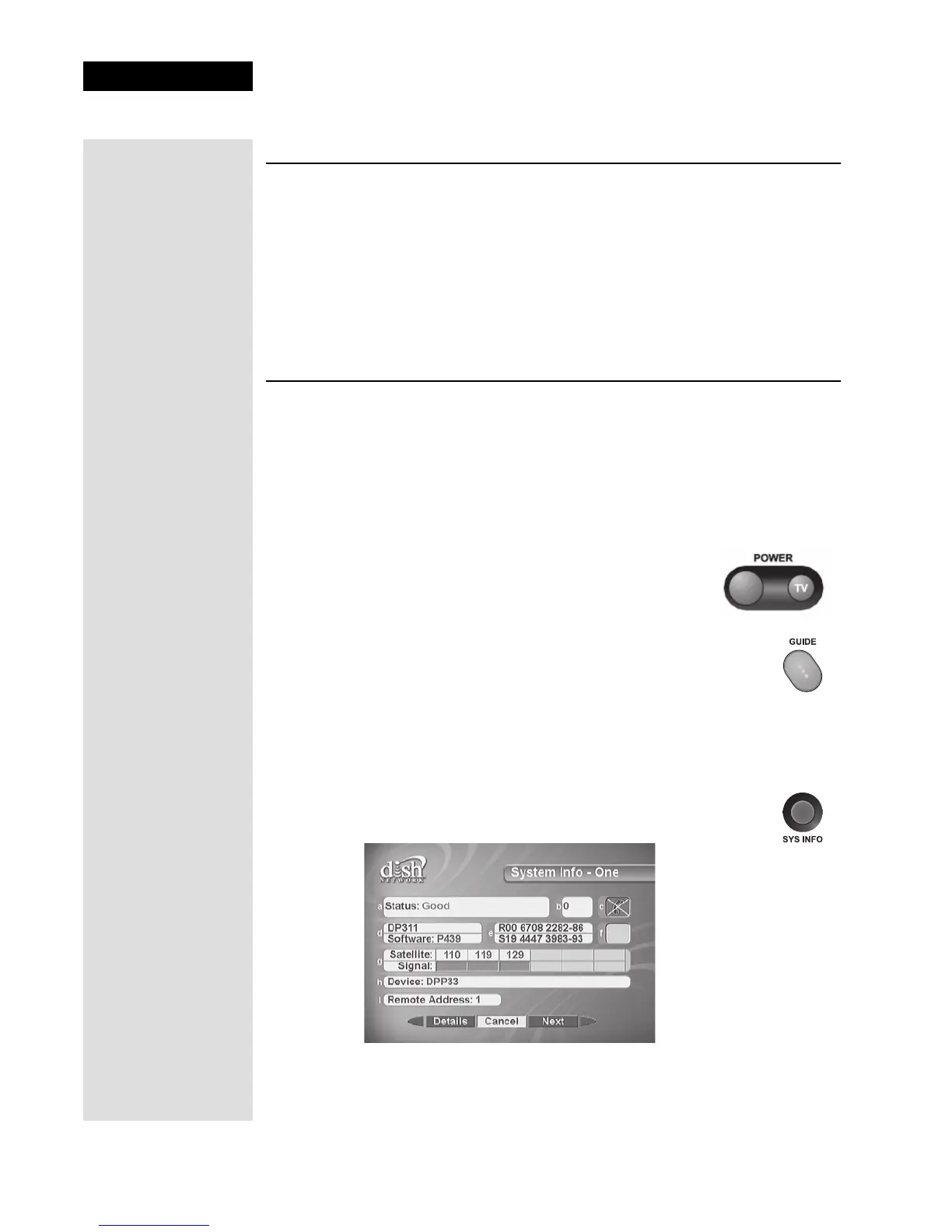
1. Display the System Info - One screen on your receiver by
pressing SYS INFO on the remote.











 To Next Page