Page 30
Chapter 3
Using the System
USING THEMES
THEMES
You can list and choose programs by the theme of their contents (for
example, just movies or just sports). You can then quickly list programs
based on that theme, and choose the program you want.
1. To open the Themes menu, press the LEFT ARROW
button.
2. Select a Theme (Movies, Sports, etc.).
3. Move through the Themes results by using the UP or
DOWN ARROWS. You can also move a page at a time
using PAGE UP or PAGE DOWN.
4. Highlight the desired program in the program list.
5. Press the SELECT button to watch the program.
Note: If the program you highlighted is airing in the future,
the receiver opens the
Create An Event Timer menu. See
page 34 for information on using timers.
USING SEARCH
The Search feature of your satellite receiver makes it easy for you to find
the programs you want to watch.
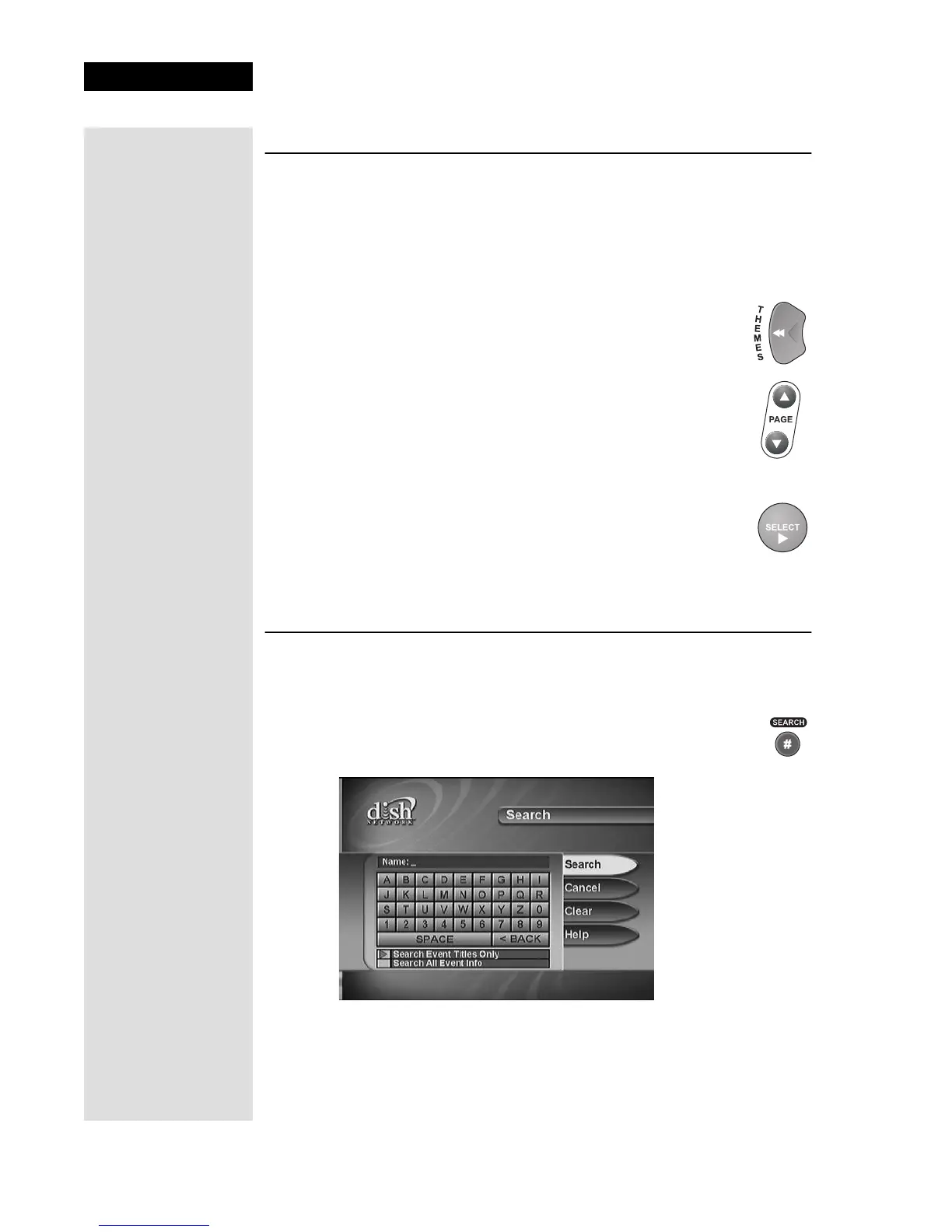
1. Press the SEARCH button.
The Search menu opens.
2. Move the highlight to the Name box.
3. There are two ways to enter the name of the program you want to find:
• Use the UP, DOWN, LEFT, and RIGHT ARROWS to scroll
around on the virtual keyboard and then select the letters you want.
Tip: Want to see
what movies or
sports events are
available for
viewing? Just press
the LEFT ARROW
button (THEMES
button) and use the
up/down/left/right
arrows to move to
the theme that
interests you. Press
SELECT and you’ll
see what’s playing.











 To Next Page