YOUR DTVPAL DIGITAL-TO-ANALOG TV CONVERTER
SYSTEM SETUP
System SetupEinactivity Standby
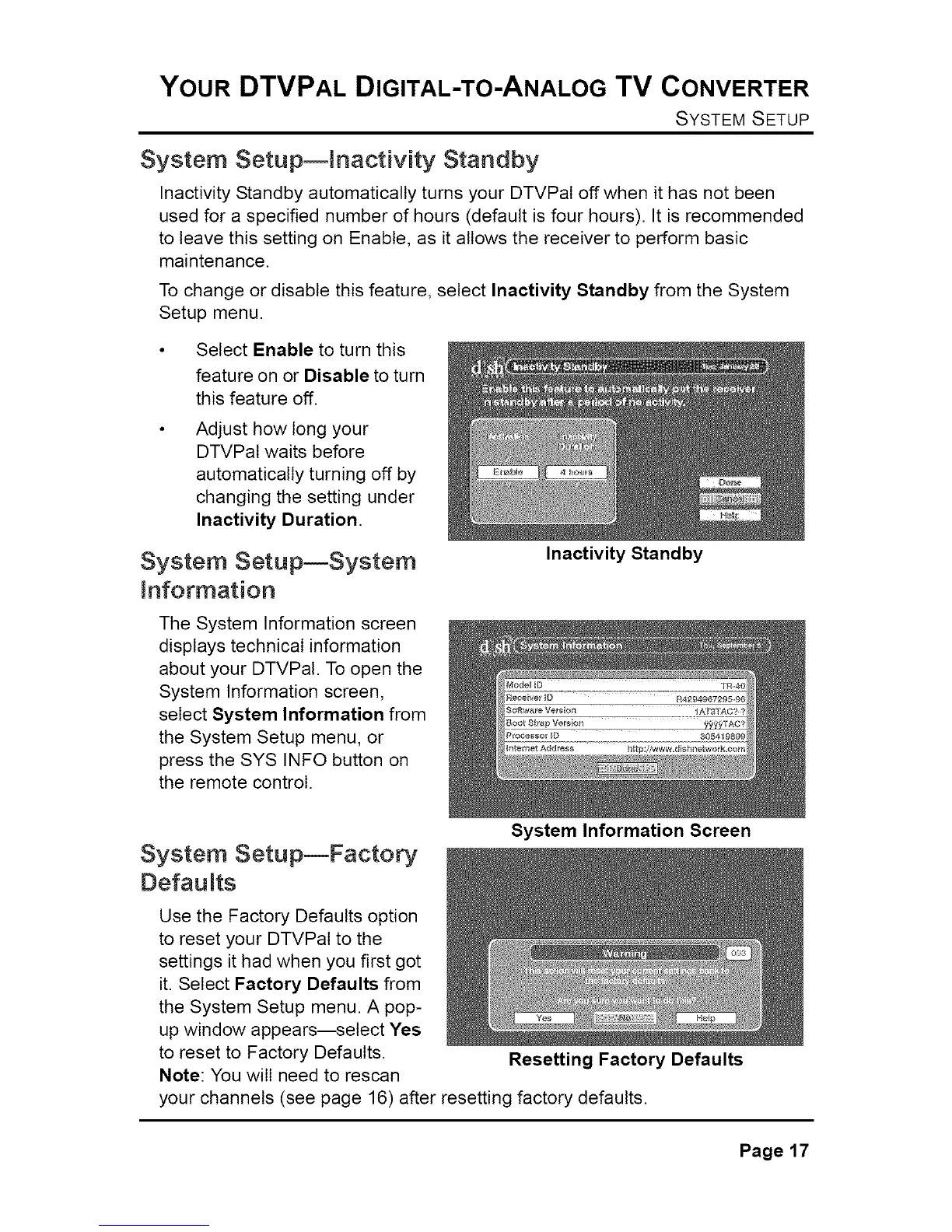
Inactivity Standby automatically turns your DTVPal off when it has not been
used for a specified number of hours (default is four hours). It is recommended
to leave this setting on Enable, as it allows the receiver to perform basic
maintenance.
To change or disable this feature, select Inactivity Standby from the System
Setup menu.
Select Enable to turn this
feature on or Disable to turn
this feature off.
Adjust how tong your
DTVPal waits before
automatically turning off by
changing the setting under
Inactivity Duration.
System SetupESystem
information
The System Information screen
displays technical information
about your DTVPal. To open the
System Information screen,
select System Information from
the System Setup menu, or
press the SYS INFO button on
the remote control.
System SetupmFactory
Defau its
Inactivity Standby
System Information Screen
Use the Factory Defaults option
to reset your DTVPal to the
settings it had when you first got
it. Select Factory Defaults from
the System Setup menu. A pop-
up window appears--select Yes
to reset to Factory Defaults.
Note: You will need to rescan
your channels (see page 16) after resetting factory defaults.
Resetting Factory Defaults
Page17



 To Next Page