YOUR DTVPAL DIGITAL-TO-ANALOG TV CONVERTER
TV GUIDE ON SCREEN OR GUIDE PLUS SETUP
Using your DTVPal remote
control, press MENU, select
Setup, then System
Setup, TV Guide Setup,
then TV Guide & Guide +.
TV Guide Setup
Connecting the G-LINK Cable
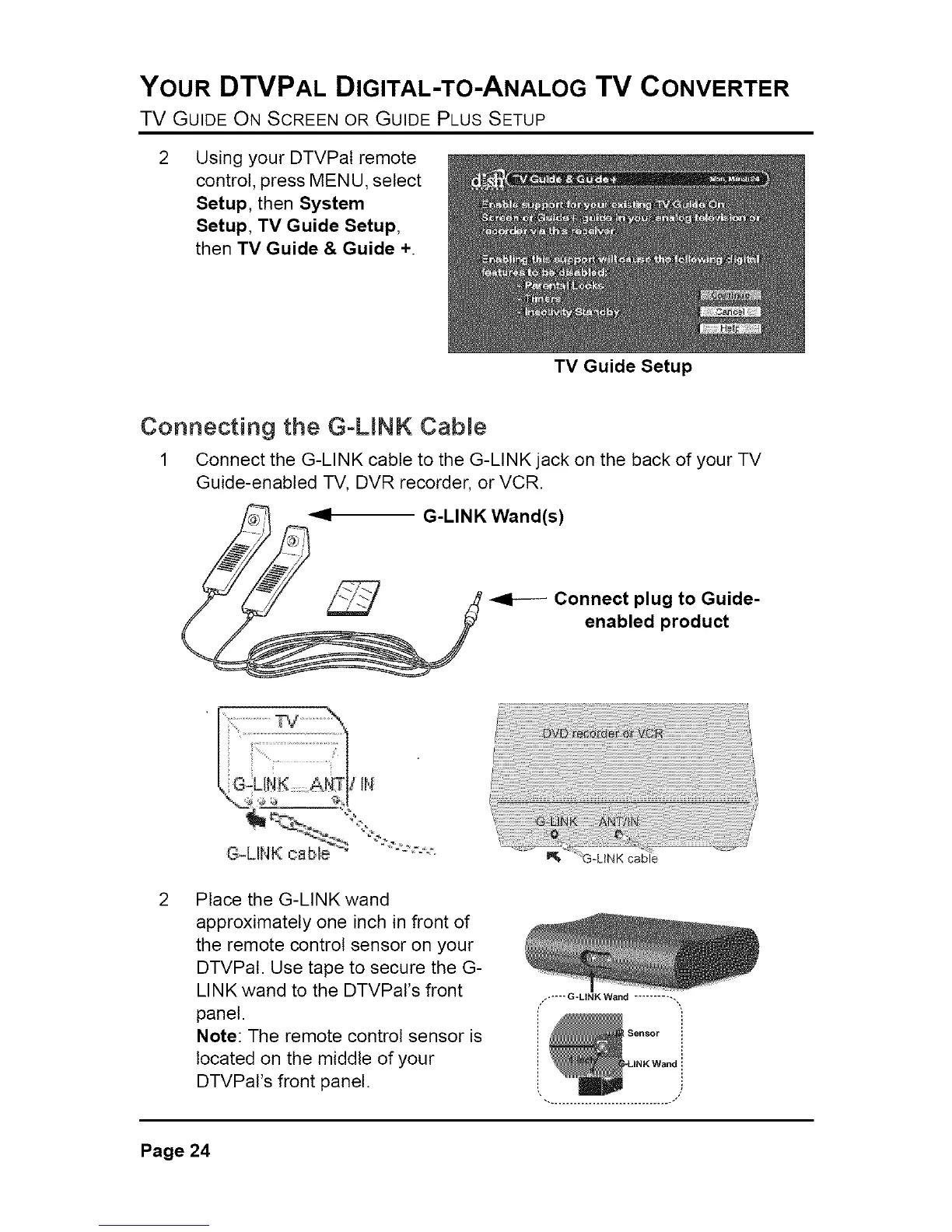
1 Connect the G-LINK cable to the G-LINK jack on the back of your TV
Guide-enabled -I-V,DVR recorder, or VCR.
G-LINK Wand(s)
Connect plug to Guide-
enabled product
Place the G-LINK wand
approximately one inch in front of
the remote control sensor on your
DTVPal. Use tape to secure the G-
LINK wand to the DTVPal's front
panel.
Note: The remote control sensor is
located on the middle of your
DTVPaI's front panel.
,----- G-LINK Wand ..........
Page 24



 To Next Page